



-202610121017596081271.jpg)



Download
iLearn application
Elevate Your Financial Knowledge with the
ICICI Direct iLearn App




About the Company:
De Neers Tools Limited is a pan-India supplier of industrial tools with an eminent list of clients including Tata Steel, Indian oil, Larsen & Toubro, Assam Petrochemicals, Lohia Corporation, Polycab Cables, Indian Railways, etc.
Products:
Industrial tools including spanners, wrenches, pliers, cutters, Allen keys, hammers, sockets, screwdrivers, tool kits, tool cabinets, trolleys, etc.
Safety tools including non-sparking tools, insulated steel tools, non-sparking insulated tools, stainless steel and magnetic tools, titanium tools, etc.
Business Model :
De Neers Tools Limited supplies its products through an extensive chain of approximately 250 dealerships across India.
IPO details :
IPO subscription dates: April 28 to May 3, 2023
Price: Rs. 95-101 per share
Lot size: 1,200 shares (i.e., Rs. 1,14,000 to Rs. 1,21,200)
IPO Objective:
De Neers Tools Limited intends to utilise the proceeds on:
Working capital requirements
General corporate purposes and issue expenses
Company Financials
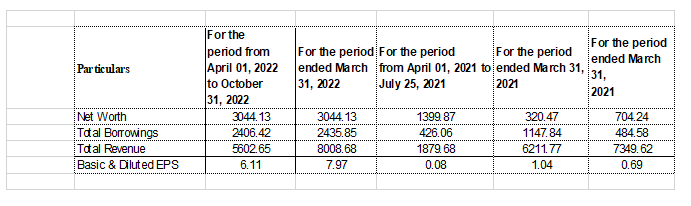
Liability Situation
|
Sr. No. |
Particulars Amount |
Particulars Amount |
|
1 |
Income Tax demands/Notices before CIT Appeals/TDS |
Nil |
|
2 |
Bank Guarantees/Corporate Guarantees |
Nil |
|
|
Total |
Nil |
The company does not have any Contingent Liabilities as on the date of filing the RHP.
Major Business-Related Risk
There are no outstanding legal proceedings involving the Company, Promoter, Directors and Group Companies.
How to apply for a Quick IPO on ICICIdirect
Go to the IPO section, select the IPO you want to apply for from the list, and click on ‘Apply’.
Fill in the number of shares you want to buy. To apply at maximum price, check the cut-off price box and amount is auto-calculated. If you want to apply at some other price within the price band, then you can enter the price manually by clicking on the “Add bid” option.
Click on proceed to confirm the order. You can view the placed order under “Order book”. If you are applying using UPI, check the A/C and UPI details before clicking on proceed. You will get a UPI link through which the payment can be made.


Understand contango in commodity trading, how futures prices differ from spot prices, and how financing, storage and insurance costs influence commodity pricing.
 211 views
 1 minutes
 19 Oct 2026
Copper is a widely used base metal known for its electrical and thermal conductivity, strength, ductility and corrosion resistance. It is used across electrical wiring, construction, machinery, power infrastructure and several industrial applications.
425 views
2 minutes
09 Oct 2026
Natural Gas is a widely traded energy commodity used for electricity generation, industrial activity, heating and other applications. Its prices can react sharply to weather, supply and demand, inventories, global energy markets and geopolitical developments.
702 views
1 minutes
30 Sep 2026

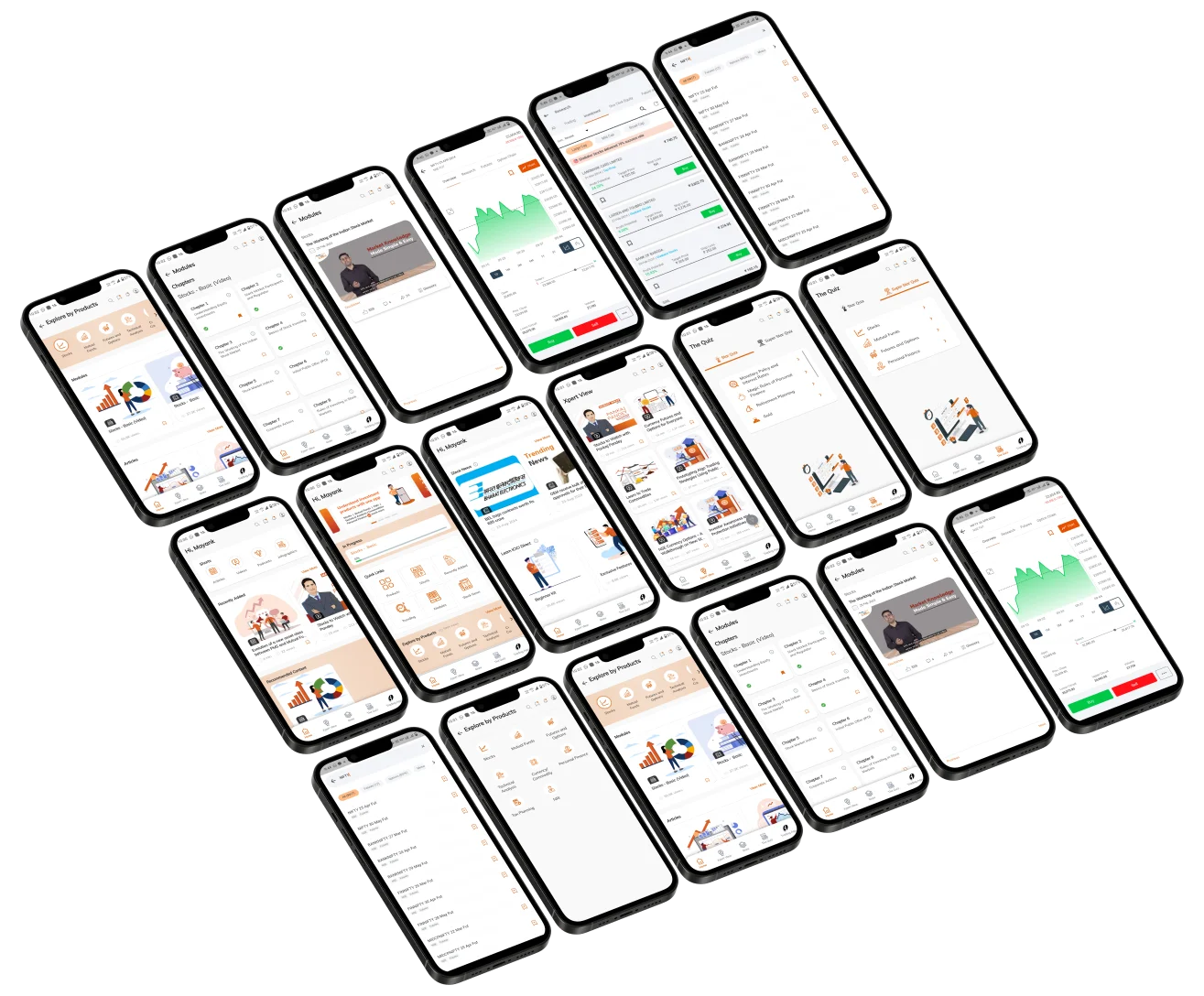
Elevate Your Financial Knowledge with the
ICICI Direct iLearn App
Elevate Your Financial Knowledge with the
ICICI Direct iLearn App
