|
|
ICICIdirect e-invest Account
|
|
.
|
What is unique about the ICICI Direct e-Invest account?
The ICICI Direct e-Invest account is more than just a trading account. It offers a unique 3-in-1 feature that seamlessly integrates your trading account, savings bank account, and demat account. This integration simplifies the entire investment process — from placing orders to settlements — by enabling automatic fund transfers and share movements with no paperwork. With this setup, online investing becomes smooth, convenient, and hassle-free.
|
|
|
|
|
.
|
What is the 3-IN-1 concept?
The 3-in-1 account combines your ICICI Direct trading account, ICICI Bank savings account, and ICICI Bank demat account. For this integration to work, both the savings and demat accounts must be opened with ICICI Bank. You may choose any ICICI Bank branch convenient to you for opening your bank account.
|
|
|
|
|
.
|
Can I have multiple demat accounts linked to my e-Invest account?
Yes, you can link up to four demat accounts to your e-Invest account. However, four is the maximum number of demat accounts that can be linked at a time.
|
|
|
|
|
.
|
Can I have multiple Bank accounts linked to my e-invest account?
No, currently you can link only one bank account to your e-Invest account.
|
|
|
|
|
.
|
What if I already have a demat or bank account with another bank or depository?
To benefit from the 3-in-1 account integration, your trading, bank, and demat accounts must all be held with ICICI Group. Accounts held with other banks or depositories cannot be linked for this service.
|
|
|
Top
|
|
|
|
|
|
Becoming a Customer
|
|
.
|
Who is eligible for this service?
All resident Indians, as well as Non-Resident Indians (NRIs) residing in Gulf Cooperation Council (GCC) countries — including the United Arab Emirates, Saudi Arabia, Bahrain, Kuwait, Oman, and Qatar — are eligible to avail this service.
|
|
.
|
How do I become an ICICIdirect customer?
You can open an ICICI Direct 3-in-1 account online by visiting the ICICI Direct website or through the mobile app.
|
|
|
|
|
.
|
How do I request an account opening form?
You can request a visit from our representative (available in Select Cities)
by registering online through our website. Alternatively, you may:
-
Visit any ICICI Bank branch or centre where our representatives can assist you.
-
Email us at
helpdesk@icicidirect.com
and our Customer Service Executive (CSE) will contact you to help complete the account opening process.
|
|
|
|
|
.
|
I have submitted my application. What happens next?
Your application will be reviewed, and you will be notified once it is accepted and your accounts are activated. If there are any missing or incorrect details, our representative will contact you via call or email to complete the process.
|
|
|
|
|
.
|
How do I know if my application has been accepted?
You can track your application status by visiting the “Know Your Account Status” section under the Customer Service page on www.icicidirect.com. You will also receive an email confirmation once your account has been successfully opened.
|
|
|
|
|
.
|
Do I need to maintain a minimum balance in my bank account?
Yes, the Monthly Average Balance (MAB) requirement will depend on the specific savings account variant you open with ICICI Bank.
|
|
|
Top
|
|
.
|
What documents will I receive once my ICICI Direct account is opened?
Once your account is successfully opened, you will receive the following:
-
A PIN mailer containing your user ID and password for ICICIdirect, sent by ICICI Securities Ltd
-
A cheque book and ATM-cum-Debit Card (if a new savings account was opened), sent by ICICI Bank Ltd.
-
A Membership Guide and internet banking credentials for your demat account, sent by ICICI Bank Demat Services
Note:
The Transfer Instruction Delivery Booklet (TIDB) will be sent to your registered address.
|
|
|
|
|
.
|
When is a trading account termed as ‘Inactive’ or ‘Dormant’?
A trading account is considered inactive or dormant if no trades are placed across any exchange or segment for a period of one year. ICICI Direct does not freeze such accounts; however, any new trade initiated from an inactive or dormant account will be subject to additional due diligence and verification, as deemed necessary by ICICI Direct.
Customers are notified via email when their account is marked inactive. If no action is taken within the specified timeframe, the account may be temporarily suspended.
|
|
|
|
|
|
Existing ICICI Customers
|
|
.
|
If I already have an ICICI Bank account and an ICICI Demat account, can I use them for online investing?
Yes, you can use your existing ICICI Bank and ICICI Demat accounts for trading. All fund transactions will be debited from or credited to the bank account linked to your ICICIdirect trading account.
|
|
|
Top
|
|
|
|
|
|
FAQs on Bank/Demat Account
|
|
.
|
What type of Bank Account can I use with my e-invest account?
You will need a savings bank account with ICICI Bank. This account must be linked to your e-Invest account. If you don’t already have an ICICI Bank account, a new online savings account will be opened for you as part of the e-Invest account setup.
|
|
|
|
|
.
|
How frequently can I check the status of my accounts?
You can access the status and details of your bank, demat, and e-Invest accounts online 24/7 through the ICICIdirect platform. All trade-related updates and order information are available in real time. Trade outcomes will also reflect in your linked bank and demat accounts on T+1 working day, eliminating the need to wait for statements.
|
|
|
|
|
.
|
What is an ICICI Bank Online Banking account?
ICICI Bank’s online banking service is called Infinity. When you open an ICICI Direct e-Invest account, a linked ICICI Bank savings account is also opened, which is compatible with the Infinity platform.
You can access Infinity via www.icici.bank.in
using a secure login ID and password. It allows you to view your account balance, transaction history, transfer funds, and make online bill payments.
If you've opened a new bank account or linked an existing account not registered with Infinity, your login credentials will be sent to you separately. However, this will not impact your ability to trade on ICICI Direct.
|
|
|
Top
|
|
|
|
|
|
New ICICIdirect e-invest Customers
|
|
.
|
I am a new customer and have just been informed that my ICICI Direct e-Invest account is active. How do I place my first trade?
You can begin by learning how to trade through these resources:
Once you're familiar, log in to icicidirect.com and navigate to the “Place Order” section to begin trading.
|
|
|
|
|
.
|
I want to buy some shares, but I don’t have money in my bank account. What should I do?
You need to first deposit funds into your ICICI Bank account. You can do this by:
-
Depositing cash or a cheque using a pay-in slip
- If depositing a cheque, wait for it to clear before proceeding.
Once the funds are credited, allocate the desired amount for trading via the ICICI Direct web platform or app. Alternatively, you can sell existing shares from your demat account in the cash segment and use the proceeds to buy shares.
The amount you need to allocate will depend on the total value of your intended order.
|
|
|
|
|
.
|
I’ve deposited a cheque but still can’t place a purchase order. Why?
There could be two reasons:
1. The cheque hasn’t cleared yet. Please check with your ICICI Bank branch to confirm the clearance status.
2. You haven’t allocated funds for trading. Even if the funds are available in your account, they need to be explicitly allocated for trading or investment on ICICIdirect.
|
|
|
|
|
.
|
Can I withdraw the amount allocated for trading?
Yes, just as you can allocate funds for trading, you can also reduce the allocated amount — provided it hasn’t been blocked due to any pending orders. Once funds are deallocated, they can be withdrawn from your linked ICICI Bank account.
|
|
|
|
|
.
|
Can I borrow or get a line of credit against my Demat Account?
Currently, this service is not offered. However, we are actively exploring such features. Your feedback on this requirement is welcome and will help shape future offerings.
|
|
|
Top
|
|
|
|
|
|
FAQs on Online Investing
|
|
.
|
On which exchanges can I buy and sell shares?
ICICI Direct provides execution capabilities on both the National Stock Exchange (NSE) and the Bombay Stock Exchange (BSE).
|
|
|
|
|
.
|
What kind of orders can I place?
You can place two types of orders:
-
Limit Order: You specify the maximum price you are willing to pay for a buy order, or the minimum price you are willing to accept for a sell order. The trade will only be executed if the market reaches your specified price or better.
-
Market Order: This order executes at the best available price in the market at the time of placement. It typically has a higher chance of execution. Market orders can only be placed during exchange trading hours.
Note (NSE specific market order):
If a market order is not fully executed, the remaining quantity is automatically converted into a limit order at the last traded price.
|
|
|
|
|
.
|
Which shares can I buy and sell?
You can trade shares listed in the Cash Segment that are in compulsory dematerialised form on NSE and BSE. The list of eligible stocks is updated regularly based on regulatory guidelines.
Additionally, select stocks are available for trading in the Margin Segment as well.
|
|
|
|
|
.
|
Will I get online confirmation of orders and trades?
Yes, all orders and trades are confirmed online in real time. Once you place an order, it is validated and sent to the exchange without any manual intervention.
You can track the status in the Order Book. At the end of the trading day, you will receive:
- An email confirmation of your trades
-
Digitally signed contract notes via email
-
Access to contract notes under:
Login >> Stocks >> Reports >> Digital Contract Note
|
|
|
|
|
.
|
Is it guaranteed that an order will be executed in full or at one price?
No. Execution depends on market conditions:
-
A limit order may remain unexecuted if there are no matching bids or offers at your specified price
-
Partial executions are possible. The remaining quantity becomes a new order for the balance.
-
Each executed portion could happen at a different price, especially in fast-moving markets.
For market orders:
-
If no matching orders exist, the unexecuted quantity is automatically converted into a limit order at the last traded price.
-
If the last trade happened at ₹100, and only 40 out of 100 shares were sold, the remaining 60 will be converted into a limit order at ₹100.
-
If the last execution occurred at ₹95, then the limit for the remaining order will be ₹95.
If the price of the opposite-side order goes beyond the Maximum Price Interval (MPI) range, the unexecuted portion may be cancelled entirely.
|
|
|
|
|
.
|
Can I modify my order?
Yes, you can modify your order any time before it is executed. To do this, go to the Order Book on ICICI Direct and click the ‘Modify’ link next to the relevant order.
However, you cannot modify an order while it is queued with the exchange (i.e. when confirmation is pending). If the order is partially executed, only the unexecuted portion can be modified.
|
|
|
|
|
.
|
Can I cancel my order?
Yes, you can cancel any order that hasn’t been executed yet. Visit the Order Book and click the ‘Cancel’ link next to the order you wish to cancel. If the order is already partially executed, only the unexecuted portion can be cancelled.
|
|
|
|
|
.
|
Can I place orders after trading hours? What happens to them?
Yes, you can place limit orders after trading hours. These are queued in the system and sent to the exchange when the market reopens (either in the pre-open or normal trading session). The order status will show as ‘Requested’ in your Order Book until it's sent to the exchange.
|
|
|
|
|
.
|
Do I need funds before placing a buy order?
Yes, you must have sufficient funds in your linked ICICI Bank account before placing a buy order. Alternatively, if you've sold shares, you can use the sale proceeds to buy other shares.
|
|
|
|
|
.
|
Can I go short?
Yes, short selling is allowed in the Margin Product. However, short positions must be squared off before the specified time on the same trading day. You cannot short sell under the Cash Product, where you may only sell shares that are available in your demat account.
|
|
|
|
|
.
|
How will I be informed of my trade execution?
Trade executions are confirmed online in real time. You can view order status in the Order Book, where it updates to ‘Executed’ or ‘Part Executed’ accordingly. Details of executed trades are also available in the Trade Book by clicking the relevant Order Reference Number.
Additionally, you will:
-
Receive an email confirmation
-
Get a digitally signed contract note at the end of the day
-
Be able to download your notes under:
Login >> Stocks >> Reports >> Digital Contract Note
You can choose to receive trade confirmations either per trade or consolidated at the end of the day.
|
|
|
|
|
.
|
What is a contract note?
A contract note is a legally valid confirmation of the trades executed on your behalf during a trading day. It includes trade details in the prescribed format and is shared in duplicate — one copy for you and one for the broker. This document formalises the trade between you and the brokerage.
|
|
|
|
|
.
|
Can I trade on margin?
Yes, margin trading is available on select stocks. You can use this facility to buy or sell shares with partial capital upfront, subject to eligibility and risk profiling.
|
|
|
|
|
|
|
|
.
|
What is a Disclose Quantity (DQ) order?
A Disclosed Quantity (DQ) order allows you to show only part of your total order quantity to the market at a time.
For example:
If you place an order to sell 1,000 shares with a DQ of 200, only 200 will be visible to the market initially. Once that’s traded, the next 200 will be revealed, and so on.
-
On NSE, DQ must be at least 10% of the total order but less than the full order quantity.
-
On BSE, the DQ must be at least 10% or 1,000 shares, whichever is lower, and also less than the full order quantity.
|
|
|
|
|
.
|
What is a Stop Loss order ?
A Stop Loss order allows you to limit your potential losses by automatically placing a buy or sell order when the stock reaches a specified price, known as the Stop Loss Trigger Price (SLTP).
Examples 1 : Stop Loss Buy Order
Suppose you’ve short sold Reliance at ₹325, expecting a fall. To limit loss if the price rises, you place a Stop Loss buy order with:
- SLTP = ₹345
- Limit Price = ₹350
If the stock hits ₹345,the system places a buy order at ₹350.
Example 2: Stop Loss Sell Order
You buy Reliance at ₹325 expecting a rise. To limit loss if it falls, you place a Stop Loss sell order with:
- SLTP = ₹305
- Limit Price = ₹300
If the price drops to ₹305, a sell order is placed at ₹300.
Important:
-
For a buy Stop Loss order, the SLTP must be higher than the last traded price.
-
For a sell Stop Loss order, the SLTP must be lower than the last traded price.
|
|
|
|
|
.
|
What are price bands?
Exchanges define price bands to limit how much a stock can move in a single trading day.
-
Most stocks can move within a band of ±20% from the previous day’s closing price.
-
Stocks under derivatives or with high volatility may have tighter bands like ±5% or ±10%.
-
Orders placed outside the permitted range are rejected by the exchange system.
If a member wishes to place an order beyond the defined price band (especially for derivatives), they must request the exchange to temporarily relax the limit.
|
|
|
|
|
|
Top
|
|
|
Advanced Order
|
|
|
|
|
|
Multi Price Order in Cash
|
|
|
Top
|
|
.
|
Why am I unable to place certain orders or perform certain actions in this product?
Certain orders and actions have been restricted to comply with regulatory norms related to securities settlement. As per SEBI guidelines, netting off of trades has become mandatory, which limits some order types and actions.
To view the full list of restricted features, please refer to the detailed guidelines on the ICICIdirect platform click here..
|
|
|
Top
|
|
|
Buy Today Sell Tomorrow® (BTST®)
|
|
|
|
|
.
|
What is Buy Today Sell Tomorrow® (BTST®) ?
Buy Today Sell Tomorrow® (BTST®) is a facility that allows you to sell shares even before they are credited to your demat account. This means you don’t have to wait for the standard settlement (T+1) to complete.
With BTST®, you gain early liquidity as you can exit the position on the same or next trading day without waiting for delivery from the exchange.
How can I place a BTST®order ?
To place a BTST®order:
1. Go to the Security Projections page on ICICIdirect.
2. Click the BTST® Sell hyperlink next to the relevant stock.
3.Fill in the order details, similar to a normal cash sell order
Can I place a BTST® order through the normal Cash Sell order entry page?
Yes, you can place a BTST® order using the Cash Sell order entry page. However, if the order quantity exceeds your total available quantity (i.e. day’s buy quantity + demat allocation), the system will automatically split your order into two parts — regular sell and BTST®sell.
Example:
Let's say:
-
Day buy quantity for ACC = 10
-
Demat allocation quantity for ACC = 20
- Total BTST® eligible quantity = 30
Case 1: Placing a Cash Sell order for 45 shares on NSE:
The system will automatically break the order as follows:
- 30 shares (Day Buy + Demat Allocation) – placed as a normal sell order on NSE
-
15 shares – placed as a BTST® sell order on NSE
Case 2: Placing a Cash Sell order for 45 shares on BSE:
The system will break it into:
-
30 shares (Day Buy + Demat Allocation) – normal sell order on BSE
-
15 shares – BTST® sell order on BSE
What is the maximum number of shares I can sell under BTST® ?
You can view the maximum number of shares available for BTST® under the ‘Maximum Quantity Permitted’ column on the Security Projections page. This quantity is calculated based on your net buy position in the respective settlement and ICICI Direct's internal risk parameters for that stock.
When you place a BTST® order:
-
The order quantity is added to the Blocked Quantity
-
The Available Quantity is reduced accordingly
You can continue placing additional BTST® or normal sell orders up to the available quantity
Why is BTST® quantity shown in both Blocked Quantity and Current Day Quantity?
As per updated settlement rules, BTST® sell quantity is also netted against the same-day buy quantity during end-of-day (EOD) processing.
-
During the day: BTST® quantity is shown as both blocked and adjusted against same-day transactions
-
After EOD: Your holdings and limits are updated to reflect netting outcomes
Despite interim display changes, you can place cash sell orders up to the net bought quantity during the trading day.
Can I use BTST® if the current settlement is ongoing?
No, BTST® can only be used after the buy-side settlement is complete. You cannot use BTST® for shares still under the same ongoing settlement cycle
How many scrips are available for BTST® ?
BTST® is allowed for most NSE-listed stocks. However, ICICI Direct restricts this facility for certain stocks based on internal criteria such as:
- Low liquidity
-
Exchange surveillance lists (e.g., GSM)
-
Stocks linked to suspicious messaging activity (e.g., fake SMS scrips)
ICICI Direct reserves the right to modify this list at its discretion.
What happens if delivery of shares sold under BTST® is not received from the exchange?
If there is a short delivery in your initial buy transaction, you will also face short delivery in your BTST® sell transaction.
- The exchange may deliver shares via auction or may close out your buy trade.
-
However, by the time the auction is processed, your sell-side settlement may already be due.
-
In this case, you will be liable for auction penalties, losses, and other incidental charges.
-
ICICI Direct will not be responsible for short deliveries from the exchange or any resulting impact.
-
Your cash limits will be reduced temporarily to cover the potential auction loss. These limits will be adjusted once actual auction proceeds are known.
What happens if shares bought under Delivery are not received from the Clearing Corporation?
With Direct Pay-out, shares are credited directly to your demat account. If shares are not received, it could be due to:
- A shortfall from the clearing corporation
- An invalid or dormant mapped demat account
Example:
You buy 100 shares on Monday. If a shortfall occurs on Tuesday (settlement day), and you receive only 40 shares via auction on Wednesday:
- 40 shares will appear in your demat holdings
-
For the remaining 60 shares, funds will be credited once received as part of a close-out
What happens if I sell Delivery shares before they’re received from the Clearing Corporation?
During T+1 EOD processing, if a shortfall is detected:
-
Your cash limit will be blocked equal to the value of the sell trade plus a 20% markup, regardless of your available limit.
- On T+2, shares will either be received through auction or funds will be credited for the shortfall.
Example:
You buy 100 GAIL shares at ₹100 and sell them the next day at ₹105. A full shortfall is detected:
-
₹12,600 (105 × 100 + 20%) is blocked
-
On T+2, if 40 shares are received via auction, the rest (60 shares) are settled via fund credit (e.g., 60 × ₹107 = ₹6,420)
What if I sell shares bought under Delivery before receiving them, but I already hold the same stock in my demat account?
In such a case, if there is a shortfall from the clearing corporation:
- BTST® sell quantity will be adjusted against both auction delivery and your existing holdings
- The remaining shares will be deducted from your demat holdings
-
Funds for the shortfall portion will be credited after the close-out
Example:
You bought 100 shares of GAIL and sold them as BTST at ₹105. You already hold 1,000 shares of GAIL.
-
On T+2, if you receive 40 shares via auction, they are adjusted against the BTST sell
-
The remaining 60 shares are deducted from your existing 1,000-share holding
-
Updated holding = 940 shares
-
Close-out amount for 60 shares will be credited to your account
Can Non-Resident Indians (NRIs) opt for BTST®?
No. Currently, BTST® is not available to NRIs.
What is the applicable brokerage for BTST® trades?
The brokerage rates for BTST® trades are the same as those applicable for regular cash market trades.
Will the shares be credited to my demat account?
Yes, under the Direct Pay-out of Securities Mechanism, securities are directly credited to the primary/default demat account mapped to your ICICIdirect profile.
If shares are sold under BTST®, they are allowed to the extent of shares bought in the previous day’s settlement.
What happens if shares are deallocated? Can I allocate them and then place BTST® or Cash Sell orders?
Yes, you can manually allocate shares from the ‘Allocate’ section on the Demat Holdings page. Here's how:
-
Enter the total demat balance quantity as pre-populated.
-
The difference between the unallocated (free) quantity and the previous day’s buy quantity will be auto-allocated.
- If the scrip is BTST-enabled, shares bought the previous day can be sold.
Order placement options:
- For Cash Sell, place the order via the Place Order or Demat Holdings page.
- For BTST® Sell, use the Securities Projection (BTST) page.
Example:
-
You have 100 free shares and bought 40 more yesterday.
- On the next day, you can allocate 60 shares and place a Cash Sell order, while the remaining 40 can be sold via BTST®
What happens if shares have been auto-allocated and I want to place a BTST® or Cash Sell order?
If auto-allocation is successful, you can place both Cash Sell and BTST® orders as per the updated holdings.
Example:
- You bought 100 shares earlier, and 40 shares yesterday.
- On T+2, 100 shares get auto-allocated.
- You can now:
- Place a Cash Sell order for 100 shares
- Place a BTST® Sell order for 40 shares
|
|
|
Settlement of Trades
|
|
.
|
What is a settlement cycle?
The settlement cycle is T+1, which means trades are settled one business day after the trade date.
|
|
|
|
|
.
|
If I have purchased a share, do I have to take delivery?
- Rolling Segment: You may sell the share before the end of the settlement cycle. However, if you hold it beyond the cycle, you must take delivery by paying for it.
- TT Segment: Settlement is done without netting off positions. If you purchase shares, you must mandatorily take delivery. Selling the same shares in the same settlement is not allowed.
The segment for each stock can be checked in the ‘Stock List’.
|
|
|
|
|
.
|
If I have sold some shares, can I use the cash projections from the sale to buy other shares?
Settlement of funds is done on a net basis for each segment:
- Cash from sale of TT Segment stock can be used only to buy TT Segment stocks.
- Cash from sale of Rolling Segment stock can be used only to buy Rolling Segment stocks.
- No cross-usage is allowed between TT and Rolling segments in the same settlement.
From the next trading day, however, net cash projections of one segment can be used in another, since the payout of the earlier settlement will have been completed before the pay-in of the next settlement.
The Segment to which the stock belongs can be seen from the 'Stock List'.
|
|
|
|
|
.
|
Why is part of my sell trade value for Cash product transactions being withheld for the day?
As per SEBI regulations, 20% of the sell value is required as upfront margin. Hence, only 80% of the sell value is made available for fresh trades on the same day, and the withheld 20% is released after market hours for the next trade date.
- If the sell trade follows a buy trade (same stock, same exchange, same quantity): The transaction is treated as intraday (except BTST and CTD sells), and no margin is withheld.
- If the sell trade is done first, then a buy trade: The sell is treated as a delivery transaction, and 20% margin is withheld.
- BTST Transactions:
○
T+1 day in T+2 settled stocks: 40% of the sell value is withheld. Half of this (20%) is released at EOD on T+1, and the rest on T+2.
○
T+2 day in T+2 settled stocks or T+1 day in T+1 settled stocks: 20% of the sell value is withheld and released the next trade day (similar to cash sells).
Example
-
On Sept 21, if you sell stock in BTST (bought on Sept 20) for ₹100:
○ ₹40 will be withheld, ₹60 released instantly.
○ Out of the ₹40 withheld, ₹20 is released at EOD on Sept 22, and the remaining ₹20 at EOD on Sept 23.
You can view withheld amounts in the Trade Book (Equity) or under ‘Converted to Delivery’ on the Margin page.
|
Important Update on MTF Positions (effective Feb 28, 2025)
- Margins released on square-off of existing Pay Later/MTF positions will no longer be available for fresh buying on the same day.
- Released margins will move to Withheld Margin and can only be:
○ Used the same day for adding margin to existing MTF positions via the
Add Margin feature.
○ Used for fresh trades only from T+1 (next day).
No impact on same-day MTF buy and sell trades — margins continue to be usable immediately.
Example:
- On Mar 3, 2025, you create an MTF position worth ₹10,000 with ₹3,000 margin.
-
On Mar 4, you sell it:
○ The ₹3,000 moves to Withheld Margin (usable only for Add Margin that day).
○ At EOD on Mar 4, the ₹3,000 is released for use or withdrawal from Mar 5 onward.
-
If you sell on the same day (Mar 3), margins remain available for reuse on the same day.
|
|
|
|
.
|
If I have sold, do I have to give delivery of shares?
- Rolling Segment: You may buy back the shares before the end of the settlement cycle. If not, you must give delivery from your demat account.
- TT Segment: There is no netting-off. If you sell shares, you must mandatorily give delivery. Any purchases in the same settlement are treated separately and do not offset the delivery obligation.
The segment for each stock can be checked in the ‘Stock List’.
|
|
|
|
|
.
|
I buy a share, how will the payment be made and how will I get the shares?
- Payment: Made on the Pay-In day, based on the settlement cycle and the exchange. The money is debited directly from your linked bank account.
- Shares: Received from the exchange and automatically credited to your demat account.
A similar process applies when you sell shares.
|
|
|
|
|
.
|
I have bought some shares but some amount has not been deducted from my bank account.
The amount is debited from your linked ICICI Bank account on the trade day itself.
You can check the exact debit date on the Cash Projection page.
|
|
|
|
|
.
|
I have bought some shares but they have not come into my demat account.
Shares are credited to your demat account on the Pay-Out day (T+1 working day).
- The Order Verification screen at the time of placing a buy order shows the expected credit date.
- Alternatively, if shares are not received due to short delivery by the counterparty broker, the exchange conducts an auction to procure them.
- If shares are still not received in the auction, the exchange recovers penalty from the defaulting broker and compensates the buyer with the equivalent consideration.
|
|
|
|
|
.
|
I have sold some shares but the payment has not come into my bank account.
Sale proceeds are credited to your linked bank account on the Pay-Out day (T+1 working day).
|
|
|
|
|
.
|
What is a short delivery?
Short delivery occurs when a seller fails to deliver shares (partly or fully) during a settlement cycle.
You can view details of any short delivery in the My Messages link under the Equity page.
|
|
|
|
|
.
|
What is an auction?
An auction is conducted by the exchange to fulfill delivery obligations to buying members when selling members fail to deliver shares.
- If shares are short-delivered, bad deliveries, or company objections are not rectified, the exchange buys the required quantity from the market and allots them to the buyer.
- Auctions are generally held on Fridays.
|
|
|
|
|
.
|
What factors give rise to an auction?
The primary reason is short delivery of shares by selling members.
|
|
|
|
|
.
|
What happens if the shares are not bought in the auction?
If shares cannot be bought in an auction:
- The transaction is financially closed out as per SEBI guidelines.
-
The close-out price is the higher of:
○ The highest traded price of the scrip between the trade day and the auction day, OR
○ 20% above the last available closing price on the auction day.
- Funds are adjusted during the pay-in/pay-out process of the relevant auction.
|
|
|
Top
|
|
.
|
What happens in case of Internal Shortage within ICICI Securities (when both Buyer and Seller are ICICI Securities’ clients)?
Internal shortage occurs when both the buyer and seller are ICICI Securities’ clients and the seller defaults in delivering securities. In such cases, the buyer may not receive shares on the settlement day (T+1).
As per SEBI Circular (SEBI/HO/MIRSD/MIRSD-PODI/P/CIR/2024/75 dated June 05, 2024) and NCL Circular (NCL/CMPFT/66688 dated February 14, 2025, effective February 25, 2025):
- Securities payout will be credited directly to the client’s demat account by the clearing corporation/depositories (NSDL/CDSL).
- For any shortage (including internal shortages), brokers must use the auction mechanism prescribed by the clearing corporation (CC).
- The policy for settling shortages will follow CC guidelines from time to time.
A. In Case of Sell Trade Internal Shortage:
- All internal shortages will be reported to CC, which will conduct an auction.
- Settlement-wise and product-wise (Cash Sell, ATM, BTST, MTF Sell/BTST, SPOT Sell, etc.) shortages will be reported on settlement day.
- CC will debit the auction valuation amount from ICICI Securities’ settlement account, which will be blocked from the seller’s funds/securities.
- If shares are not received in the auction due to reasons like valuation not paid, corporate action, unsuccessful auction, or incorrect reporting, the position will be financially closed out at the CC auction rate or, if unavailable, at CC’s close-out rate.
- If neither auction nor close-out rate is available, the highest price of the scrip from Trade Day to Settlement Day will be used as the internal shortage close-out rate.
- Auction/close-out charges debited by CC will be recovered from the seller client.
B. In Case of Buy Trade Internal Shortage:
- If the buyer does not receive securities on settlement day, CC will conduct an auction and credit shares on the auction settlement day.
- If securities cannot be delivered even after the auction, the position will be financially closed out at CC’s close-out rate (or, if unavailable, at the internal shortage close-out rate — the highest price from Trade Day to Settlement Day).
- Auction amounts will be credited to the buyer on auction settlement day or within one working day thereafter.
Valuation Amount:
This will be based on the settlement price of the scrip plus an additional 20% markup (or as specified by CC from time to time).
For MTF Product Customers with Buy Positions:
- If an MTF buy position is marked for payout shortage, the position will continue until auction settlement day.
- If securities are received and marked under MTF pledge, the position continues as is.
- If securities are not marked under MTF pledge, the position will be squared off.
- If CC does a financial close-out on auction settlement day, the quantity will be closed through “Convert to Delivery” (CTD) mode, and any close-out amount will be credited to the client.
- If the client squares off the MTF position before auction settlement day, it will be treated as a sell shortage and settled under the above process.
What will happen if the delivery for MTF securities bought by me is not received from the clearing corporation?
On T+2 day, the delivery may come through auction, funds close-out, or a mix of both:
- If securities are received in auction → they will be auto-pledged under MTF and made available to you.
- If funds close-out is received → ICICI Direct will close your MTF open position (to the extent of shortage) using the Convert to Delivery (CTD) feature. The equivalent funds will be credited once received from the Clearing Corporation.
Example:You buy 100 shares in MTF on Monday. On settlement date (Tuesday), there’s a shortage for the full 100 shares. On Wednesday (T+2), 40 shares are received via auction and auto-pledged. For the remaining 60 shares, funds close-out is received and 60 shares are closed through CTD. Your MTF open position reduces to 40 shares.
|
|
|
Top
|
|
|
What is CUSPA? (Client Unpaid Securities Pledgee Account)
- Shares purchased under the delivery product that are not fully or partially paid shall be pledged to the Client Unpaid Securities Pledgee Account (CUSPA). These shares are auto-pledged in favour of ICICI Securities Ltd.
- At the end of the T-day, the outstanding obligation, along with combined ledger balances (including markup), is considered for pledging under CUSPA. The communication about outstanding obligations and the transfer of the shares to CUSPA shall be sent to the client via ‘Email’ and ‘My Messages’ .
|
|
|
Top
|
|
|
What actions does ICICI Securities take to liquidate CUSPA shares if I do not fulfil my outstanding payment obligations?
- If the outstanding obligation is not cleared on the settlement date, ICICI Securities may liquidate the pledged securities on a best-efforts basis from T+2 days onwards to recover dues. Applicable brokerage and charges will be applied.
- Additionally, a charge of ₹29 + GST per stock (including ₹25 depository charges) will be levied for such pledges. These shares are eligible for Buy Today Sell Tomorrow (BTST) transactions on the settlement date.
|
|
|
Top
|
|
|
How can my shares will be released from CUSPA?
- If you clear your outstanding funds obligation on or before the settlement date, the shares pledged under CUSPA will be released. These securities will then be available as free balance in your demat account after the completion of necessary processing.
- If only a partial outstanding balance is cleared, a proportionate number of shares will be released after completion of the required processes. The remaining shares will continue to remain under CUSPA.
|
|
|
Top
|
|
|
Why am I unable to place certain orders when that stocks are present under CUSPA holdings?
If you hold any stocks under CUSPA, you will not be able to place new orders in the following products across both exchanges until the shares are released from CUSPA:
- 1. MTF Buy
- 2. Cash Buy including SEP / OneClick etc.
- 3. GTT
- 4. MTF T+N Day CTD
|
|
|
Top
|
|
|
|
|
|
Margin Product – Cash Margin and Debit/Credit Process
|
|
|
Note: The term “Client Mode” is now referred to as “MTF Buy” (Buy Today & Pay within 1 year).
Please interpret “Client Mode” accordingly wherever it appears in your ICICI Direct interface.
|
|
|
|
|
.
|
What is Margin Trading / Trading in the Margin Segment at ICICI Direct?
Margin Trading allows you to take buy/sell positions in stocks by paying only a fraction of the trade value (the margin), enabling you to leverage your capital.
Positions are expected to be squared off within the same settlement cycle unless converted to delivery.
If prices move in your favor:
If prices move against you:
However, you can choose to take delivery of buy positions (or give delivery for sell positions) if you have sufficient funds or shares.
|
|
|
|
|
.
|
Why is my Pledge not confirmed in MTF?
Under the Direct Payout facility, shares purchased under MTF are transferred to your mapped demat account followed by creation of an auto-pledge in favour of ‘Client Securities under Margin Funding Account’. If the pledge cannot be established due to an inactive, frozen, or suspended demat account or any other reason which are beyond our control, I-Sec reserves the right to settle, square off, or close out such unconfirmed positions within five trading days from the payout date.
|
|
|
|
|
.
|
What is CSMFA (Client Securities under Margin Funding Account) and why are my shares auto pledged in MTF in CSMFA?
It is an account the broker maintains with the depositories to manage pledges of securities bought through the Margin Trading Facility (MTF). When you purchase shares under MTF, they are automatically pledged in favour of ICICI Direct – CSMFA in your demat account. If the pledge cannot be created, any unconfirmed MTF position will be squared off (closed) within five working days of the payout date.
|
|
|
|
|
.
|
How is Margin Trading different from the Cash Segment?
|
Aspect
|
Cash Segment
|
Margin Trading Segment
|
|
Settlement Type
|
By Delivery (unless squared off intraday)
|
Intraday square-off unless converted
|
|
Funds/Shares Requirement
|
100% of buy value or full holding for sell
|
Partial margin only
|
|
Aspect
|
Cash Segment
|
Margin Trading Segment
|
|
Leverage
|
None
|
Yes, higher trading exposure
|
|
Risk
|
Lower
|
Higher (due to leverage)
|
|
Conversion to Delivery
|
Not applicable
|
Possible if adequate funds/securities available
|
Example:
- A Cash Buy of 100 shares of Reliance requires full payment.
- A Margin Buy allows you to take the same position by blocking only a percentage (say 20–25%) of the value.
- A Margin Sell can be placed even without holding the shares, provided sufficient margin limits are available.
Note: While Margin Trading allows higher exposure, it also increases risk due to leverage.
For details on margin percentages and stock eligibility, visit the Stock List under the Equity section of the Trading page after logging in.
|
|
|
|
|
.
|
What do ‘Broker Square-Off’ and ‘Client Square-Off’ mean in the Margin Product?
Broker Square-Off Mode:
- Under this mode, all unexecuted Margin Buy/Sell orders and open Margin Buy/Sell positions marked as ‘Broker’ will be treated as intraday positions.
- These orders and positions are automatically cancelled or squared off by ICICI Securities Limited (I-Sec) during the End of Settlement (EOS) process for the current settlement cycle.
- The EOS process timing is at I-Sec’s discretion.
Client Square-Off Mode:
- Under this mode, all unexecuted Margin Buy orders and open Margin Buy positions marked as ‘Client’ will not be squared off by I-Sec during the EOS process (except for certain exceptions mentioned below).
- The responsibility to square off such positions within the stipulated time (currently 360 days) rests with the client.
- Exception: For price-band scrips (where the stock price moves beyond a predefined percentage) or in special circumstances determined by I-Sec, the position may be squared off at I-Sec’s discretion.
- Client Square-Off Mode is also referred to as Margin Trading Facility (MTF) or Pay Later.
|
|
.
|
Can I place ‘Broker Square-Off’ and ‘Client Square-Off’ orders on both NSE and BSE?
Yes.
You can place both Broker and Client Square-Off mode transactions on NSE and BSE.
For Client Mode (MTF) positions, the maximum holding period is 360 days on both exchanges.
|
|
|
|
|
.
|
What is the Intraday Page?
The Intraday page displays all Margin positions taken in the current settlement and provides the following facilities:
- Add Margin – Add additional funds or limits to support your open positions.
- CTD (Convert to Delivery) – Convert your margin position into a cash position and take delivery of shares.
- Square Off – Close your open margin position by placing a square-off order.
Change Mode – Switch between Broker and Client square-off modes for eligible open positions.
|
|
|
|
|
.
|
What is the MTF (Pay Later) Page?
The MTF (Pay Later) page displays all your open Margin Buy positions taken under Client Square-Off Mode that were not squared off in earlier settlements.
It is similar in layout to the Margin Positions page and provides detailed position-level data, including:
|
Details Displayed
|
Description
|
|
Stock Code & Expiry Date
|
Identifies the scrip and expiry of the position.
|
|
Open Quantity
|
Quantity of shares still held under MTF.
|
|
Average Price & Current Price
|
Entry price and current market price.
|
|
Initial Margin Amount
|
Margin originally blocked for the trade.
|
|
Amount Payable
|
Outstanding amount to be funded.
|
|
Minimum & Available Margin
|
Required and available margin balance.
|
|
Profit/Loss Amount & Additional Margin Required
|
Unrealized P/L and any shortfall in margin.
|
|
Action Buttons
|
Options to Sell, Add Margin, or Convert to Delivery.
|
On clicking the Stock Code, the following additional fields are displayed:
- Settlement Number
- Convert to Delivery Quantity
- Profit / Loss %
- Squared-Off Quantity
- Exchange and Trade Date
- Cover Order Quantity
These details help track performance and manage funding or delivery decisions.
|
|
|
|
|
.
|
How long do positions remain on the MTF (Pay Later) page?
Positions remain on the MTF (Pay Later) page until the number of days specified by I-Sec.
After this period, positions are automatically squared off by the Risk Monitoring System during the EOS process.
However, positions may be squared off earlier under the following circumstances:
- The stock hits its price band (as defined by I-Sec).
- A corporate action (e.g., Bonus, Split, Rights, etc.) impacts the scrip.
|
|
|
|
|
.
|
How does a Corporate Action impact MTF positions?
Corporate actions can trigger early square-off of MTF positions to avoid price distortion or settlement issues.
I-Sec may also disable new positions in that scrip temporarily.
Example:
- You bought 100 shares of TISCO at ₹300 each under Client Mode on 11 March 2016.
- The Ex-Date for Bonus Shares is 17 March 2024.
- I-Sec may square off your position 1–2 days before the Ex-Date and disable fresh orders in the scrip until reactivation.
I-Sec retains sole discretion on whether to apply such early square-off processes depending on the corporate action’s potential price impact.
|
|
|
|
|
.
|
Can I trade in Margin at any time during the day? Can I place a Margin order at 3.25 pm.?
Yes.
You can trade in Margin (Broker and Client Square-Off Modes) during regular market hours.
- Client Mode (MTF):
Trading is available until market close (3:30 PM).
- Broker Mode (Intraday):
Trading is available until the EOS process for the day is initiated.
After EOS, you can only take or square off buy positions in Client Mode for eligible scrips.
The EOS process for Broker Mode runs for both NSE and BSE.
|
|
|
|
|
.
|
Which stocks are eligible for Margin Trading and why is the list limited?
Margin trading is currently enabled for select liquid and high-volume scrips. These stocks currently account for more than 95% of the trading volume on the exchanges.
Eligibility is determined based on:
- Liquidity
- Trading volume
- Risk parameters
You can view the latest stock list under:
Equity → Stock List → Margin Segment (NSE/BSE).
I-Sec reserves the right to add or remove scrips from the margin-eligible list at its sole discretion without prior notice.
|
|
|
|
|
.
|
How do I place a Margin Buy/Sell order?
For a Buy Order:
- Go to Equity → Transact → Place Order → Intraday Tab.
- Select Buy option.
- Choose the stock, quantity, price, and square-off mode (Broker or Client).
- Submit your order.
For a Sell Order:
- Go to Equity → Transact → Place Order → Intraday Tab.
- Select Sell option.
- Fill in the order details (quantity, price, mode) and submit.
- All other parameters (price type, product code, etc.) are identical to those in the Cash Segment.
- Ensure sufficient margin is available before placing Margin orders.
|
|
|
|
|
.
|
How do I pledge my Client-MTF positions?
As per SEBI Circular dated February 25, 2020, all funded shares under the Margin Trading Facility (MTF) must be pledged in favour of ICICI Securities Limited (I-Sec).
- The funded shares will be held in your demat account and pledged to I-Sec through a marked pledge in the Client Unpaid Securities Margin Funding Account (CUSMFA) of I-Sec.
- Effective February 25, 2025, under the Direct Payout of Securities Facility, all shares bought through MTF will be auto-pledged in favour of I-Sec on the settlement date, without the need for OTP confirmation from the client.
- All other MTF features and applicable charges remain unchanged.
|
|
|
|
|
.
|
Are there additional charges for pledging MTF shares?
Yes.
Depositories NSDL and CDSL levy additional charges for pledge-related activities on a per-ISIN, per-instruction basis, as below:
|
Type of Instruction
|
Description
|
Charges (₹ per ISIN per instruction)
|
|
Margin Trading Pledge (MTF Pledge)
|
Creation / Closure / Invocation
|
₹20 – ₹25
|
|
Auto-Pledge / Unpledge / Invocation (under MTF)
|
Applicable for shares bought under MTF
|
₹25 + GST per scrip (effective 4 April 2025)
|
|
|
|
|
|
.
|
How is delivery effected when I sell MTF-funded shares?
When you sell shares held under MTF:
- I-Sec will invoke the pledge on those shares to meet the exchange delivery obligation.
- This occurs regardless of whether the sale is initiated by you, your dealer, or through a risk-triggered square-off by I-Sec.
- This ensures proper delivery to the exchange from the pledged holdings.
|
|
|
|
|
.
|
What is an Advance Pledge?
An Advance Pledge is a future-dated pledge instruction that becomes active on the execution date, subject to:
- Sufficient share quantity being available in your demat account, and
- Required client confirmation being received.
This allows you to pre-schedule pledges for anticipated future trades.
|
|
|
|
|
.
|
Can I short sell (sell shares not held in DP)?
Yes.
You may short sell in the Margin Product, provided the position is squared off the same day before the EOS (End of Settlement) process.
You cannot carry forward a net short position to the next settlement cycle.
|
|
|
|
|
.
|
Can I place Overnight Orders in Margin Broker Square-Off Mode?
❌ No.
Buy/Sell Overnight Orders are not permitted in Margin Broker Square-Off Mode, since it is strictly intraday.
|
|
|
|
|
.
|
Can I place Overnight Orders in Margin Client Square-Off Mode?
✅ Yes.
You can place Fresh and Square-Off Buy/Sell Overnight Orders in Client Mode (MTF) using:
- Limit or VTC (Valid-Till-Cancelled) order validity.
- Fresh Orders – via the MTF (Pay Later) tab under the existing Place Order link.
- Square-Off Orders – from the MTF (Pay Later) page.
|
|
|
|
|
.
|
What happens after I place an Overnight Client Mode Order? When will it be sent to the Exchange?
Once you place an Overnight Client Mode Order:
- It will first appear in your Order Book with the status ‘Requested’.
- The order will be sent to the exchange automatically when trading opens on the next market session.
|
|
|
|
|
.
|
When does an Overnight Order change from ‘Requested’ to ‘Ordered’?
- For pre-open enabled stocks, the order becomes ‘Ordered’ in the pre-open session.
- For other stocks, it transitions to ‘Ordered’ during the regular trading session.
|
|
|
|
|
.
|
Is there any change in margin blocking for Overnight Orders?
No.
Margin blocking remains the same as that for intraday or regular MTF orders.
|
|
|
|
|
.
|
Can I place orders during the Pre-Open Session?
Yes.
You can place orders in the pre-open session for pre-open enabled stocks, but only under Margin Client Square-Off Mode.
|
|
|
|
|
.
|
Are shares blocked in my DP when I place a sell order in the Margin segment?
No.
Unlike the Cash Segment, when placing a Margin Sell Order, the securities are not blocked in your demat account at the order placement stage.
|
|
|
|
|
.
|
Can I trade in both Margin and Cash segments on the same day for the same scrip?
Yes.
You can trade in Cash and Margin on the same day, for the same scrip, on the same exchange or across exchanges, irrespective of the Margin square-off mode.
|
|
|
|
|
.
|
Can I convert a pending Margin order into a Cash order?
No.
Only executed Margin positions can be converted to delivery (Cash Segment).
For pending Margin orders, you must cancel the Margin order and place a fresh Cash order.
|
|
|
|
|
.
|
Can I take a Margin position in Client Mode if I have unsettled positions in Cash?
Yes.
You can take a Margin position (Client Mode) even if you have unsettled Cash Segment positions.
Such unsettled positions can be viewed under the Securities Projection page in the Equity section.
|
|
|
|
|
.
|
Can I choose different square-off modes for the same scrip on different days?
Yes.
You may choose different square-off modes for the same scrip on different trading days.
However, on the same day, you cannot have orders/positions in the same scrip on one exchange with different modes.
|
|
|
|
|
.
|
If I hold a position in MTF (Pay Later), can I place Cash orders in the same scrip?
Yes.
You may place Cash Buy or Sell orders in the same scrip even if you have an open MTF (Pay Later) position, on the same or different exchange.
Alternatively, you can:
- Convert to Delivery from the Pending for Delivery page, or
- Place new Margin orders in Client or Broker Mode for the same scrip.
|
|
|
|
|
.
|
I squared off my position in Pending for Delivery. Can I still place Cash orders in that scrip today?
Yes.
Once you have fully or partially squared off a position in the Pending for Delivery page, you can:
- Place Cash Sell orders in the same scrip, and/or
- Place new Margin orders in the same scrip on the same day, on the same or different exchange.
|
|
|
|
|
.
|
Can I place a Margin order in Client Mode if I’ve pledged the same scrip as margin?
Yes.
You may place Margin orders (Client Mode) even if the same scrip has been pledged as margin, and vice versa.
|
|
|
|
|
.
|
Is the facility to buy in Client Square-Off Mode available for all scrips?
No.
The Client Square-Off (MTF) Buy facility is available only for select eligible securities as determined by I-Sec from time to time.
|
|
|
|
|
.
|
How can I know which securities allow the Client Square-Off mode?
To check the list of securities where the Client Square-Off (MTF) facility is available:
Path:
Login to www.ICICI Direct.com → Stock > Services > Stock List
- Under the “Client Square-Off Mode Enabled” column, look for the Intraday/Pay Later - MTF column.
- If the value is displayed as ‘Y’, the facility is available for that scrip.
- If the value is ‘N’, Client Square-Off is not available for that scrip.
|
|
|
|
|
.
|
How can I differentiate between Margin and Cash orders in the Order Book?
In your Order Book, you can distinguish order types by their display format:
|
Order Type
|
Segment Label
|
Background Color
|
|
Margin Order
|
“Intraday”
|
Yellow
|
|
Cash Order
|
“Delivery”
|
White
|
|
|
|
|
|
.
|
How can I view my open positions in Margin?
- To view intraday open positions created during the current trading day:
Go to Open Positions > Intraday.
You’ll see details like:
- Stock name
- Buy/Sell direction
- Open quantity
- Cover order quantity
- Weighted average buy/sell price
- Current market price
- Mark-to-market (MTM) profit/loss
- Total margin blocked
- To view Margin positions taken in earlier settlements (under MTF):
Visit the MTF (Pay Later) page under the Equity section of your ICICI Direct account.
|
|
|
|
|
.
|
How can I change the square-off mode of my open Margin positions?
You can change the square-off mode directly from your Margin Positions page.
Steps:
- Go to Margin Positions.
- Locate the position and click on the “Change Mode” link.
- The Square-Off Mode column will show your current mode (e.g., “Broker” or “Client”).
- On clicking Submit, you can switch to the other mode.
Example:
If your current mode is Broker, selecting Submit changes it to Client.
Note:
You can change the mode anytime before the End of Settlement (EOS) process is run for the day.
|
|
|
|
|
.
|
How many times can I change the square-off mode?
You can change the square-off mode as many numbers of times as you want before the EOS process runs.
After EOS, the square-off mode for Margin positions cannot be changed.
|
|
|
|
|
.
|
Why am I unable to Convert to Delivery (CTD) for certain Margin or MTF positions?
Due to regulatory norms on trade netting and settlement, ICICI Direct has implemented restrictions on certain securities and actions to remain compliant.
To view the full list of restricted actions and scrips, visit:
[Click here] (available on the ICICI Direct platform).
|
|
|
|
|
.
|
How much margin would be blocked when I place a Margin order?
- Margin is blocked at the applicable margin percentage of the order value.
- For market orders, the system uses the last traded price (LTP) to calculate the order value for margin blocking.
- Once the order is executed, the margin is adjusted to reflect the actual execution price.
For more details on the margin percentage login to your account and visit the Stock List option in Equity section of the Trading page.
|
|
|
|
|
.
|
Is the margin percentage the same for all securities?
No.
Margin percentages vary by security and may change between settlements based on:
- Liquidity of the stock
- Volatility
- Overall market conditions
For detailed margin rates, refer to the Stock List in Equity Section under the Equity Trading page on www.ICICI Direct.com.
|
|
|
|
|
.
|
Is margin blocked on all Margin orders?
No. Margin is blocked only for fresh Margin orders (orders that create a new position).
If the order is a cover order (used to square off an existing position), no additional margin is blocked.
Example 1:
You have a buy position of 100 shares of Reliance in Margin.
If you now place a sell order for 100 shares, it’s treated as a cover order, and no new margin is blocked.
Example 2:
If you sell 150 shares, then the extra 50 shares (beyond your open position) are considered a fresh order, and margin will be blocked for those 50 shares.
Important:
Cover orders are recognized only against executed trades, not against pending/unexecuted orders.
So, if your buy order for TISCO (100 shares) is still pending and you place a sell order for 100 shares, the sell order will not be treated as a cover order—it will attract fresh margin.
|
|
|
|
|
.
|
Is there any impact on limits when Margin orders are executed?
Yes, executing a Margin order impacts your trading limits:
- For new positions:
Margin is adjusted based on the actual execution price versus the price used for blocking.
Any difference results in limit adjustment.
- For cover (square-off) orders:
Margin blocked on the open position (proportionate to squared-off quantity) is released, and profit or loss from the transaction is accounted for.
- Released margin and profit are adjusted in your available limits.
- Profits remain withheld until end of day.
You can view detailed limit utilization under:
Equity Trading Page → Limits
|
|
|
|
|
.
|
When is margin released on Margin positions?
Margin blocked on a position is released immediately when:
- A Margin Sell position is closed (either squared off or converted to delivery), or
- A Margin Buy position is closed by squaring off.
The proportionate margin on the squared-off quantity is released and added back to your available trading limits.
|
|
|
|
|
.
|
What is meant by ‘squaring off a position’? What is a cover order?
Squaring off a position means closing an existing margin position.
- If you have bought shares, squaring off means selling those shares.
- If you have sold shares short, squaring off means buying them back.
You can place a square-off order by clicking on the ‘Square Off’ link available against your margin open positions.
It is recommended to place such orders through the ‘Intraday’ or ‘MTF (Pay Later)’ page to:
- Avoid duplicate orders, and
- Ensure that you don’t accidentally create fresh positions.
Example:
If you have a margin Buy position of 100 Reliance shares, placing a Sell order for 100 Reliance shares will square off your position.
The order placed to close this position is called a Cover Order.
|
|
|
|
|
.
|
How do I place a square-off order in Margin to close my open positions?
You can place square-off orders as follows:
- For intraday positions created during the day:
Use the ‘Square Off’ hyperlink on the Intraday page or the standard Buy/Sell order page.
- For MTF positions (carried from earlier settlements):
Use the ‘Square Off’ hyperlink on the MTF (Pay Later) page.
|
|
|
|
|
.
|
How is profit or loss recognized on execution of a square-off (cover) order?
Profit or loss is calculated by comparing:
- The execution price of the square-off order, and
- The weighted average price at which the position was created.
Example:
You have a Buy position of 100 Reliance shares built through:
- 50 shares @ ₹110 = ₹5,500
- 50 shares @ ₹90 = ₹4,500
Weighted Average Price = (₹5,500 + ₹4,500) / 100 = ₹100
If you sell 60 shares @ ₹105,
Profit = 60 × (105 - 100) = ₹300
|
|
|
|
|
.
|
Can I reduce the margin against my position if I have profit or excess margin available?
No.
Margin cannot be manually reduced by you.
Margin is released only in the following cases:
- When you cancel an unexecuted margin order, or
- When you close (square off) a margin position.
|
|
|
|
|
.
|
Where can I see the quantity squared off for earlier settlement positions?
To view squared-off quantities for positions taken in earlier settlements:
- Go to the MTF (Pay Later) page.
- Click on the Stock Code.
- A detailed view will appear showing the squared-off quantity and related details.
|
|
|
|
|
.
|
Is it compulsory to square off all margin positions within the settlement?
Yes.
All open margin positions (net of any converted to delivery) must be squared off within the same settlement.
|
|
|
|
|
.
|
What happens if margin positions remain open at the end of settlement?
If any margin position remains open after settlement:
- ICICI Securities (I-Sec) will attempt to square off such positions on a best-effort basis.
- However, it is your responsibility to close all open positions.
If positions remain open, you will be required to arrange funds or securities to settle them.
You will be fully liable for any resulting auction, penalty, or interest charges.
|
|
|
|
|
.
|
What happens if MTF positions are not squared off by me in the same settlement?
MTF positions not squared off during the same day will:
- Remain open, and
- Be shifted to the MTF (Pay Later) page.
You must either:
- Convert to Delivery (CTD) by clicking ‘Convert to Delivery’ on the Pending for Delivery page, or
- Square off using the ‘Square Off’ link on the same page.
If not acted upon within the stipulated time, I-Sec may automatically square off these positions after a defined number of trading days, without prior notice and at its sole discretion.
|
|
|
|
|
.
|
What is End of Settlement (EOS)?
End of Settlement (EOS) is a daily process run by ICICI Securities to:
- Identify open margin positions that have not been squared off, and
- Close them automatically on a best-effort basis.
Two types of EOS processes are run:
1. EOS for Current Settlement
In this process, I-Sec cancels or squares off:
- All unexecuted Broker Square-Off mode buy/sell margin orders, and
- All open positions in the Broker mode for the current settlement.
Action Summary:
|
S.No.
|
Open Position
|
Pending Orders
|
Action Taken
|
|
1
|
Broker Mode Sell Position
|
Client Mode Buy
|
Cancel
|
| |
|
Broker Mode Buy
|
Cancel
|
| |
|
Broker Mode Sell
|
Cancel
|
|
2
|
Broker Mode Buy Position
|
Broker Mode Sell
|
Cancel
|
| |
|
Broker Mode Buy
|
Cancel
|
|
3
|
Client Mode Buy (T Day)
|
Client Mode Buy
|
Not Cancelled
|
| |
|
Broker Mode Sell
|
Cancel
|
|
4
|
No Open Position
|
Broker Mode Buy / Sell
|
Cancel
|
| |
|
Client Mode Buy
|
Not Cancelled
|
2. EOS for Earlier Settlements
In this process, I-Sec will:
- Cancel all unexecuted square-off orders for that earlier settlement, and
- Square off buy positions from earlier settlements (visible on the Pending for Delivery page) that are marked under Client Square-Off Mode.
The stipulated time for the EOS process for earlier settlements is displayed daily on the Pending for Delivery page.
If the EOS process cannot be run at the scheduled time for any reason, I-Sec may execute it on the next trading day at its discretion.
|
|
.
|
Will all open positions be squared off when the End of Settlement (EOS) process is run?
- All open Sell positions will be squared off by ICICI Securities (I-Sec) on a best-effort basis during the EOS process.
- For Buy positions, only those marked under ‘Broker Square Off’ mode will be squared off by I-Sec.
- Client Square Off (MTF) Buy positions will not be squared off on the trade day (T Day).
- The responsibility to close such positions lies with you.
- However, if the required funds are not brought in within the stipulated time, I-Sec will square off these positions in the EOS run for that earlier settlement.
|
|
|
|
|
.
|
Will the EOS process cancel my pending Sell orders if I have an open Client mode position on T Day?
The current settlement EOS process will cancel your pending Sell orders against open Client mode Buy positions only if the total Sell order quantity exceeds your open Buy position.
Examples:
|
Scenario
|
Open Buy Qty
|
Pending Sell Orders (Qty)
|
EOS Action
|
|
1
|
100
|
60 + 40 + 30 = 130
|
All Sell orders cancelled (Sell qty > Buy qty)
|
|
2
|
100
|
60 + 40 = 100
|
No cancellation (Sell qty = Buy qty)
|
|
3
|
100
|
10 + 20 + 15 = 45
|
No cancellation (Sell qty < Buy qty)
|
Note:
Open Buy positions under Client Square Off mode are not squared off during the EOS process for the current settlement.
|
|
|
|
|
.
|
Will the EOS process cancel my pending Buy orders if I have a Sell position on T Day?
Yes.
If you have an open Sell position on T Day, the current settlement EOS process will:
- Cancel all pending Buy orders (in both Client and Broker modes), and
- Square off the open Sell position on a best-effort basis.
|
|
|
|
|
.
|
Can Margin Sell orders be modified after the EOS process?
No.
Once the EOS process is run, Margin Sell orders cannot be modified.
|
|
|
|
|
.
|
Is there any client-wise stock-wise position limit for Client Mode (MTF) positions?
Yes.
I-Sec has defined client-wise stock-wise limits for Margin Trading Facility (MTF) positions.
- If these limits are breached, I-Sec reserves the right to square off positions at its discretion.
- Limits are defined separately for each exchange (NSE & BSE).
Example:
If the client-wise limit for ITC is ₹40 crore and your total position reaches ₹41 crore, I-Sec may square off part of your position to bring it within the limit.
|
|
|
|
|
.
|
Is there an overall stock limit for Client Mode positions?
Yes.
There are overall stock-level limits for Client Mode (MTF) positions across clients.
If this overall limit is breached, I-Sec may square off positions at its discretion to maintain exposure limits.
|
|
|
|
|
.
|
Is there any single client exposure limits for Margin Trading Facility as per SEBI
guidelines?
Yes, there is single client exposure limits for Margin Trading Facility as per SEBI
guidelines and if this limit is breached then I-Sec reserves the right to square
off the positions at its discretion.
Example :
Suppose the Max allowable client wise exposure limit is 30 Cr. and Client positions
is 32 Cr which exceeds the limit of 30 Cr. then the position of customer may get
squared off by I-Sec at its discretion to bring client positions within the above
limit.
|
|
|
|
|
.
|
Is there any Max allowable exposure limits for Margin Trading Facility as per SEBI
guidelines?
Yes, SEBI has given Max allowable exposure limits to Trading Members for Margin
Trading Facility and if this limit is breached then I-Sec reserves the right to
square off the positions at its discretion.
|
|
|
|
|
.
|
Where can I declare Promoter/Promoter Group status?
You can declare Promoter/Promoter Group status from 'Update Promoter Status' link
available on below mentioned pages :
- 'Pending for Delivery' page
- 'Block/Create Limit' and 'Blocked Securities' pages under 'Shares as Margin'
|
|
.
|
Why declaration of stocks in which I am part of Promoter/Promoter Group is required?
You are required to declare the stocks in which you are part of Promoter/Promoter
Group as per SEBI guidelines as this declaration will be used for reporting to exchanges
if you have taken MTF position in such stocks or given them as collateral. Also,
you can add / delete your promoter status by addition / deletion of record through
'Update Promoter Status' link.
Please note for all other not declared stocks, you will be considered as Non Promoter
for the purpose of reporting your transactions to exchanges under the Margin Trading
product as per SEBI guidelines.
|
|
|
|
|
.
|
Will my Margin Trading Facility positions may get squared off if the Stock in which
I have taken position moves out from the eligible list of Stocks?
Yes, your Margin Trading Facility position may get squared off by I-Sec at its discretion
in case the Stock in which you have taken the position moves out from the eligible
list of Stocks.
|
|
|
|
|
.
|
What is meant by 'Convert to Delivery' ?
'Convert to Delivery' (CTD) is an option through which you can convert a Margin
open position into a Cash position and receive or give delivery of shares thereof.
You can do CTD of your Broker mode or Client mode position from Open position page
on T Day before End of Settlement Process for Broker Mode and Trading hour for Client
mode. Margin Client mode/MTF positions, CTD request will not be allowed to place for non - trading days and for
trading days post 10:30 pm.
For example,
-
If you have a margin position of 'Buy 100 Reliance Shares' marked either in the
Client square off mode or the Broker Square off mode, you can choose to receive
delivery against the same by choosing the 'Convert to Delivery' option on T day
any time till End of Settlement or Trading hours for Broker Mode and Client mode
respectively. You can convert even a part of the total quantity of 100.
-
If you have a margin position of 'Sell 50 Reliance Shares' you can choose to give
delivery of shares against the sell margin position if you have the requisite shares
in your demat account by choosing 'Convert to Delivery' option. You can convert
even a part of the total quantity of 50.
|
|
.
|
How do I convert my margin position into delivery (cash segment)?
To convert a Margin position, which is taken in the current settlement, to delivery
(Cash segment), you can click on the link 'Convert to Delivery' (CTD) on the 'Margin
Positions' page.
Similarly, to convert the positions of the earlier settlements you can click on
the link 'Convert to Delivery' on the 'Pending for Delivery' page to convert the
desired quantity to delivery.
Part or full convert to delivery is permitted in both the above cases.
Please ensure that you have adequate allocation of funds/stock in your linked bank/demat
account to convert the buy/sell position respectively.
|
|
|
|
|
.
|
I have more than 1 position 'Pending for Delivery' in a scrip, which position can
I convert to delivery first?
Convert to Delivery can be done for any position in any settlement.
|
|
|
|
|
.
|
Where can I see the quantity/positions converted to delivery?
You can view the quantity/positions converted to delivery by visiting :
-
The 'Converted to Delivery' page present on the Trading section under the Equity
page.
- The 'CTD Qty' link present on the 'Pending for Delivery' page.
|
|
.
|
When can I do cash sell for the shares received through Convert to Delivery?
You will be able to sell the shares in Cash on T+3 day after receiving the same
in your demat account.
|
|
|
|
|
.
|
Can I convert my position in Cash Segment into Margin Positions?
No. Only the position in margin can be converted to delivery (cash) and not vice
versa.
|
|
|
|
|
.
|
How does 'Convert to Delivery' impact limits?
On converting a 'Buy' position to delivery, additional amount is blocked from your
limits to provide for 100% of the trade value of the converted quantity. On converting
a 'Sell' position to delivery, the shares for the converted quantity are blocked
in your demat account. The limit increases on account of release of the margin blocked
earlier on the 'Sell' position and further on account of 100% of the sale proceeds
of the converted quantity.
|
|
|
|
|
.
|
Can I convert to delivery my Margin positions with Client square off mode on the
same day of taking the position?
Yes, margin positions with client square off mode can be Converted to delivery in
the same settlement in which the position is taken till same day Trading hours.
Alternatively, you can also modify such positions to Broker mode from Margin Position
page and do a Convert to delivery on the same day of taking the positions.
|
|
|
|
|
.
|
Can I change the square off mode from Broker to Client for position in current settlement
after having done convert to delivery for part quantity ?
Yes, if you have done a Convert to delivery of part quantity of your Broker mode
position, you will be able to change the square off mode of this position to Client
mode for the balance quantity from Margin Position page.
|
|
|
|
|
.
|
How is margin availability checked by I-Sec for open Margin positions marked under
Broker square off mode?
The Intra-day Mark to Market process run by I-Sec checks the margin availability
in case of Buy & Sell positions marked under the Broker square off mode, this is
checked by comparing the Available Margin with the Minimum margin required for the
position.
|
|
|
|
|
.
|
What will happen if during the day the last traded price
for the scrip breaches beyond a certain % of the previous trading day closing price?
In case of Margin positions in price band scrips under the Broker and Client square
off mode, I-Sec monitors the percentage change in the price of these scrips.
In case of certain scrips, if the last traded price of any such scrip moves beyond
a certain %, I-Sec at its sole discretion will disable the scrip from further trading
in the margin product under the Broker and Client square off mode and will check:
|
|
1. If the scrip is in negative as compared with the previous trading day closing
price then cancel all unexecuted fresh buy orders and pending sell square off orders
and square off all the long positions at market price
|
|
In addition to above in case of Broker square off mode I-Sec will check:
|
|
|
2. If the scrip is in positive as compared with the previous trading day closing
price then cancel all unexecuted fresh sell orders and pending buy square off orders
and square off all short positions at market price
|
The percentage of price change of a scrip specified by I-Sec can be different for
Broker square off mode and Client Square off mode. For e.g. Under Broker square
off mode, this percentage for a scrip can be say 16% and under Client Square off
mode can be say 20%.
To know list of such scrips, please visit stock list page where price band column
would be marked as "Y" for such scrips.
However, other scrips not included in the above list will not be disabled for further
trading in Margin due to the above reason during the day. Please note this will
be applicable to all your client mode positions on NSE as well as Margin Trading
facility positions on BSE.
|
|
|
|
|
|
How is margin availability checked by I-Sec for open Margin positions marked under
Client square off mode?
The Intra-day Mark to Market process run by I-Sec checks the margin availability
in case of Buy positions marked under the Client square off mode, this is checked
by comparing the Available Margin with the Minimum margin required for the position.
|
|
|
|
|
|
Can there be a change in the margin requirements on my Margin positions?
Yes, at frequent intervals, for positions marked under the Broker and Client square
off mode, I-Sec checks whether margin blocked on positions is sufficient in light
of the prevailing market conditions. If the available margin is not sufficient,
additional margin is checked and in case the same is not available, the positions
are squared off on best effort basis in the Intra-day Mark to Market process run
by I-Sec.
|
|
|
|
|
|
What is meant by Intra-Day Mark to Market process? Is it run for all positions?
Intra-Day Mark to Market process is a process whereby I-Sec checks whether sufficient
margin is available on positions. There are separate Intra-Day Mark to Market processes
run for :
|
|
1. all open Buy & Sell Margin positions marked under the Broker square off mode
and
|
|
|
2. all open Buy Margin positions marked under the Client square off mode.
|
If the Available Margin (AM) falls below the Minimum Margin (MM) for any position,
I-Sec, through this process, blocks additional margin required out of the Limits
available, if any. I-Sec may, at its discretion and at suitable time intervals,
run the Intra-day Mark to Market processes.
|
|
|
|
|
|
Is the Intra-day Mark to Market process same for all Margin Buy and Sell positions
marked under the Broker square off mode?
Yes, there would be a single Intra-day Mark to Market process run for all your open
Buy and Sell Margin positions under broker square off mode.
|
|
|
|
|
|
Is the Intra-day Mark to Market process same for all Margin Buy positions marked
under the Client square off mode?
No. Two types of intra-day mark to market processes are run by I-Sec for Margin
Buy positions marked under the Client square off mode, as follows:
|
|
1. Intra-day Mark to Market for positions taken in the current settlement: In this
case, if the AM is less then MM and there are no Limits available, the Intra-day
Mark to Market process would cancel all unexecuted orders in such security and if
additional margin is further required, the process would square off the positions
which have a margin shortfall.
|
|
|
2. Intra day Mark to Market for positions in the 'Pending for Delivery': In case
AM is less then MM and there are no Limits available, the Intra-day Mark to Market
process would cancel all pending square off orders in such security and if additional
margin is further required, the process would square off the positions which have
a margin shortfall.
|
|
|
|
|
|
|
What is Minimum Margin (MM)? How is it calculated? Where can I
see the Minimum margin amount?
Minimum Margin is the margin amount that you should ensure to maintain with I-Sec
at all points of time for your open Margin Buy and Sell positions under Broker square
off mode and for all your open Buy positions under Client square off mode. Once
the available margin with I-Sec on such positions goes below the minimum required
margin,I-Sec would block additional margin required from the limit available and
in absence of sufficient limits for the required margin such positions will be squared
off either in part or full. The details are explained in the FAQs below.
|
|
1. Minimum Margin for Broker Square off mode is calculated as Weighted Average position
price * Position Quantity * MM% for Broker mode
|
|
|
2. Minimum Margin for Client Square off mode is calculated as Amount Payable+ (Amount
Payable*Minimum Margin% for Client mode)
|
Minimum Margin amount can be viewed on the Margin Positions page or the Pending
for Delivery page for the current day margin positions (broker & client square off
mode) or earlier settlement margin open positions respectively.
|
|
|
|
|
|
Is Minimum Margin different for Margin positions under Broker and Client square off
mode?
Yes, minimum Margin is different for different scrips and also different for same
scrip under Broker and Client square off modes.
|
|
|
|
|
|
Where can I see the Minimum Margin % applicable for a scrip?
You can check the Minimum Margin % applicable for both Client and Broker square-off modes on the Stock List page.
Path:
Login to your account → Services → Equity → Stock List
|
|
|
|
|
|
What is Available Margin? Where can I view it?
1. For Broker Square Off Mode:
Available Margin = Total Margin blocked (including additional margin, if any) ± Mark-to-Market (MTM) profit/loss.
2. For Client Square Off Mode:
Available Margin = Current Market Price × Position Quantity.
Where to View:
- For current settlement positions: see the Intraday page.
- For earlier settlements (MTF positions): see the MTF (Pay Later) page.
|
|
|
|
|
|
What is ‘Amount Payable’? Where can I view it? How is it calculated?
Definition:
Amount Payable is the balance amount you must pay (over and above margin already paid) when you take delivery of a Margin position.
Payment timeline:
- Broker Square Off mode: Pay on T Day, before the end of settlement.
- Client Square Off mode: Pay on or after T Day, but within the stipulated time allowed.
Calculation:
Amount Payable = Cost Value of the Position – Margin Paid
Where to View:
- For Broker mode positions: Intraday page.
- For Client mode positions: Intraday and MTF (Pay Later) pages.
|
|
|
|
|
|
. What is ‘Margin Amount’? How is it calculated?
Margin Amount is the total margin you have paid for your Margin positions.
Calculation:
- Margin Amount = Trade Value × Applicable Margin Percentage, plus any additional margin added.
- The margin amount (including any add margin) is blocked during the day for all open Margin positions.
- For Pending for Delivery positions, the margin amount is debited from your bank account at the end of the day.
|
|
|
|
|
|
. What is Additional Margin?
Additional Margin is the extra amount required to protect a position when the Available Margin falls below the Minimum Margin required.
It must be brought in to ensure your position remains compliant with margin requirements.
|
|
|
|
|
.
|
How is Additional Margin Calculated for Margin Buy Positions in the Intraday Mark-to-Market (MTM) Loop?
When a margin buy position falls short of the minimum margin requirement during intraday trading, the system may trigger a Mark-to-Market (MTM) loop.
In such cases, the Additional Margin required is calculated differently for Broker Square Off Mode and Client Square Off Mode positions.
1. For Broker Square Off Mode Positions
Formula:
Additional Margin = New Initial Margin – Available Margin
where
New Initial Margin = Current Market Price (CMP) × Position Quantity × Initial Margin %
Step-by-Step Example:
|
Details
|
Values
|
|
Quantity Bought
|
100 shares of ACC
|
|
Buy Price
|
₹600
|
|
Initial Margin (IM%)
|
16%
|
|
Minimum Margin (MM%)
|
11%
|
|
Margin Blocked
|
₹9,600
|
|
Amount Payable
|
₹50,400
|
|
Current Market Price (CMP)
|
₹550
|
Step 1 – Calculate Minimum Margin:
Minimum Margin = Weighted Avg. Price × Quantity × MM%
= 600 × 100 × 11% = ₹6,600
Step 2 – Calculate Available Margin:
Available Margin = Total Margin Blocked ± MTM Profit/Loss
= 9,600 – ((600 – 550) × 100) = ₹4,600
Step 3 – Since Available Margin < Minimum Margin, calculate Additional Margin:
New Initial Margin = CMP × Quantity × IM%
= 550 × 100 × 16% = ₹8,800
Additional Margin = 8,800 – 4,600 = ₹4,200
Step 4 – Check limit availability:
- If Free Limits = ₹4,000, the entire ₹4,000 is blocked, but it still falls short of ₹4,200.
- The system will re-check margins and, if shortfall persists, will:
- Cancel pending orders in the same scrip.
- Try to block any additional available limits.
- If limits remain insufficient, the position may be squared off.
- If Free Limits = ₹5,000, the system blocks ₹4,200 as Add Margin, and the position remains protected.
2. For Client Square Off Mode Positions
The calculation for Client mode is done in two phases.
Phase 1: Initial Additional Margin Check
If the Available Margin is less than the Minimum Margin,
then:
Additional Margin = Amount Payable – [Available Margin – (Available Margin × IM%)]
Where:
IM% = Margin % applicable for the scrip (available on the Stock List page).
Example:
|
Details
|
Values
|
|
Quantity Bought
|
100 shares of ACC
|
|
Buy Price
|
₹600
|
|
IM%
|
25%
|
|
MM%
|
16%
|
|
Margin Blocked
|
₹15,000
|
|
Amount Payable
|
₹45,000
|
|
CMP
|
₹500
|
Step 1 – Calculate Minimum Margin:
Minimum Margin = Amount Payable + (Amount Payable × MM%)
= 45,000 + (45,000 × 16%) = ₹52,200
Step 2 – Calculate Available Margin:
Available Margin = CMP × Quantity = 500 × 100 = ₹50,000
Step 3 – Calculate Additional Margin:
Additional Margin = 45,000 – [50,000 – (50,000 × 25%)]
= 45,000 – (50,000 – 12,500) = ₹7,500
System Action:
- The system first tries to block this ₹7,500 from free limits.
- If Free Limits = ₹5,000, the system blocks ₹5,000 and moves to Phase 2 since the shortfall persists.
Phase 2: Revised Margin Calculation
After blocking the available limits, the system recalculates all margins.
|
Calculation
|
Formula
|
Value
|
|
Revised Amount Payable
|
45,000 – 5,000
|
₹40,000
|
|
New Minimum Margin
|
40,000 + (40,000 × 16%)
|
₹46,400
|
|
Available Margin
|
500 × 100
|
₹50,000
|
|
Revised Initial Margin
|
40,000 + (40,000 × (25% / (1 – 25%)))
|
₹53,333.33
|
|
New Additional Margin
|
53,333.33 – 50,000
|
₹3,333.33
|
System Action:
- The system will again check available limits.
- If still insufficient, it may cancel pending orders in that scrip and may proceed to square off the position on a best-effort basis.
|
|
|
|
|
.
|
How is additional margin calculated for Client Square-Off Mode positions in the intraday MTM process?
For Client Square-Off Mode, additional margin is calculated in two steps:
Step 1:
If available margin < minimum margin, then:
Additional Margin = Amount Payable − [Available Margin − (Available Margin × IM%)]
The system tries to block this from your free limits.
Step 2 (if Step 1 margin not fully met):
- System cancels pending orders in that scrip.
- Recalculates a Revised Initial Margin = Amount Payable ÷ (1 − IM%).
- New Additional Margin = Revised Initial Margin − Available Margin
- Blocks free limits again or squares off if still short.
Example:
- You bought 100 shares at ₹600. IM% = 25%, MM% = 16%.
- Margin blocked = ₹15,000; Amount Payable = ₹45,000
- CMP = ₹500 → Available Margin = 500 × 100 = ₹50,000
- Minimum Margin = 45,000 × 1.16 = ₹52,200 → shortfall exists
Step 1:
Additional Margin = 45,000 − [50,000 − (50,000 × 25%)]
= 45,000 − 37,500 = ₹7,500
If only ₹5,000 free limit is available, system blocks ₹5,000 and goes to Step 2.
Step 2:
- Amount Payable = 45,000 − 5,000 = 40,000
- Revised Initial Margin = 40,000 ÷ 0.75 = 53,333
- New Additional Margin = 53,333 − 50,000 = ₹3,333
System tries to block ₹3,333; if not available, it may square off part of your position.
|
|
|
|
|
.
|
What happens if I have more than one position under Client Square Off Mode in different settlements for the same scrip?
All positions in the same scrip under Client Square Off Mode—even if they belong to different settlements—are clubbed together.
This combined data is then used to calculate:
- Amount Payable
- Minimum Margin
- Available Margin
- Additional Margin Required
|
|
|
|
|
|
. Why are positions under Client Square Off Mode clubbed at the scrip level?
Positions are combined to ensure fair margin utilization.
If one settlement has excess margin, it can be adjusted against another position in the same scrip where margin is short.
This helps:
- Optimize your available margin.
- Reduce the risk of unnecessary square-offs.
|
|
|
|
|
|
. How can I check if there’s a margin shortfall on any position?
You can monitor margin status on the MTF (Pay Later) and Intraday pages.
- If the Available Margin is highlighted in red colour, it means it’s close to breaching the minimum margin requirement.
- If the Available Margin falls below the minimum required level, the position may be squared off during the intraday MTM process if you don’t allocate additional margin in time.
Tip:
The Intraday and MTF (Pay Later) pages don’t auto-refresh.
Please click ‘View’ frequently to see the latest margin status as the Available Margin changes with the stock’s CMP (Current Market Price).
|
|
|
|
|
|
. How does I-Sec call for additional margin during the MTM process?
The system automatically blocks Additional Margin from your available trading limits whenever required.
|
|
|
|
|
.
|
What if my limits are not sufficient to meet the additional margin requirement?
- For Broker (Intraday) Square Off Mode:
- The available limit will be blocked.
- If insufficient, the system calculates the quantity to be squared off to cover the shortfall.
- For Client (MTF) Square Off Mode:
- The available limit will be blocked first.
- Then, the Additional Margin is recalculated, as the Amount Payable reduces by the amount blocked.
- After recalculation, the square-off quantity is determined based on the revised shortfall.
|
|
|
|
|
.
|
What if I have multiple open positions in the same scrip under Client Square Off Mode, but limits are inadequate to cover the Additional Margin requirement for all the positions?
If your available limits cannot meet the total Additional Margin required for all positions:
- The system will allocate limits in descending order of margin requirement, i.e.:
- Position needing the highest additional margin first,
- Followed by the next highest, and so on.
- After all available limits are utilized, the system recalculates and may square off the required quantity to cover the shortfall.
|
|
|
|
|
|
. What if I have unallocated clear funds in my bank account but not enough trading limits?
I-Sec will not automatically use your unallocated bank funds to meet a margin shortfall.
This ensures your normal banking operations remain unaffected.
Hence, it’s advisable to allocate adequate funds toward trading limits whenever you hold open margin positions.
(Applies to both MTF and Intraday.)
|
|
|
|
|
.
|
Will my entire position be squared off if there’s a margin shortfall?
No.
Only the required quantity, as calculated by the system during the Intraday MTM process, will be squared off.
However, in some cases, this may equal your entire position if the shortfall is substantial.
|
|
|
|
|
.
|
How the Square-Off Quantity Is Calculated
1. For Broker (Intraday) Square Off Mode Positions
Formula:
a. X = MIN(MAX(ROUNDDOWN((Available Margin + Current Limit) / (CMP × IM%),0), 0), Position Quantity)
b. Y = Position Quantity – X
c. If Y ≥ 1 → System proceeds to square off Y quantity.
Where:
- X = Quantity that can continue to be held.
- Y = Quantity to be squared off.
- IM% = Initial Margin %.
- CMP = Current Market Price.
Example:
|
Details
|
Values
|
|
Quantity Bought
|
1,000 shares @ ₹100
|
|
Current Limit
|
₹20,000
|
|
Initial Margin (IM%)
|
20%
|
|
Minimum Margin (MM%)
|
15%
|
Step 1 – Trigger Price Calculation:
(Initial Margin – Minimum Margin) ÷ Quantity = (20,000 – 15,000) ÷ 1,000 = ₹5
Trigger Price = 100 – 5 = ₹95
If CMP drops to ₹95:
- Margin left = ₹15,000
- Position value = 1,000 × ₹95 = ₹95,000
- Required margin = 20% × 95,000 = ₹19,000
- Available = ₹15,000 ⇒ shortfall = ₹4,000
With ₹15,000, you can only hold:
15,000 ÷ 20% = ₹75,000 worth of shares
₹75,000 ÷ ₹95/share = 789 shares
So, Shares to Square Off = 1,000 – 789 = 211 shares
The system will square off 211 shares to adjust your position.
Remaining 789 shares stay open with a revised trigger price of ₹89.90.
2. For Client (MTF) Square Off Mode Positions
Formula:
Square Off Quantity =
(Total Additional Margin Requirement ÷ CMP) × (IM% ÷ (1 – IM%))
Where:
- CMP = Current Market Price
- IM% = Margin % applicable to the scrip
- The system rounds up the result for execution at market price.
You can view IM% for each scrip under the Stock List in the Equity > Trading section after logging into your account.
|
|
|
|
|
.
|
Which position under Client Square Off Mode will be squared off first if the required square-off quantity is greater than the position quantity in a settlement?
If you have multiple open positions in the same scrip across different settlements under Client Square Off Mode, the system follows a clear order:
- The position under the settlement with the highest Additional Margin requirement will be squared off first.
- Next, the position with the second-highest additional margin requirement will be squared off, and so on.
This ensures that the position contributing most to the overall shortfall is addressed first.
|
|
|
|
|
|
|
|
.
|
Can I safeguard my open margin positions from being squared off?
✅ Yes, absolutely.
You can proactively allocate additional margin to any open margin position at any time.
This helps protect your positions if the market turns volatile or moves unfavourably.
How to add margin:
- Go to the ‘Intraday’ or ‘MTF (Pay Later)’ page.
- Click the ‘Add Margin’ link beside the position.
- Enter the additional amount you wish to allocate.
Having adequate margin ensures that:
- Your position remains safe from forced closure during the MTM process.
- You have a buffer in case of sudden price movements.
Tip: Regularly monitor your Available Margin, especially when it is highlighted in red, indicating proximity to the minimum margin threshold.
|
|
|
|
|
.
|
What is the Trigger Price shown on the ‘Intraday’ and ‘MTF (Pay Later)’ pages?
The Trigger Price is a tracking tool designed to help you anticipate when your margin position could be squared off.
It shows the approximate price level at which your position may be closed out if:
- The Intraday Mark-to-Market (MTM) process triggers due to insufficient margin, or
- The Last Traded Price (LTP) moves beyond a certain percentage from the previous day’s close (applicable for Price Band scrips).
Important:
- Under point 1 (MTM process) — the system will square off only if sufficient limits are not available.
- Under point 2 (Price Band breach) — the system will square off the position even if limits are sufficient.
Thus, Trigger Price helps you monitor potential risk levels but does not replace MTM margin checks.
|
|
|
|
|
.
|
Is Trigger Price calculated for all scrips?
Yes, Trigger Price is calculated for all scrips, but the method differs slightly:
1. Price Band Scrips
- Trigger Price is calculated for both:
- The Intraday MTM process (based on minimum margin requirement), and
- The Price Band process (based solely on LTP movement from the previous day’s close).
- For Buy positions: the higher of the two prices is displayed.
- For Sell positions: the lower of the two prices is displayed.
2. No Band Scrips
- Trigger Price is calculated only with respect to the Intraday MTM process (based on margin requirement).
|
|
|
|
|
.
|
Is Trigger Price calculated for both Broker Mode and Client Mode positions?
Yes.
Trigger Price is computed for both:
- Broker (Intraday) Mode, and
- Client (MTF / Pay Later) Mode positions.
|
|
|
|
|
.
|
When does Trigger Price get calculated?
Trigger Price is not calculated immediately when you place an order.
It is calculated only after the order is executed and results in an open position, i.e.:
- For Broker Mode: after a Buy or Sell order is executed.
- For Client Mode: after a Buy order is executed.
Only once the trade becomes an open position, the system calculates and displays the Trigger Price.
|
|
|
|
|
.
|
How is the Trigger Price calculated for Margin Broker Mode positions?
The Trigger Price under Broker (Intraday) Mode helps identify the approximate level at which your position may be squared off, based on either margin thresholds or price band limits (for banded scrips).
1. For Price Band Scrips
(a) Buy Broker Mode Positions
Example:
- Scrip: ACC (Price Band scrip)
- Buy Quantity: 100 shares @ ₹600
- IM%: 4%
- MM%: 2%
- Previous Day Close: ₹590
Step 1 – Trigger Price (as per Intraday MTM process):
Formula:

Calculation:

Step 2 – Trigger Price (as per LTP movement beyond a certain %):
If the applicable percentage is 16%,

Final Displayed Trigger Price:
The higher of the two values is displayed.
Rs. 588 will be shown on the Margin Position page.
(b) Sell Broker Mode Positions
Example:
- Scrip: ABB (Price Band scrip)
- Sell Quantity: 100 shares @ ₹1,095
- IM%: 4%
- MM%: 2%
- Previous Day Close: ₹950
Step 1 – Trigger Price (as per Intraday MTM process):

Step 2 – Trigger Price (as per LTP movement beyond a certain %):
If percentage = 16%

Final Displayed Trigger Price:
The lower of the two values is displayed.
Rs. 1102 will be shown.
2. For No Band Scrips
(a) Buy Broker Mode Positions
Example:
- Scrip: CIPLA (No Price Band)
- Buy Quantity: 100 shares @ ₹650
- IM%: 4%
- MM%: 2%
Formula:

Displayed Trigger Price: ₹637
(Only MTM process is applicable for no-band scrips; price-band-based trigger is not calculated.)
(b) Sell Broker Mode Positions
Example:
- Scrip: RELIND (No Price Band)
- Sell Quantity: 100 shares @ ₹1000
- IM%: 4%
- MM%: 2%
Formula:

Displayed Trigger Price: ₹1020
(Again, only MTM process applies for non-price-band scrips.)
Note:
For Price Band Scrips, Trigger Price is calculated under both:
- Intraday MTM process, and
- LTP movement beyond a set percentage process.
For No Band Scrips, only the MTM process is used.
|
|
|
|
|
.
|
How is the Trigger Price calculated for Margin Client Mode positions?
The Trigger Price for Client (MTF / Pay Later) Mode positions indicates the approximate level where the position may be squared off if margins fall short or if price band limits are breached.
1. For Price Band Scrips
Example:
- Scrip: ABC (Price Band scrip)
- Buy Quantity: 100 shares @ ₹500
- IM%: 8%
- MM%: 5%
- Previous Day Close: ₹510
Step 1 – Trigger Price (as per Intraday MTM process):
Formula:


Step 2 – Trigger Price (as per LTP movement beyond a certain %):
If the applicable percentage is 21% (subject to change by I-Sec):

Final Displayed Trigger Price:
The higher of the two prices is displayed.
Rs. 483
2. For No Band Scrips
Example:
- Scrip: GAIL (No Price Band)
- Buy Quantity: 100 shares @ ₹350
- IM%: 8%
- MM%: 5%
Formula (MTM process only):

Displayed Trigger Price: ₹338.10
(LTP-based calculation does not apply for no-band scrips.)
|
|
|
|
|
.
|
How is Trigger Price calculated if I have more than one position under Client Square Off Mode in different settlements in the same scrip?
If you hold multiple open positions in the same scrip but under different settlements, then for Trigger Price calculation, all positions are clubbed at the scrip level across settlements.
The system aggregates the quantities and margin values to arrive at a single consolidated Trigger Price.
1. For Price Band Scrips
Example:
You have the following positions in XYZ (a Price Band scrip):
|
Settlement No.
|
Quantity
|
Buy Price
|
IM%
|
MM%
|
|
2017140
|
100
|
₹135
|
8%
|
5%
|
|
2017141
|
100
|
₹140
|
8%
|
5%
|
Previous Day Close: ₹160
Step 1 – Trigger Price as per Intraday MTM process
Formula:

Calculations:
- Total Quantity: 100 + 100 = 200 shares
- Total Net Payable Amount: ₹25,300
- Total Minimum Margin:
₹25,300 + (₹25,300 × 5%) = ₹26,565

Step 2 – Trigger Price as per LTP moving beyond a certain %
If the applicable percentage = 21%,

Step 3 – Final Displayed Trigger Price
The higher of the two values is displayed.
Displayed Trigger Price = ₹132.83
2. For No Band Scrips
Example:
You have the following positions in EXIIND (a non–price band scrip):
|
Settlement No.
|
Quantity
|
Buy Price
|
IM%
|
MM%
|
|
2016095
|
100
|
₹150
|
8%
|
5%
|
|
2016096
|
100
|
₹160
|
8%
|
5%
|
Step 1 – Trigger Price as per Intraday MTM process
- Total Quantity: 100 + 100 = 200 shares
- Total Net Payable Amount: ₹28,520
- Total Minimum Margin: ₹28,520 + (₹28,520 × 5%) = ₹29,946

Displayed Trigger Price = ₹149.73
(Since EXIIND is a no-band scrip, LTP-based trigger is not calculated.)
Summary Table
|
Scrip Type
|
Trigger Price Calculation Basis
|
Displayed Value
|
|
Price Band
|
Higher of (MTM-based Trigger, %LTP-based Trigger)
|
₹132.83
|
|
No Band
|
MTM-based Trigger only
|
₹149.73
|
|
|
|
|
|
.
|
Can a Trigger Price displayed earlier change later?
Yes.
The Trigger Price is dynamic and may change whenever there is any variation in the Initial Margin Blocked value.
Such changes can occur due to the following events:
- Increase or decrease in open position (buy/sell more in same scrip)
- Partial square off of an existing position
- Add Margin action by client
- Convert to Delivery of margin positions
Each of these affects margin utilisation and thereby recalculates the Trigger Price.
|
|
|
|
|
.
|
Is the brokerage rate different for Cash and Intraday Margin product transactions?
Yes.
The brokerage plans differ between Cash product and Intraday Margin (Broker Mode) transactions.
For plan-wise details, visit:
www.ICICI Direct.com → Settings → Our Pricing
|
|
|
|
|
.
|
Is brokerage different for positions marked as ‘Pending for Delivery’?
Yes.
Margin Buy positions marked as ‘Pending for Delivery’ (i.e., not squared off within the same settlement) attract Cash product brokerage rates, since they effectively convert to delivery.
|
|
|
|
|
.
|
Is there any interest on positions that are marked as 'Pending for Delivery'?
Ans:
Yes. Interest is applicable on positions marked as ‘Pending for Delivery’ and is calculated as follows:
- On the amount payable for the position
- On the margin blocked in the form of Shares as Margin (SAM)
- Additional interest, if applicable, in case the above interest charged falls below the minimum interest requirement under the Companies Act.
This applies irrespective of whether the margin is blocked in the form of Cash or SAM.
|
|
|
|
|
.
|
How is interest calculated on the Amount Payable? Where can I view the charged interest?
Ans:
- Interest is calculated on the amount payable for the number of days of delay in payment for your Pending for Delivery positions.
- The number of days delay is counted from the Exchange Pay-in Date for the respective settlement until the date funds are actually received, such as:
- Date of CTD (Convert to Delivery)
- Date of Add Margin
- Or the Pay-out Date after the position is squared off
- Interest is charged as per your mapped brokerage plan, on a per-day basis, and can be viewed under:
MTF (Pay Later) → Interest Details link.
|
|
|
|
|
.
|
How is interest calculated on Shares as Margin (SAM) blocked against 'Pending for Delivery' positions? Where can I see this interest?
Ans:
- Interest is charged on the Shares as Margin (SAM) amount blocked against your Pending for Delivery positions.
- The interest period starts from the Exchange Pay-in Date of the buy transaction and continues until the date the securities limit remains blocked.
- Interest is calculated per day and can be viewed under:
Equity Trading → Interest on Outstanding Obligation (displayed from T+1 day onwards).
- Interest rate is applied as per your brokerage plan.
Example 1: Interest on SAM Amount Blocked
You bought 100 shares of XYZ @ ₹500 under Client Mode using Securities Limit on Dec 5, 2016 with 20% margin, and sold the full quantity on Dec 12, 2016.
|
Detail
|
Calculation
|
|
SAM Amount Blocked
|
500 × 100 × 20% = ₹10,000
|
|
Exchange Pay-in Date
|
T+2 = Dec 7, 2016
|
|
Sell Square-off Date
|
Dec 12, 2016
|
|
Days SAM Blocked
|
Dec 7 – Dec 11 = 5 days
|
|
Interest Rate
|
18% p.a. = 0.05% per day
|
Interest Calculation:
= SAM Amount × Interest % × Days / 365
= 10,000 × 18% × 5 / 365 = ₹24.65 (≈0.05% per day)
📍 This daily interest from T+2 day to T+1 (Dec 7 to Dec 11) appears under Interest on Outstanding Obligation.
Example 2: CTD (Convert to Delivery) done on Dec 8, 2016
If full 100 shares were converted to delivery on Dec 8, 2016:
Interest charged only for Dec 7.
= 10,000 × 18% × 1 / 365 = ₹4.93
Example 3: Add Margin instead of CTD
If instead of CTD, you added ₹40,000 from securities limit on Dec 8, 2016:
|
Day
|
SAM Blocked
|
Interest/day
|
|
Dec 7–Dec 11
|
₹50,000 (₹10,000 original + ₹40,000 added)
|
50,000 × 18% × 1 / 365 = ₹24.65/day
|
Example 4: Partial CTD and Partial Square-off
If you converted 10 shares to delivery on Dec 8 and squared off 90 shares on Dec 12:
|
Date
|
SAM Blocked
|
Daily Interest (at 18% p.a.)
|
|
Dec 7
|
100 shares = ₹10,000
|
₹4.93
|
|
Dec 8
|
90 shares = ₹9,000
|
₹4.43
|
|
Dec 9
|
90 shares = ₹9,000
|
₹4.43
|
|
Dec 10
|
90 shares = ₹9,000
|
₹4.43
|
|
Dec 11
|
90 shares = ₹9,000
|
₹4.43
|
|
Dec 12 onward
|
NIL
|
No interest
|
Example 5: Interest on Amount Payable
You bought 50 shares of TCS @ ₹2,000 under Client Mode using Securities Limit on Dec 5, 2016 with 15% margin and sold the full quantity on T+1 (Dec 6, 2016).
|
Detail
|
Calculation
|
|
Initial Margin (SAM)
|
50 × 2000 × 15% = ₹15,000
|
|
Amount Payable
|
(50 × 2000) – 15,000 = ₹85,000
|
|
Buy Pay-in Date
|
Dec 7, 2016
|
|
Sell Pay-out Date
|
Dec 8, 2016
|
|
Delay in Payment
|
1 day
|
|
Interest Rate
|
0.05% per day
|
Interest on Amount Payable:
= 85,000 × 0.05% = ₹42.50
In this case, no interest is charged on SAM of ₹15,000 since the full quantity was sold on T+1.
Only ₹42.50 interest applies for 1-day payment delay.
|
|
|
|
|
.
|
How is interest on Pending for Delivery positions calculated if Margin blocked contains both Cash and Shares as Margin (SAM) components?
Ans:
When your margin includes both Cash and SAM, interest on Pending for Delivery (PFD) positions is calculated separately on each component and then added.
Example:
|
Particulars
|
Details
|
|
Quantity
|
100 shares
|
|
Purchase Price
|
₹1,000
|
|
Position Value
|
₹1,00,000
|
|
Initial Margin (SAM)
|
₹10,000 (10%)
|
|
Add Margin (Cash)
|
₹75,000
|
|
Amount Payable
|
₹1,00,000 – (₹10,000 + ₹75,000) = ₹15,000
|
|
Interest Rate
|
0.05% per day
|
Interest Calculation:
- Interest on Amount Payable = ₹15,000 × 0.05% = ₹7.50
- Interest on SAM = ₹10,000 × 0.05% = ₹5.00
- Total Interest = ₹12.50 per day
|
|
|
|
|
.
|
Is there any additional interest on Pending for Delivery positions apart from interest on Amount Payable and SAM?
Ans:
Yes.
If the total interest charged (on Amount Payable plus SAM) is less than the minimum interest required under the Companies Act, additional interest will be levied.
Example:
|
Particulars
|
Amount
|
|
Total Interest (from above example)
|
₹12.50
|
|
Minimum Interest Required (as per Companies Act @ 0.02%)
|
₹1,00,000 × 0.02% = ₹19.00
|
|
Additional Interest
|
₹19.00 – ₹12.50 = ₹6.50
|
So, Total Interest Payable = ₹12.50 + ₹6.50 = ₹19.00
is applies irrespective of whether the margin is in Cash or SAM.
|
|
|
|
|
.
|
Will there be any change in the interest if additional SAM is allocated?
Ans:
Yes.
If additional SAM is allocated, the interest amount may increase because interest is charged on the total SAM blocked.
This can happen when you use the ‘Release Cash and Block SAM’ option on the Pending for Delivery page.
Essentially, shifting more margin from Cash to SAM raises your interest liability.
|
|
|
|
|
.
|
How can I reduce my Interest on Outstanding Obligation?
Ans:
You can reduce your interest by performing a Convert to Delivery (CTD) for your Pending for Delivery positions.
This converts the margin trade into a delivery trade, ending daily interest accruals.
|
|
|
|
|
.
|
Can I swap my Margin from SAM to Cash to lower my interest obligation?
Ans:
Yes.
You can swap margin from SAM to Cash after market hours using the ‘Release SAM and Block Cash’ link on the Pending for Delivery page.
Example: You have bought ABC share of 10 Qty
|
Particulars
|
Details
|
|
Quantity
|
10 shares
|
|
Price
|
₹1,000
|
|
Position Value
|
₹10,000
|
|
Initial Margin
|
₹1,000 (10%)
|
|
SAM Margin
|
₹800
|
|
Cash Margin
|
₹200
|
|
Amount Payable
|
₹9,000
|
|
Interest Rate
|
0.05% per day
|
Before Swap:
- Interest on Amount Payable = ₹9,000 × 0.05% = ₹4.50
- Interest on SAM = ₹800 × 0.05% = ₹0.40
- Total Interest = ₹4.90
After using ‘Release SAM and Block Cash’:
- SAM Margin Released = ₹800
- Cash Margin Blocked = ₹800
- Interest on Amount Payable = ₹9,000 × 0.05% = ₹4.50
- Interest on SAM = ₹0.00
- Total Interest = ₹4.50
Result: Interest reduced by ₹0.40 per day.
|
|
|
|
|
.
|
Can I swap my Margin from Cash to SAM? Will there be any financial impact?
Ans:
Yes, you can swap Cash margin to SAM after market hours using the ‘Release Cash and Block SAM’ link on the Pending for Delivery page.
However, doing so will increase your interest, since interest is charged on SAM.
Example: You have bought ABC share of 10 Qty
|
Particulars
|
Details
|
|
Quantity
|
10 shares
|
|
Price
|
₹1,000
|
|
Position Value
|
₹10,000
|
|
Initial Margin
|
₹1,000 (10%)
|
|
SAM Margin
|
₹800
|
|
Cash Margin
|
₹200
|
|
Amount Payable
|
₹9,000
|
|
Interest Rate
|
0.05% per day
|
Before Swap:
- Interest on Amount Payable = ₹9,000 × 0.05% = ₹4.50
- Interest on SAM = ₹800 × 0.05% = ₹0.40
- Total Interest = ₹4.90
After using ‘Release Cash and Block SAM’:
- Cash Margin Released = ₹200
- Additional SAM Blocked = ₹200 (Total SAM = ₹1,000)
- Interest on Amount Payable = ₹9,000 × 0.05% = ₹4.50
- Interest on SAM = ₹1,000 × 0.05% = ₹0.50
- Total Interest = ₹5.00
Result: Interest increased by ₹0.10 per day.
|
|
|
|
|
.
|
Can I use ‘Release Cash and Block SAM’ or ‘Release SAM and Block Cash’ for any amount of margin?
Ans:
Yes, you can perform either of these actions for any portion of margin blocked against your Client Mode positions, subject to a minimum threshold defined by ICICI Securities’ discretion.
|
|
|
|
|
.
|
Do I need to pay TDS (Tax Deducted at Source) on Interest charged under Margin Trading Facility (MTF)?
Ans:
Yes — in certain cases, TDS needs to be deducted on the Interest on Outstanding Obligation charged under MTF.
You are liable to deduct TDS if:
- You are a body corporate, or
- You are a person subject to tax audit under the Income Tax Act, 1961.
Key Details:
- TDS must be deducted under Section 194A of the Income Tax Act at the applicable rate (as notified from time to time).
- The TDS deducted must be deposited to the Government (Income Tax Department) using your TAN (Tax Deduction Account Number)
- Due date: 7th day of the following month
- For March deductions: Due date is April 30th
Example: If TDS on interest paid to ICICI Securities (I-Sec) is deducted in July 2025, it must be deposited by August 7, 2025.
- Quarterly TDS return: You must file your quarterly TDS return online on the TRACES portal, quoting I-Sec’s PAN: AAACI0996E.
- After filing the return, download the TDS certificate (Form 16A) from TRACES and email it to:
financialmanagers@icicisecurities.com
- The TDS amount will be credited to your account once I-Sec receives the valid TDS certificate.
Note: ICICI Securities does not provide tax-advisory services.
For specific TDS or tax-filing queries, please consult your tax advisor or chartered accountant.
|
|
|
|
|
.
|
What brokerage will be charged on margin positions converted to delivery on the same day?
Ans:
All margin positions converted to delivery on the same day will attract brokerage and statutory charges applicable to Cash product transactions.
|
|
|
|
|
|
Top
|
|
.
|
Can an open position be squared off in a different exchange?
Ans:
Yes.
With the introduction of interoperability, open positions can be squared off in any exchange by using the ‘Square Off’ option on the Intraday or MTF (Pay Later) Open Position page.
|
|
|
Top
|
|
.
|
What does ‘Y’ or ‘N’ indicate in the Interop column in the Order Book?
Ans:
- ‘Y’ (Yes): Square-off order placed in a different exchange using interoperability.
- ‘N’ (No): Square-off order placed in the same exchange where the original position was created.
|
|
|
Top
|
|
.
|
Can the Interop order quantity be modified beyond the open position quantity?
Ans:
No.
Interop order quantity cannot exceed the open position quantity.
- In Margin products, a separate reverse-flow order can be placed for the excess quantity.
- In MTF products, sell orders for excess quantity cannot be placed.
|
|
|
Top
|
|
.
|
What happens at EOS (End of Settlement) to unexecuted or pending Interop square-off orders?
Ans:
All unexecuted/pending square-off orders (including Interop orders) are cancelled at EOS.
Subsequently, a Market Square-Off Order is automatically placed at the source exchange where the original position was created.
|
|
|
Top
|
|
.
|
Why is Open Position exchange getting displayed different than the order exchange?
With the implementation of interoperability, if interop order gets executed after
reverse flow order from Margin page then separate open position may get created
for interop order and it is displayed with source exchange i.e. original position
exchange.
|
|
|
Top
|
|
|
Cash Margin Debit/Credit Process
|
|
.
|
What forms of margin are acceptable for taking margin positions?
Ans:
You can provide margin in either of the following forms:
- Cash Margin: By allocating funds from your linked bank account.
- Shares as Margin (SAM): By blocking eligible securities from your demat account in favour of ICICI Securities.
|
|
|
|
|
.
|
On which positions will Cash Margin be debited?
Ans:
Cash margins are debited on Client-Mode open positions on NSE and BSE.
|
|
|
|
|
.
|
Will any margin be debited if my positions are fully covered by Shares as Margin (SAM)?
Ans:
If your total margin requirement is completely met by SAM, no additional funds will be debited — even if idle cash lies in your linked bank account.
However, margin will be debited in the following cases:
a. If SAM covers only part of the margin requirement, the balance will be debited from your linked bank account.
b. If no SAM is blocked, the entire margin will be debited in cash.
|
|
|
|
|
.
|
When will margin be debited from my linked bank account?
Ans:
Margin is debited at the end of the trading day from your linked bank account (Equity allocation) to the extent of limit utilized,
after adjusting for:
- Shares as Margin (SAM) available, and
- Margin blocked against Pending for Delivery (PFD) positions.
|
|
|
|
|
.
|
Can the blocked margin be released?
Ans:
No.
Once blocked, the margin cannot be released as it represents the required margin maintained against your open positions.
|
|
|
|
|
.
|
Can I withdraw the margin amount during the day?
Ans:
No.
You cannot withdraw the margin amount during the trading day.
Margins are adjusted or released only at End of Day (EOD), depending on your open position status and margin requirements.
|
|
|
|
|
.
|
In what scenarios will excess debited margin be credited back to my account?
Ans:
Excess margin deposited with ICICI Securities (I-Sec) may be credited back at EOD in the following scenarios.
The credited amount will reflect in your Equity allocation of the linked bank account.
1. Release Cash and Block Shares as Margin (SAM):
If you provide additional eligible shares from your demat account as margin and use the ‘Release Cash and Block SAM’ option on the Pending for Delivery (PFD) page, cash previously debited may be released.
Example:
- On T–1 day, total margin required = ₹5,000 (₹3,000 in shares + ₹2,000 in cash).
- On T day, margin required = ₹5,400 and you provide free SAM of ₹5,400.
- Upon doing ‘Release Cash and Block SAM’, the system releases ₹2,000 cash margin to your Equity allocation and blocks the full SAM instead.
2. By squaring off open positions:
When you square off your open positions, the margin blocked for those positions is released at EOD.
|
|
|
|
|
.
|
. Where can I view the margin amount debited from my linked bank account?
Ans:
You can view the margin amount details in the following places:
- On the Equity Limits page under “I-Sec Margin Amount” in your trading account.
- Under ‘I-Sec Margin History’ on the ‘I-Sec Margin Details’ page for historical debit/credit records.
|
|
|
|
|
.
|
Is there any restriction on the debit/credit of I-Sec margin amount?
Ans:
Yes.
ICICI Securities may not debit or credit the I-Sec margin amount if it is below a minimum threshold set internally at the discretion of the company.
|
|
|
|
|
.
|
What is the margin requirement for an MTF sell transaction?
Ans:
As per regulatory requirements, an upfront margin of 20% of the traded value is required for sell transactions in the cash market.
Accordingly, for MTF sell transactions executed on T+1 (against shares bought on T day), additional margin must be available.
This applies specifically to BTST (Buy Today, Sell Tomorrow) transactions.
At the end of the day, the additional margin is debited, and it is credited back on the settlement day of the buy transaction.
If the required margin is not available, the MTF sell order will not be placed.
Example:
- T day (20 Sept): MTF buy trade value = ₹100
- T+1 day (21 Sept): MTF sell trade value = ₹120
- Total trade value = ₹220
- Required margin = 20% × ₹220 = ₹44
Hence, ₹44 must be available as margin to place the MTF sell order on T+1 day.
|
|
|
|
|
|
Top
|
|
|
|
|
|
Bracket Product
|
|
.
|
What is a Bracket?
A Bracket is an intraday trading product that allows you to limit losses and protect profits automatically.
When you place a Bracket Order:
- You necessarily set a Stop Loss Trigger Price (SLTP) and a limit price to cap potential losses.
- You can also set an optional profit order to secure gains once your desired profit level is reached — without constantly monitoring the market.
|
|
|
Top
|
|
.
|
What is a fresh order?
The order which is placed for creating the position is called fresh order. The fresh order can be either a Market or a Limit order.
|
|
|
Top
|
|
.
|
Can I place a limit fresh order?
Yes. You can choose to place your Fresh Order as a Limit Order.
|
|
|
Top
|
|
.
|
What is a cover order?
Once a Fresh Order is placed, it creates an open position.
A Cover Order is the opposite order placed to close this position.
For example:
- If you buy first (Fresh Order), your Cover Order will be a sell order.
- Every Bracket position must include a Cover SLTP (Stop Loss) order.
- You also have the option to place a Cover Profit Order to lock in profits.
|
|
|
Top
|
|
.
|
Can I place Bracket Orders in all stocks?
No. Bracket Orders are available only for select stocks that meet liquidity and volume criteria.
I-Sec reserves the right to:
- Select the stocks available for Bracket trading, and
- Add or remove any stock from the Bracket list at its sole discretion, without prior notice.
|
|
|
Top
|
|
.
|
Is a Cover SLTP Order mandatory while placing a bracket order?
Yes. A Cover SLTP Order is mandatory when placing a Bracket Order.
|
|
|
Top
|
|
.
|
Is a Cover Profit Order mandatory while placing a bracket order?
No. A Cover Profit Order is optional.
- It can be placed after the position is created, from the Bracket Open Positions page.
- This feature allows you to protect your gains without actively tracking the market.
- You may also choose to keep only the mandatory SLTP cover order.
|
|
|
Top
|
|
.
|
Can I place a cover profit order after the Fresh and cover SLTP orders have been
placed?
Yes. After placing your Fresh and SLTP orders, you can place a Cover Profit Order from the Bracket Open Positions page by clicking the ‘Place Order’ link in the Profit Order section.
|
|
|
Top
|
|
.
|
Can I place Cover Profit Orders for all Bracket-enabled stocks?
No. The Cover Profit Order feature is available only for select Bracket-enabled stocks.
I-Sec may include or exclude any stock from this list at its discretion, without prior intimation.
|
|
|
Top
|
|
.
|
Where can I place Bracket Orders?
- You can place Fresh and Cover SLTP orders simultaneously from the Bracket Order placement screen.
- Once your position is created, Cover Profit Orders can be placed from the Bracket Positions page.
- To access this feature, go to the ‘Bracket Order’ link under the Equity Trading section.
|
|
|
Top
|
|
.
|
What is a Cover Stop Loss Order?
A Cover Stop Loss Order is an order that activates only when the market price of a security reaches or crosses a Stop Loss Trigger Price (SLTP) specified by the investor.
It helps you limit potential losses on an open position.
How it works:
- When you set an SLTP in a limit order, it remains inactive until the stock’s market price touches or crosses that SLTP.
- Once triggered, the order becomes active and behaves like a normal limit order.
Example 1: Cover Stop Loss Buy Order
- Investor A short sells Reliance shares at ₹325, expecting the price to fall.
-
To limit losses if the price rises, A places a Stop Loss Buy Order with:
o SLTP: ₹345
o Limit Price: ₹350
- Here, the SLTP must be between the last traded price and the buy limit price.
- Once the market price crosses ₹345, the order becomes an active limit buy order at ₹350.
Example 2: Cover Stop Loss Sell Order
- Investor A buys Reliance shares at ₹325, expecting the price to rise.
-
To prevent losses if the price falls, A places a Stop Loss Sell Order with:
o SLTP: ₹305
o Limit Price: ₹300
- The SLTP must be between the limit price and the last traded price.
-
When the market price touches or drops below ₹305, the order becomes a limit sell order at ₹300.
Important Notes:
- For a buy order, the SLTP must be lower than the buy price (below the last traded price).
- For a sell order, the SLTP must be higher than the sell price (above the last traded price).
- You cannot set an SLTP at a price that the market has already crossed.
|
|
|
Top
|
|
.
|
What is a Cover Profit Order?
A Cover Profit Order is an optional feature under the Bracket product.
It helps you book profits automatically when the market moves in your favor — without needing to monitor it constantly.
Key details:
- Can be placed only after a Bracket position is created.
- Must be placed from the Open Positions page.
- Designed to lock in profits in favorable market conditions.
|
|
|
Top
|
|
.
|
What is a Reorder in Bracket?
|
|
|
Top
|
|
.
|
Is there a minimum difference required between the SLTP and Cover Profit Order limit price?
Yes. A minimum percentage difference must always be maintained between the SLTP and the Cover Profit Order limit price, both at the time of placement and modification.
Purpose:
This ensures that in volatile market conditions, both orders don’t get executed simultaneously — preventing the creation of excess positions.
If both get executed and excess positions are created, the client will bear the resulting loss.
Rules:
- For a Cover Profit Buy Order:
- Limit price must be below SLTP by a defined percentage.
- Formula: SLTP - (X% of SLTP)
- For a Cover Profit Sell Order:
- Limit price must be above SLTP by a defined percentage.
- Formula: SLTP + (X% of SLTP)
Example:
Let’s assume the minimum difference between SLTP and Cover Profit limit price is 5% for RELIND.
- Bracket Sell Position – 500 RELIND
- Position Price: ₹100
- Stop Loss (Buy) Price: ₹105
- Cover Profit Limit Price = 105 - (105 × 5%) = ₹99.75
→ The profit order limit price must be ≤ ₹99.75, else validation will fail.
- Bracket Buy Position – 500 RELIND
- Position Price: ₹100
- Stop Loss (Sell) Price: ₹98
- Cover Profit Limit Price = 98 + (98 × 5%) = ₹102.90
→ The profit order limit price must be ≥ ₹102.90, else validation will fail.
|
|
|
Top
|
|
.
|
Where can I see the minimum difference % for a scrip?
You can view the minimum difference percentage for various scrips in the following ways:
- Visit www.ICICI Direct.com → Stocks → Services → Stock List → Equity Stock List, or
- Click on the “Bracket %” link on the Bracket Order Placement page after entering the stock code.
|
|
|
Top
|
|
.
|
What details are required to place a Fresh Order?
You need to provide the following details to place a Fresh Order under the Bracket product:
a. Exchange
b. Stock
c. Action – Buy or Sell
d. Quantity or Trading Amount
e. Order Type – Market or Limit
f. Limit Price (if Limit order is selected)
Note:
You can enter either Quantity or Trading Amount:
- If you enter Quantity, the Trading Amount will auto-populate once you enter the SLTP and the Limit Price is displayed.
- If you enter Trading Amount, the Quantity will auto-populate similarly once the SLTP and Limit Price are entered.
|
|
|
Top
|
|
.
|
How are Quantity and Trading Amount calculated?
You can use the built-in “Quantity or Trading Amount Calculation Tool” by entering the Stop Loss Trigger Price (SLTP) and Limit Price of your cover order.
A. When Fresh Order Type = Market Order
- If you enter Trading Amount:
- The system calculates and auto-populates the Quantity based on the best bid/offer price available at that time.
- Since a market order can execute at a slightly different price, the system uses 99% of the Trading Amount for calculation.
Example:
- You want to buy POWGRI using ₹10,000.
- Best Offer Price = ₹100
- SLTP = ₹99; Limit Price = ₹97
- Bracket % = 0%; Margin % = 2%
- Margin per share = Max{[(100 – 97) + (100 × 0%)], (100 × 2%)} = ₹3
- 99% of Trading Amount = ₹9,900
- Max Quantity = 9,900 / 3 = 3,300 shares
- If you enter Quantity:
- The system auto-calculates the required Trading Amount (margin required) using the weighted average price of the best 5 bids/offers.
Example:
- You want to buy POWGRI – 100 shares.
- Weighted average price = ₹105
- SLTP = ₹102; Limit Price = ₹100
- Bracket % = 0%; Margin % = 2%
- Margin per share = Max{[(105 – 100) + (105 × 0%)], (105 × 2%)} = ₹5
- Required Trading Amount = 100 × 5 = ₹500
Note:
Since it’s a Market Order, actual fund requirement may vary slightly at execution time due to price fluctuations. If your full trading limit is used, there may be insufficient funds for the entered quantity.
B. When Fresh Order Type = Limit Order
- If you enter Trading Amount:
- The system auto-calculates and auto populates the Quantity based on your entered Limit Price.
Example:
- Buy ITC with Trading Limit = ₹9,900
- Limit Price = ₹350; SLTP = ₹340; Cover Limit Price = ₹335
- Bracket % = 0%; Margin % = 2%
- Margin per share = Max{[(350 – 335) + (350 × 0%)], (350 × 2%)} = ₹15
- Max Quantity = 9,900 / 15 = 660 shares
- If you enter Quantity:
- The system auto-calculates the required Trading Amount based on the entered Limit Price.
Example:
- Buy ITC – 330 shares
- Limit Price = ₹350; SLTP = ₹340; Cover Limit Price = ₹335
- Bracket % = 0%; Margin % = 2%
- Margin per share = Max{[(350 – 335) + (350 × 0%)], (350 × 2%)} = ₹15
- Required Trading Amount = 330 × 15 = ₹4,950
|
|
|
Top
|
|
.
|
Do I need to place Fresh, Cover SLTP, and Cover Profit Orders together?
- Fresh Order and Cover SLTP Order must be placed together.
- Cover Profit Order is optional and can be placed later from the Bracket Position page once the position is created.
|
|
|
Top
|
|
.
|
Should the quantity of Fresh, Cover SLTP, and Cover Profit Orders be the same?
Yes. The quantity must be identical for all three orders to ensure correct order linkage and position closure.
|
|
|
Top
|
|
.
|
What details are required for a Cover SLTP Order?
The details for placing a Cover Stop Loss Trigger (SLTP) Order are as follows:
a. Exchange
b. Stock
c. Action – Buy or Sell
d. Order Type – Limit
e. Stop Loss Trigger Price (SLTP)
f. Limit Price
g. Quantity
Additional Information:
- The first four details and Quantity are automatically picked from your Fresh Order.
- You need to enter the SLTP — the price at which the order should trigger.
- The Limit Price is auto-calculated based on the minimum difference % applicable for that stock.
- The auto-calculated Limit Price cannot be edited during order placement.
However:
During order modification (from Order Book or Bracket Position Page), the system recalculates the Limit Price automatically. You may either:
- Modify the SLTP, which will adjust the Limit Price, or
- Modify the Limit Price directly as per your preference.
|
|
|
Top
|
|
.
|
What are the details required for a Cover Profit Order?
To place a Cover Profit Order, go to Open Positions → Bracket.
The required details are:
a. Exchange
b. Stock
c. Action (Buy/Sell)
d. Quantity
e. Order Type – Limit
f. Price
Additional Information:
- The first five values are automatically picked from your Fresh Order.
- You must enter the Cover Profit Order Limit Price.
- Alternatively, you can click the “Calculate” link, which helps auto-calculate the Limit Price based on the minimum difference % required between the Profit Limit Price and the Stop Loss Trigger Price (SLTP).
- If you choose to enter the price manually, ensure it meets the minimum difference % condition; otherwise, the order will not be accepted.
|
|
|
Top
|
|
.
|
Can I cancel both Fresh and Cover SLTP Orders?
Yes. You can cancel both orders simultaneously only if neither has been executed.
If either order has been executed (even partially), cancellation of both orders will not be allowed.
|
|
|
Top
|
|
.
|
Can I cancel only the Fresh Order?
No. A Fresh Order cannot be cancelled individually.
However, if your Cover Order is cancelled or rejected, you’ll get a “Cancel Fresh Order” link in the Order Book to cancel your Fresh Order.
|
|
|
Top
|
|
.
|
Can I cancel only the Cover SLTP Order?
No. A Cover SLTP Order cannot be cancelled on its own.
However, if your Fresh Order gets cancelled or rejected, you’ll get a “Cancel Cover SLTP Order” link in the Order Book.
|
|
|
Top
|
|
.
|
Can I modify the Fresh Order?
Yes, modification is allowed under certain conditions.
You can:
- Change your Fresh Limit Order to a Market Order, or
- Modify the Limit Price of your Fresh Order.
Modification is allowed only if:
- Your Fresh Order is fully pending or partially executed, and
- The corresponding Cover Order is fully pending.
|
|
|
Top
|
|
.
|
If my Cover SLTP Order is rejected by the Exchange, can I re-enter it?
Yes.
If your Cover SLTP Order is rejected by the Exchange, you can re-enter it from the Open Positions page by clicking the “Order” link (visible only if the Fresh Order is fully executed).
Important:
ICICI Securities will not be liable for any losses arising from an unprotected position if you do not re-enter the Cover Order.
It is the client’s responsibility to monitor positions and take necessary steps to safeguard against such events.
|
|
|
Top
|
|
.
|
Can I modify the Cover SLTP Order?
Yes. You can modify your Cover SLTP Order prices, provided they meet the trigger price conditions.
You can also convert your Cover SLTP Order to a Market Order using either of the following:
- The “Market Square Off” link on the Bracket Open Positions page, or
- The “Modify” option in your order details.
Pre-condition:
If a Cover Profit Order exists, you must cancel it first before modifying the Cover SLTP to a Market Order.
Example:
- Fresh Buy Order: 1,000 shares @ ₹100
- Cover SLTP (Sell): Limit Price ₹90, SLTP ₹95
If the market later rises to ₹110, you may modify:
- Limit Price to ₹103, and SLTP to ₹108, or
- Convert it directly to a Market Order to square off immediately.
|
|
|
Top
|
|
.
|
Can Cover SLTP Order be converted to a "Market Order"?
Yes.
You can modify your Cover SLTP Order to a Market Order by:
- Cancelling any existing Cover Profit Order, and then
- Using the “Market Square Off” link on the Bracket Positions page to square off at the current market price.
|
|
|
Top
|
|
.
|
What does the “Market Square Off” button do?
The Market Square Off button, available on the Bracket Positions page, allows you to square off your position instantly at the market price.
This feature performs two actions automatically:
- Cancels any existing Cover Profit Order, and
- Converts the Cover SLTP Order to a Market Order.
If no Cover Profit Order exists, the button will directly modify the Cover SLTP Order to a Market Order.
|
|
|
Top
|
|
.
|
What happens if I don’t complete both steps while using Market Square Off?
The Market Square Off process involves two sequential steps:
- Cancelling the Cover Profit Order.
- Converting the Cover SLTP Order to a Market Order.
If you stop after Step 1 (for example, by clicking another trading link), only the Cover Profit Order will be cancelled, and the square-off will not happen.
What to do:
- You can click “Market Square Off” again.
- If Step 1 (cancellation) is already done, the system will directly proceed to Step 2 and send your Cover SLTP Order as a Market Order to the exchange for execution.
|
|
|
Top
|
|
.
|
Can I cancel the Cover Profit Order?
Yes. You can cancel the Cover Profit Order anytime during market hours.
|
|
|
Top
|
|
.
|
Can I modify the Cover Profit Order?
Yes.
You can modify the Limit Price of your Cover Profit Order, provided it complies with the minimum difference % validation between the Profit Limit Price and Stop Loss Trigger Price (SLTP), as explained earlier.
|
|
|
Top
|
|
.
|
Can the Cover Profit Order be converted to a Market Order?
No.
A Cover Profit Order cannot be converted directly to a Market Order.
If you wish to square off your position at market price, you must cancel the Cover Profit Order first and then modify your SLTP Order to a Market Order.
|
|
|
Top
|
|
.
|
What quantity can be submitted for Fresh Orders?
1. Fresh Limit Order
The maximum quantity you can place for a Fresh Limit Order is usually the maximum permissible quantity for that particular stock.
However, I-Sec reserves the right to change this limit at its discretion, depending on market conditions and risk factors.
2. Fresh Market Order
For a Fresh Market Order, the maximum quantity is restricted to the total of the best 5 bid/offer quantities currently available in the market.
If the order quantity exceeds the total of the best 5 bids/offers, the order will not be accepted.
Example:
|
Offer Qty
|
Offer Price
|
|
1,500
|
₹98
|
|
1,000
|
₹98.5
|
|
500
|
₹97
|
|
500
|
₹97.5
|
|
100
|
₹96
|
- Total of best 5 offers: 3,600 shares
- If you place a Buy Order for 5,000 shares, it exceeds the available 3,600 shares — so the order will be rejected.
The same rule applies to Sell Orders, where the quantity cannot exceed the total of the best 5 bid quantities.
|
|
|
Top
|
|
.
|
At what price is the margin for an order calculated?
For Fresh Market Orders
The margin price is calculated as the weighted average price of the best 5 bids/offers available at the time of order placement.
Example:
|
Best 5 Bids
|
|
Best 5 Offers
|
|
|
Qty
|
Price
|
Qty
|
Price
|
|
1500
|
5
|
1500
|
11
|
|
1500
|
5.5
|
1500
|
11.5
|
|
3000
|
8
|
3000
|
12.75
|
|
0
|
0
|
1500
|
13
|
|
0
|
0
|
0
|
0
|
If you place a Buy Order for 4,500 shares, the weighted average is calculated as:
|
Qty
|
Price
|
Value
|
|
1500
|
11
|
16,500
|
|
1500
|
11.5
|
17,250
|
|
1500
|
12.75
|
19,125
|
|
Total
|
—
|
52,875
|
Weighted Average Price = 52,875 ÷ 4,500 = ₹11.75
This value will be used to calculate your margin requirement for the Bracket Order.
For Fresh Limit Orders
The Limit Price entered by you is used directly for margin calculation (instead of a weighted average).
|
|
|
Top
|
|
.
|
What is the margin charged on placement of a Bracket Order?
The margin for a Bracket Order will be the higher of the following two values:
- Maximum possible loss, i.e.,
The difference between Fresh Order price and Cover SLTP price, plus any Bracket % margin, if applicable.
- Margin computed as per the stock’s Margin %, specified under the Bracket product.
You can check the prescribed margins for each stock under the Equity → Stock List page.
Formula:
Fresh Buy – Market Order:
Max[{(Weighted Avg. Price of Fresh Order - Limit Price of Cover SLTP Order) × Quantity} + {(Weighted Avg. Price of Fresh Order × Quantity × Bracket %, if any)},
{(Weighted Avg. Price of Fresh Order × Quantity × Margin %)}]
(For a Fresh Sell Market Order, the loss component becomes:
Limit Price of Cover SLTP Order – Weighted Avg. Price of Fresh Order.)
Fresh Buy – Limit Order:
Max[{(Limit Price of Fresh Order - Limit Price of Cover SLTP Order) × Quantity}
+ {(Limit Price of Fresh Order × Quantity × Bracket %, if any)},
{(Limit Price of Fresh Order × Quantity × Margin %)}]
(For a Fresh Sell Limit Order, loss = Cover SLTP Limit Price – Fresh Limit Price.)
Examples
Example 1 – Fresh Market Order
|
Parameter
|
Case A
|
Case B
|
|
Fresh Buy Price
|
₹100
|
₹100
|
|
Cover SLTP Limit Price
|
₹90
|
₹90
|
|
Quantity
|
1,000
|
1,000
|
|
Bracket %
|
0%
|
10%
|
|
Margin %
|
15%
|
5%
|
|
Margin Calculation
|
Max{[(100–90)×1000 + (100×1000×0%)], (100×1000×15%)} = ₹15,000
|
Max{[(100–90)×1000 + (100×1000×10%)], (100×1000×5%)} = ₹20,000
|
Example 2 – Fresh Limit Order
|
Parameter
|
Case A
|
Case B
|
|
Fresh Limit Price
|
₹99
|
₹99
|
|
Cover SLTP Limit Price
|
₹90
|
₹90
|
|
Quantity
|
1,000
|
1,000
|
|
Bracket %
|
0%
|
10%
|
|
Margin %
|
15%
|
5%
|
|
Margin Calculation
|
₹14,850
|
₹18,900
|
|
|
|
Top
|
|
.
|
Will the margin be recalculated during order modification?
Yes.
Whenever you modify the Limit Price of your Fresh Order or Cover SLTP Order, the margin will be recalculated.
Any excess margin will be released, or additional margin will be blocked as required.
Example A – Margin Released
In the above example of order at market price, where Margin Plus % is 10 and Margin % is 5% if you modify the SLTP to 97/- and limit price to 92/-.The margin amount would be recalculated as
Margin = Max{[(100–92)×1000 + (100×1000×10%)], (100×1000×5%)} = ₹18,000
Earlier margin was ₹20,000 → ₹2,000 released back to limit.
Example B – Additional Margin Blocked
In the above example where Margin Plus % is 10% and Margin% is 5% if you modify the limit price of your cover SLTP order to 88/- margin amount would be recalculated as
Margin = Max{[(100–88)×1000 + (100×1000×10%)], (100×1000×5%)} = ₹22,000
→ ₹2,000 additional margin blocked.
If funds are insufficient, the modification will be rejected.
Example C – Limit Price Change (Fresh Limit Order)
In the above example of order at limit price, where Margin Plus % is 0% and Margin % is 15% if you modify the limit price of your fresh limit order from Rs. 99/- to Rs. 101/- without modifying SLTP and cover order limit price, margin amount would be recalculated as
Margin = Max{[(101–90)×1000 + (101×1000×0%)], (101×1000×15%)} = ₹15,150
→ ₹300 additional margin blocked.
If limits are insufficient, modification will not go through.
|
|
|
Top
|
|
.
|
Would the margin be recalculated when the order gets executed?
Yes.
At the time of order placement:
- For Market Orders, margin is calculated based on the weighted average price of the bids/offers.
- For Limit Orders, margin is calculated using the entered limit price.
If the actual execution occurs at a price different from the one used for blocking limits, the margin requirement is recomputed automatically.
|
|
|
Top
|
|
.
|
Is the minimum difference % between SLTP and Limit Price of Cover SLTP Order different for different stocks?
Yes.
ICICI Securities (I-Sec) defines the minimum difference percentage individually for each stock.
This depends on the volatility and market conditions of that scrip.
|
|
|
Top
|
|
.
|
What is the difference between Limit Price and SLTP Price that can be specified for a Cover SLTP Order?
The minimum percentage difference between the SLTP and Limit Price for the Cover SLTP Order is predefined by I-Sec for every stock and may vary based on volatility and market situation.
- This percentage can be revised by I-Sec even during the day.
- Existing orders remain unaffected.
- However, modified orders will follow the latest revised percentage.
During order placement:
- The Limit Price auto-populates based on the defined minimum difference %.
- This auto-calculated Limit Price is not editable while placing the order.
- During modification, however, you can adjust the SLTP or Limit Price as per your preference (within validation limits).
Example:
For stock ACC, assume a 5% difference must be maintained between the SLTP and Limit Price.
- You place a Fresh Buy Order of 1,000 shares at ₹100.
- You specify a Sell Cover SLTP Order at an SLTP of ₹95.
- Since this is a Sell Cover SLTP, the Limit Price must be at least 5% below the SLTP, i.e., ₹90.25 or lower.
- Therefore, if you specify a Limit Price between ₹90.25 and ₹95, the system will reject the order.
|
|
|
Top
|
|
.
|
How does the concept of a Bracket work?
A Bracket Order links multiple orders together — a Fresh Order, a Stop-Loss (SLTP) Order, and an optional Profit Order — ensuring your risk and reward are pre-defined.
1. In case of a Fresh Buy Order:
a) When the price rises (position in profit):
- You can modify the Cover SLTP Order to a Market Order to book profits immediately.
- If your Profit Order executes first, the system will:
- Cancel the SLTP Order immediately.
- After about a minute, if any part of the Profit Order remains unexecuted, the system will cancel the balance and place a Market Order for that quantity to complete square-off.
b) When the price falls (position in loss):
- Once the market price reaches the SLTP, the Cover SLTP Order is triggered and sent to the exchange as a Limit Order.
- The system executes it at the best available prices up to your specified Limit Price.
- If you had also placed a Profit Order, it will be cancelled immediately once the SLTP Order starts executing.
2. In case of a Fresh Sell Order:
a) When the price rises (position in loss):
- When the price reaches your Buy Cover SLTP, the Cover SLTP Order is triggered and converted to a Limit Order, which executes up to your specified Limit Price.
- If you had a Cover Profit Order, it is cancelled immediately when the SLTP executes.
b) When the price falls (position in profit):
- You can modify your Profit Order Limit Price or convert the Cover SLTP Order to Market to immediately book profits.
- If your Profit Order executes first, the system will:
- Cancel the SLTP Order immediately.
- Cancel any unexecuted portion of the Profit Order within a minute.
- Place a Market Order for the remaining quantity to square off your position.
|
|
|
Top
|
|
.
|
What happens to the Cover Stop-Loss Order if the Cover Profit Order gets executed first?
When the Cover Profit Order starts executing:
- The Cover SLTP Order is immediately cancelled.
- After about a minute, if the Profit Order is not fully executed, the system will cancel the remaining portion if full execution is not received and place a Market Order for the balance quantity.
|
|
|
Top
|
|
.
|
Why does the system cancel my Cover Profit Order on part execution and place a Market Order for the balance quantity?
This mechanism ensures that:
- You do not miss the opportunity to book profits if the full quantity is not available at your profit price.
- The remaining quantity is squared off at the best possible market price near your target.
|
|
|
Top
|
|
.
|
What happens to the Cover Profit Order if the Cover SLTP Order gets executed first?
When the Cover SLTP Order is triggered and starts executing:
- The Cover Profit Order is immediately cancelled.
- The remaining quantity of the SLTP Order will continue to execute as the market trades within your specified limit.
- You can still modify the remaining SLTP or convert it to Market to square off the position.
As mentioned above, you can choose to cancel the profit order and modify the SLTP order to market or use the "Market Square Off" link.
|
|
|
Top
|
|
.
|
What happens to open positions remaining at the end of the day?
The Bracket Order is an intraday product, meaning all positions must be squared off before market close.
If positions remain open after market hours:
- I-Sec, on a best-effort basis, will initiate square-off at market price for all open positions before the end of trading hours.
|
|
|
Top
|
|
.
|
Will there be any Mark-to-Market (MTM) process like in Margin Trading?
No.
Since the Bracket product already defines the maximum possible downside through the Stop-Loss leg, MTM adjustments are not required.
|
|
|
Top
|
|
.
|
Can I convert my Bracket position to Delivery?
No. Bracket Orders cannot be converted to delivery positions.
|
|
|
Top
|
|
.
|
Do I have the option to Add Margin?
No. The option of Add Margin is not available, since it is not relevant due to absence of Mark to Market process in Bracket product.
|
|
|
Top
|
|
.
|
Where can I view my open positions?
You can view your open positions on the Bracket Positions page after logging into your account on www.ICICI Direct.com.
|
|
|
Top
|
|
.
|
Can I-Sec disable a scrip from Bracket trading during the day?
Yes.
ICICI Securities (I-Sec) reserves the right to disable a scrip for Bracket trading at any time during the day, depending on market volatility, regulatory updates, or internal risk controls.
|
|
|
Top
|
|
.
|
What happens to Bracket Orders in a scrip that has been disabled?
Once a scrip is disabled for Bracket trading:
- You cannot place new Bracket Orders in that scrip.
- However, you can still modify existing orders.
- To square off such open positions, you can:
- Cancel the Profit Order, if any, and
- Modify the Cover SLTP Order to a Market Order, or
- Use the “Market Square Off” (Exit) button available on the platform.
|
|
|
Top
|
|
.
|
What brokerage is payable on Bracket trades?
Bracket Orders attract the same brokerage structure applicable to Margin Orders.
You can view the latest brokerage schedule under:
Settings → My Brokerage Plan on www.ICICI Direct.com.
|
|
|
Top
|
|
.
|
What is My EOS ?
My EOS is a quick-action facility that allows you to close open Bracket Orders or positions instantly.
Examples:
- If your Fresh Order is executed and your SLTP Order is still pending, clicking My EOS will show a confirmation message —
“Are you sure you want to close this position?”
On confirming OK, the system will modify your SLTP Order to a Market Order.
- If your Fresh Order itself is in ordered (pending) status, clicking My EOS will:
- Display the same confirmation message, and
- On confirmation, cancel both Fresh and SLTP Orders.
|
|
|
Top
|
|
.
|
Will the My EOS link appear against all orders in the Order Book?
No.
The My EOS link is displayed only against Bracket Fresh Orders, irrespective of their status.
|
|
|
Top
|
|
.
|
Will the My EOS link appear against all positions on the Bracket Positions page?
Yes.
The My EOS link is available against each open position in the Bracket Positions page, under the “Square Off at Market Price” column.
|
|
|
Top
|
|
.
|
Is there any difference between using My EOS from the Order Book or Bracket Positions page?
No.
Functionally, both options perform the same action.
You may use either, depending on convenience.
|
|
|
Top
|
|
.
|
Will My EOS be shown for already closed positions?
Yes.
The My EOS link may still appear against closed Bracket Fresh Orders. However, no action will occur if you trigger it for already closed positions.
|
|
|
Top
|
|
.
|
Can I use Shares as Margin (SAM) limits for placing Bracket Orders?
Yes.
You can use Shares as Margin (SAM) facility for Bracket Orders.
For more details, please refer to the [Shares as Margin (SAM) FAQs] available on the ICICI Direct website.
|
|
|
Top
|
|
.
|
What types of limits are allowed for placing Bracket Orders?
Both Cash and Shares as Margin (SAM) limits are allowed.
When placing a Bracket Order, SAM limits will be utilized first before drawing from Cash limits.
|
|
|
Top
|
|
.
|
Can my Bracket Orders or Positions be squared off by I-Sec?
Yes.
Your Bracket positions may be cancelled or squared off by I-Sec if:
- You have no other marginable positions (like MTF or Margin Intraday), and
- Your Current Securities Limit becomes negative after considering available cash limits, and
- The negative limit exceeds an internal threshold set by I-Sec.
|
|
|
Top
|
|
.
|
What happens if my Equity limit goes negative, and when can I-Sec square off my Bracket positions?
If your Current Securities Limit (after cash) becomes negative beyond I-Sec’s internal threshold, the following process applies:
Step-by-step Square-Off Logic:
- If you have marginable positions (other than Bracket), I-Sec will first act on:
- Margin Intraday Orders/Positions, followed by
- MTF Positions (if any).
- Next, Pending Bracket Orders (both Fresh and Cover) will be cancelled to release blocked margins.
- If the limit is still negative, I-Sec will square off open Bracket positions one at a time (randomly) until the negative limit is within the threshold.
Example:
- Internal Threshold Limit = –3,000
- Current Securities Limit = –10,000
Positions held:
- Reliance Industries – 10 Qty (Margin position), Margin Blocked ₹3,000
- TCS – 10 Qty (Open Bracket Order), Margin Blocked ₹3,550
- Deepak Nitrite Ltd – 20 Qty (Bracket Position), Margin Blocked ₹3,760
- Pidilite Industries – 20 Qty (Bracket Position), Margin Blocked ₹7,000
Action sequence by I-Sec:
- Square off Reliance Margin position → Limit improves to –7,000
- Cancel open Bracket Order (TCS) → Limit improves to –3,450
- Since still below threshold, square off one Bracket Position (Deepak Nitrite) → Limit becomes +310 (within limit)
Result: Negative limit resolved; no further square-off occurs.
|
|
|
Top
|
|
|
Top
|
|
|
|
|
|
GTT Equity FAQ
|
|
|
Top
|
|
|
1. What is Good till Trigger (GTT)?
A Good till Triggered (henceforth referred to as 'GTT') is the trigger-based order
placement feature which allows you to place buy or sell orders in stocks of your
choice at your specified price which will remain active until the trigger condition
is met or the GTT request is cancelled / expired. The maximum validity date for
which the GTT trigger will be valid, is 365 days after which it will get expired.
It is particularly useful for traders who can't actively monitor the market throughout
the day.
|
|
|
Top
|
|
|
2. How does GTT feature work?
You can set a trigger price and a limit price for a GTT request. When the last traded
price (LTP) breaches the specified trigger price, limit order will be placed with
the exchange at the specified quantity and price. The GTT requests will be valid
till triggered/cancelled/expired, whichever is earlier. The GTT request placed by
you will be with ICICI Securities Limited (henceforth referred to as 'I-Sec') in
GTT Book and limit order will be sent to exchange only when the trigger condition
is met.
|
|
|
Top
|
|
|
3. Can all customers of I-Sec avail GTT facility?
Yes, all online existing and new customers of I-Sec who are eligible to trade in
Equity Cash product can avail GTT facility.
|
|
|
Top
|
|
|
4. Is GTT feature available for all products?
No. The facility of placing GTT request is available only for Cash Products only
under the Equity segment. Please note you cannot place GTT requests in any other
products under Equity like Margin Broker Mode, Margin Client Mode, Margin Plus etc.
|
|
|
Top
|
|
|
5. Can I place Buy and Sell orders with GTT request validity?
Yes, GTT request are available for both your Buy as well as Sell orders in Cash
product only.
|
|
|
Top
|
|
|
6. Can I place GTT request in any stock and exchange?
GTT request can only be placed in particular Stock Exchange combination if it is
allowed for placing GTT Requests as per I-Sec Risk Management System (henceforth
referred to as 'RMS'). Please visit the Equity "Stock List" page under
Services tab in Stocks Section. On clicking the stock name, GTT Allowed Y/ N field
will be available to view whether the selected Stock Exchange combination is allowed
for GTT facility or not. However, I-Sec RMS can disable any of the stocks for placing
GTT requests at its discretion.
|
|
|
Top
|
|
|
7. Do I need to allocate funds for placing GTT request?
No, you don't need to allocate funds while placing GTT request. However, you will
have to ensure that sufficient limits are available in Equity segment when your
GTT request is triggered, to meet requisite limit required for the order.
|
|
|
Top
|
|
|
8. What will be the validity of GTT request?
GTT request will be valid till it is triggered, cancelled or till expiry of validity,
whichever is earlier. The maximum validity of a GTT is 365 days, after which it
will get expired. Please note in case the triggered order remains open/ unexecuted
for the day then the order expires and the GTT request will no longer be valid.
In such cases you may want to place your GTT request again.
|
|
|
Top
|
|
|
9. What is Trigger price and Limit price in GTT request?
Trigger price is the price at which your request will get triggered for sending
order to exchange & limit price is the price at which your order will get placed
at exchange.
|
|
|
Top
|
|
|
10. What are different types of GTT requests?
There are below types of GTT requests–
- Buy Single
- Sell Single
- Sell OCO (One Cancels Other)
- Cover Sell Single
- Cover Sell OCO (One Cancels Other)
|
|
|
Top
|
|
|
11. What is Single trigger type in GTT?
Single trigger type GTT request is where you can set a single trigger price, which
can be greater than / lower than the LTP, once the LTP crosses your trigger price,
order will be placed with the exchanges at your predetermined limit price.
Example1: Say, LTP of a stock is Rs. 100 and you set the trigger price at Rs. 90
and the limit price at Rs. 89, then once the LTP trades below Rs. 90, your GTT request
will be triggered and an order will be placed with the exchange at Rs. 89.
Example2: Say, LTP of a stock is Rs. 100 and you set the trigger price at Rs. 110
and the limit price at Rs. 111, then once the LTP trades above Rs. 110, your GTT
request will be triggered and an order will be placed with the exchange at Rs. 111.
|
|
|
Top
|
|
|
12. What is OCO request type in GTT?
In Sell OCO or Cover Sell OCO type GTT requests, both 'Stoploss' and 'Target' trigger
price conditions can be set simultaneously. When either of the trigger price condition
is fulfilled, then the other one which is not triggered will get immediately cancelled.
Example: LTP of a stock is Rs. 100 and you place a OCO GTT request with the Stoploss
Trigger price at Rs. 90 and Stoploss Limit price at Rs. 89 and Target Trigger price
at Rs 110 and Target Limit price at Rs. 111. Now if the LTP trades below Rs. 90,
then the stop loss condition is met so, Target price condition will get cancelled
immediately and stoploss order will be sent to the exchange at Rs. 89.
|
|
|
Top
|
|
|
13. What is Cover request type in GTT?
Cover GTT request can be placed along with the fresh order from the existing order
placement page.
Example: Currently, a stock is trading at LTP of Rs. 101 and You are placing buy
order for a stock at a Limit Price of Rs 100. Along with the same order, you place
cover GTT request with Stoploss Trigger price of Rs. 90, Stoploss Limit price of
Rs. 89, Target Trigger price of Rs. 110 and Target Limit price of Rs. 111. Once
Buy order of Rs. 100 is fully executed, cover GTT request will become Active and
until then it will remain Inactive. Now, after GTT request becomes Active, if the
LTP reaches on or below Rs. 90, then the stop loss condition is met so, Target price
condition will get cancelled immediately and stoploss order will be sent to the
exchange for execution at Rs. 89.
|
|
|
Top
|
|
|
14. Where can I place GTT request?
You can place GTT request from the following pages as mentioned below:
-
"GTT" page in "Place Order" tab: GTT Buy as well as GTT Sell
requests.
-
"Delivery Page" in "Place Order" Tab: Sell GTT Request along
with Normal Fresh Buy order of Day Validity.
- "Demat Holding" page: GTT Sell requests.
- "Get Quotes" page: GTT Buy as well as Sell requests.
You may also please refer the GTT request placement flow and relevant pages by clicking here.
|
|
|
Top
|
|
|
15. Can I modify GTT request?
Yes, you can modify trigger prices (Stop Loss/ Target) or limit price as well as
quantity for your GTT request from the GTT book as long as it is not triggered.
Please note that you will be able to modify the request only when the trigger is
in 'Active status'.
On modifying the fresh buy order in case of GTT Sell request with Fresh Buy, if
you desire to modify Cover GTT request then you will need to do it separately.
|
|
|
Top
|
|
|
16. Can I place only Target or only Stoploss or both Target and Stoploss request
in GTT?
Yes,
In case of Cover OCO GTT trigger type, you can choose to place only Stoploss or
only Target or simultaneously both.
In case of OCO GTT, simultaneously both Stoploss and Target trigger price will need
to be set.
In case of Single GTT, only Stoploss or only Target can be placed i.e., only one
trigger price can be set which can either be above or below the LTP.
Please note all GTT orders will be sent as limit price orders wherein the limit
price by default will be same as trigger price but you can choose to change limit
price which can be different from trigger price.
|
|
|
Top
|
|
|
17. How do I see my GTT Requests?
To view the GTT requests, you can visit the 'GTT' section of the Order Book page.
It gives you details of GTT request such as Stock for which GTT request was placed,
Date & Time of GTT request placement, Buy/Sell position, LTP, Trigger Price, Limit
Price, Qty, Current Status of GTT request and Action Buy to Modify/Cancel/Reorder
the GTT request.
The Log will be displayed on clicking the GTT order reference hyperlink of your
respective GTT request. The Remarks column in the order log will also display the
GTT request rejection remarks, if any.
|
|
|
Top
|
|
|
18. Where can I view the details of GTT orders which is placed with the exchange
post triggering?
You can view the details of GTT orders placed post triggering of GTT request in
your account under the normal Equity order book. A separate identifier will be displayed
stating that “This is a system placed GTT Order” below the Order Reference No.
|
|
|
Top
|
|
|
19. What are the various statuses in GTT book against GTT request?
The statuses against your GTT request in GTT book are:
-
Inactive- The status of GTT request is 'Inactive' in case of your Cover GTT request
if your Fresh Buy order is not fully executed yet. Until GTT request is Inactive,
it will not get triggered even if trigger price condition is fulfilled.
-
Active- The Status of GTT request is 'Active' in case of Single or OCO GTT request
is placed. And for Cover GTT request when your fresh order is fully executed status
of GTT becomes Active from Inactive.
-
Triggered- The status of GTT request is 'Triggered' in case of:
- Single GTT request when Trigger price condition is fulfilled.
-
OCO GTT request when either of the Trigger price conditions i.e., Stoploss or Target
is fulfilled.
Triggered status of GTT request reflects the status of only GTT Trigger condition
i.e. GTT trigger condition has been fulfilled so, it may happen that the order which
was supposed to get sent on triggering is rejected due to various valid reasons.
Hence, ensure checking 'Normal Order Book' and 'GTT Order Reference Number logs'
for more details of such order." Also, as trigger is valid only once, same GTT request
won't get triggered again.
-
Cancelled- The Status is cancelled against your GTT request if the request is cancelled
by the customer or if the request is cancelled by the I-Sec RMS in scenarios such
as corporate action of that stock, etc.¬¬
-
Expired - The status of GTT request is 'Expired' if the GTT trigger conditions are
not met within the GTT validity period and the GTT request is no longer valid.
|
|
|
Top
|
|
|
20. Why did my GTT request got triggered and no corresponding cash order was placed?
There could be various reasons for your GTT request being 'Triggered' and no corresponding
cash order was placed they are as follows:
- Insufficient funds in Equity segment during triggering of GTT request
-
Insufficient holdings in Equity Demat account during triggering of GTT sell request
- The limit price is outside the price range for that day.
- Particular stock is not allowed for Trading for that day
-
Due to Trading Validations as defined by I-Sec RMS, Refer “Trading Validations in
Equity” for detailed validations.
-
If the no mandate available against the GTT sell order for a e-DIS account.
-
On trigger if the order does not meet the existing risk management checks applicable
for 'Order placement' like; quantity, price, cumulative value checks etc.
Please note, if your GTT request gets 'Triggered' and no corresponding cash order
was placed due to any reason then it will be not be triggered again for order placement
by I-Sec on your behalf and you may please place another GTT request in such cases.
Triggered status of GTT request reflects the status of only GTT Trigger condition
i.e. GTT trigger condition has been fulfilled so, it may happen that the order which
was supposed to get sent on triggering is rejected due to various valid reasons.
Hence, ensure checking 'Normal Order Book' and 'GTT Order Reference Number logs'
for more details of such order." Also, as trigger is valid only once, same GTT request
won't get triggered again.
|
|
|
Top
|
|
|
21. Why did my GTT request get cancelled?
There could be various reasons for your GTT request being seen as 'Cancelled' and
they are as follows:
- You may have cancelled your GTT request from the GTT book.
-
In case of Fresh Buy with GTT Sell, if your fresh order is cancelled by you or rejected
by exchange or if position quantity is less than the cover GTT quantity.
-
In case of any Corporate Action in the underlying where you have GTT request.
-
In any exceptional adverse scenario due to which I-Sec RMS requires to cancel the
open GTT requests.
Please note, if your GTT request gets 'Cancelled' due to any reason then it will
be not be triggered again for order placement by I-Sec on your behalf and you may
please place another GTT request in such cases.
|
|
|
Top
|
|
|
22. Why is there an error in placing in GTT request?
The GTT request will not be placed if the trigger conditions are not entered correctly
and validation error will be displayed in the following cases while placing GTT
requests:
- The GTT trigger should be at least x% or y rupees away from the LTP.
- If the Stoploss Trigger is entered above the LTP.
- If the Target Trigger is entered below the LTP.
-
If the Stoploss limit price is entered more than z% away from the Stoploss Trigger
Price.
-
If the Target limit price is entered more than z% away from the Target Trigger Price.
In case of Fresh Buy + GTT Sell where Fresh Buy is Limit order, above validations
will get applicable as per Limit Price of Fresh Buy order instead of LTP. % or amount
in rupees mentioned are set as per I-Sec RMS and updated time to time.
|
|
|
Top
|
|
|
23. What will happen in case there is a corporate action happening in the stock in
which I have placed GTT request?
If a corporate action is announced in particular stock then such stock will be disabled
by I-Sec RMS for GTT request placement from Ex date - 1 day till Record date. If
your GTT request in such stock is still Active / Inactive then your GTT request
in such stocks will get cancelled during this period and orders will not be placed
on subsequent days post cancellation. This is to safeguard your interest and avoid
placement of orders at unrealistic prices due to the impact of corporate action.
You are thereby requested to login into your account to see the status of GTT requests
in such stocks and place fresh GTT requests again at appropriate prices in case
you wish to continue with placement GTT request in such stocks after corporate action
has been completed.
|
|
|
Top
|
|
|
24. Can I place GTT request for Sell against an Demat Holding?
Yes, customer can place GTT Sell Single as well as OCO request from Demat Holding
page by clicking on GTT Sell link.
|
|
|
Top
|
|
|
25. What if the trigger conditions are met for GTT request but the holding is sold
or there is existing sell order pending?
If the stock quantity available to sell is insufficient due to any reason such as
another sell order is placed or executed, or insufficient Demat Holding etc., when
the GTT request is triggered then no sell order will be placed. You will be able
to view the updated remarks against such request in GTT book on clicking GTT Order
Reference No.
|
|
|
Top
|
|
|
26. What will happen to pending Sell GTT requests if you have already placed normal
sell order from Demat Holding page and holding is squared off and now you have again
created holding in same stock?
When pending GTT Sell request is triggered, system will check whether the stock
quantity available to sell is sufficient or not and if it is sufficient the GTT
Sell order will be sent to the exchange against the recreated position in the same
stock.
|
|
|
Top
|
|
|
27. Is there any additional charge or difference in the brokerage rate for normal
Cash transactions and GTT orders?
No. There are no additional charges for placing GTT request also there is no change
in the brokerage rates for your normal Cash transactions and GTT orders. The Brokerage
rates and applicable charges are same for your normal Cash transactions and GTT
orders.
|
|
|
Top
|
|
|
28. How will GTT orders be settled?
The settlement for your GTT orders would be done in the same manner as normal cash
transactions.
|
|
|
Top
|
|
|
29. Can I place GTT requests through CallNTrade?
Yes, you can place your GTT requests through CallNTrade.
|
|
|
Top
|
|
|
30. Is there any restriction on the number of GTT requests which can be placed?
You can place multiple GTT request in a day. Also, GTT requests can be placed in
different stocks as well. However anytime Active and Inactive GTT requests should
not exceed 100 requests in one account which may get updated by I-Sec RMS time to
time.
|
|
|
Top
|
|
|
31. Can I place GTT requests at any time during the day?
Yes, you can place GTT request at any time during market hours and even post market
hours when the site is open for placing overnight orders.
However the orders will be only triggered only during market hours
i.e during 09:15 am – 03:30pm.
|
|
|
Top
|
|
|
32. Can I place GTT request being an e-DIS customer?
e-DIS customers can place GTT request but please note that you will need to take
mandate for your Demat holdings against which there are Sell GTT request. Otherwise
Sell GTT request triggered for your holdings will get rejected as you need to authorise
delivery of stocks using M-PIN. This is not applicable in case of POA and DDPI customers.
|
|
|
Top
|
|
|
33. How to ensure fast execution of Cash order placed due to triggering of GTT?
Entering the limit price of the trigger above the trigger price in case of GTT Buy
and below the trigger price in case of GTT Sell may increase the chances of execution.
|
|
|
Top
|
|
|
34. If my Fresh Buy Order does not get executed or only partially executed during
the day, what will happen to the corresponding cover GTT placed along with this
Fresh Buy order?
If your Fresh buy order does not get fully executed then at the End Of the Day,
the inactive cover GTT request will get automatically cancelled since for Cover
Sell GTT to be Active, Fresh Buy order requires full execution. You will have to
place a fresh GTT or reorder the GTT placed earlier.
|
|
|
Top
|
|
|
35. Why is the GTT not triggered even though the trigger conditions are met?
A GTT is triggered when the stock price breaches the trigger price and based on
the ticks captured by the system. Due to high volume of transactions per second
on the exchange, due to any circumstances, if the tick isn't captured, the GTT may
not trigger and can remain pending until the stock price reaches the trigger price
again. So, Trigger or Sending order after successful Trigger or Execution of orders
after the trigger are not guaranteed for GTT.
|
|
|
|
|
|
Trade Analysis
|
|
.
|
1. What is trade analysis and why is it required?
"Trade Analysis" is a Post Trade Tool available on our website for intraday traders
to analyze their trade's compared to various price points of a stock/contract during
the trading time frame on a particular trade date. Reviewing trades by professional
traders is critical part of post-trade and allows traders to take the screenshot
of the stock/contract chart after the trade is completed, plots Buy and Sell points,
recapping the trade and tweaking the trade rules for the future with the learnings
of every position taken and exited on a trade date.
|
|
|
Top
|
|
.
|
2. Can I analyze my trades in all products?
With "Trade Analysis" you can now analyze your trades done in MarginPLUS, FuturePLUS
Stop Loss and OptionPLUS products.
|
|
|
Top
|
|
.
|
3. From where can I use this Trade Analysis feature on the site?
Please visit the Trade Book, under Action column a link named "Trade Analysis" will
be available against the same day's trade only under the action Buy/Sell.
|
|
|
Top
|
|
.
|
4. Is this available for all trade dates?
This link is available only on the same day against trades done on that date and
is not available for previous trade dates.
|
|
|
Top
|
|
.
|
5. Can this feature be used any time during the same trading day?
No. This feature being a post trade tool can be used only after market hours and
for the same trade date.
|
|
|
Top
|
|
.
|
6. How to use the Trade Analysis?
Trade Analysis can be used to analyze the impact on the closed positions Profit/Loss
by choosing a base for comparison i.e. Fresh trade or Cover Trade. In case you choose
Fresh as base to analyze then the chart will freeze the entry price point as per
your trade price and help analyze the impact on your Profit/Loss by changing the
exit price points on the chart just by moving the mouse anywhere during the time
frame and you can view the possibility of making Profits assuming you had exited
at that time and price point available on that trading date. Similarly, you can
choose to keep Cover Trade as base in that case the chart will freeze the exit price
as your Cover trade price and just by moving the mouse you can see the impact had
your entry price point been different as per the available price ticks on the same
trade date.
|
|
|
Top
|
|
.
|
7. What are the benefits of using Trade Analysis?
The Trade Analysis feature helps traders in easily plotting on the chart and knowing
the possibility of making Profits or curtailing Losses on their closed position
during the day had the trader chosen a different entry or exit price point available
at a different time during the trading session. Also to support their analysis,
key market data like Open, Close, High and Low Prices related to their position
in that stock/contract is all made available on the same screen along with the intraday
price chart.
|
|
|
Top
|
|
.
|
8. Can customer compare any side of the trade, Fresh or Cover, to see the P/L he
could have made on his position on that day?
Yes, customer can compare any side of the trade Fresh or Cover to see the Profit/Loss
he could have made on his position on that day by selecting the Fresh or Cover options
available on charts.
|
|
|
Top
|
|
.
|
9. Can Trade analysis be done for Buy and Sell trades?
Yes, trade analysis can be done for Buy as well Sell trades.
|
|
|
Top
|
|
.
|
10. Does the Profit/Loss displayed under Trade analysis consider Brokerage and other
charges ?
No. Profit/Loss displayed under Trade analysis does not consider Brokerage and other
charges. Trade analysis is purely based on your Trade price.
|
|
|
Top
|
|
.
|
11. What can be viewed for a trade with Trade Analysis - Only Profits, Only Losses
or Both?
Both Profit as well as Loss at different price points can be viewed for the trades
with Trade Analysis
|
|
|
Top
|
|
|
|
|
|
Taxation for Resident Indians
|
|
|
Adequate efforts have been taken to ensure that material contained in this website is error free. The material is not intended to be advice on any particular matter. Visitors to the site should cross check all the facts, law and contents with the text of the prevailing statutes or seek appropriate professional advice before acting on the basis of any information contained herein. ICICI Securities Ltd expressly disclaims any liability to any person, in respect of anything done or omitted to be done by any such person by placing reliance upon the contents of this write-up. The below mentioned FAQs are restricted to the tax implications for the resident investors only.
|
|
|
|
|
|
What is an Assessment Year?
The Assessment Year (AY) is the 12-month period from 1 April to 31 March, immediately following the financial year in which the income was earned. For example, for FY 2025–26, the AY is 2026–27, during which returns are filed.
What is a Previous Year?
The Previous Year is the financial year in which the income is earned. Example: April 1, 2025 to March 31, 2026 is the Previous Year for Assessment Year 2026–27.
Under which head is income from securities taxed?
- If securities are held as an investment (capital asset) → gains/losses are taxed as Capital Gains.
-
If securities are held as stock-in-trade (business asset) → profits/losses are taxed as Business Income.
What is Capital Gain/Loss?
Capital gain arises when a capital asset is sold at a profit. Such income is taxable in the year of transfer, whether or not payment is received. Losses are also classified as capital losses.
What is a Capital Asset?
Capital Asset includes all property (movable or immovable) except:
- Trading stock,
- Personal effects,
- Agricultural land outside municipal limits (or beyond 8 km where notified).
Jewellery and ornaments are
not treated as personal effects and are subject to capital gains tax on sale.
What is a Short-Term vs Long-Term Capital Asset?
Capital assets are classified as Long Term or Short Term with reference to the period of holding of the assets till it is transferred. The classification is made on the following basis: -
|
Nature of Asset
|
Short-Term Capital Asset
|
Long-Term Capital Asset
|
|
Listed shares / UTI units / Equity-oriented funds / Business Trust units
|
≤ 12 months
|
> 12 months
|
|
Listed securities, debentures, zero-coupon bonds
|
≤ 12 months
|
> 12 months
|
|
Other assets (unlisted shares, property, etc.)
|
≤ 24 months
|
> 24 months
|
Illustration:
- Bought shares on 1 Apr 2021, sold on 3 Aug 2021 → 4 months → Short-term.
- Bought shares on 11 May 2020, sold on 31 Oct 2021 → 17 months → Long-term.
Special Situations: When the holding period is counted differently
Sometimes the law counts your “holding period” differently depending on how you got the shares or securities. Here’s what that means:
-
Gift or inheritance: If you received shares as a gift or through a will, you also get credit for the time the previous owner held them.
-
Bonus shares: The holding period starts from the date of allotment of bonus shares, not your original shares.
-
Rights issue shares: If you subscribe to rights shares, the period starts from the date of allotment of those shares. If you sell your “right” itself (without subscribing), the period starts from the date the company offered the right.
-
Company merger/amalgamation: If your old company merges into another, your holding period includes the time you held shares in the old company.
-
Company liquidation: Any period after the company goes into liquidation is not counted in your holding period.
This way, your “holding time” isn’t always just from the date you bought the asset — it may include or exclude certain periods based on how you got it
. How is cost/holding period determined for Demat shares (fungible, no distinctive numbers)?
Since shares in Demat lose their unique numbers and are mixed together, the FIFO (First In, First Out) method is used.
This means:
-
The shares you bought first are treated as sold first.
- Cost and holding period are calculated accordingly.
- Each Demat account is treated separately.
Example 1: Sale of all shares on 25 Apr 2023
|
Date of Purchase
|
Qty
|
Holding Period
|
Nature
|
|
15/06/2019
|
500
|
>12 months
|
Long-term
|
|
18/06/2020
|
250
|
>12 months
|
Long-term
|
|
17/10/2021
|
400
|
>12 months
|
Long-term
|
|
18/12/2022
|
650
|
<12 months
|
Short-term
|
|
19/03/2023
|
140
|
<12 months
|
Short-term
|
1,150 shares Long-term, 790 shares Short-term.
Example 2: Mixed holdings and partial sales
|
Purchase Date
|
Sale Date
|
Qty Sold
|
Holding Period
|
Nature
|
|
15/06/2021
|
04/11/2021
|
150
|
<12 months
|
Short-term
|
|
15/06/2021
|
16/06/2022
|
50
|
>12 months
|
Long-term
|
|
15/06/2021
|
21/07/2022
|
300
|
>12 months
|
Long-term
|
|
07/10/2021
|
21/07/2022
|
400
|
<12 months
|
Short-term
|
Though shares were purchased on June 15, 2021, they are classified as short term asset or long term asset depending upon the period for which they were held.
The sale on July 21, 2022 comprises of shares acquired on different dates and is treated as short term asset or long term asset depending upon the date of purchase.
What is the tax treatment of shares bought and sold but not resulting in delivery (margin product)?
Transactions that do not result in delivery (for example intraday/margin trades that are squared off) are generally treated as speculative transactions.
- Profits and losses from such trades are taxed as Profits & Gains from Speculation Business (i.e., business income).
- Exception: If margin transactions are used strictly as a hedge to protect an existing holding from price movements, they are not treated as speculative. In that case, profits/losses are treated as non-speculative business income/loss.
How do I compute Short-Term Capital Gains (STCG)?
Short-term capital gain = Sale consideration − Cost of acquisition (including purchase expenses).
- For listed equity shares and equity-oriented mutual funds , STCG is taxed at 20%.
- For other assets treated as short-term, gains are taxed at your normal slab rates.
- Brokerage and other acquisition expenses increase the cost; brokerage on sale reduces sale consideration.
- Short-term capital losses follow rules for set-off and carry-forward under the Income-tax Act.
Example:
You bought 5,000 ACC shares on 21-May-2023 @ ₹155 and sold on 18-Nov-2023 @ ₹165.
- Sale = 5,000 × 165 = ₹825,000
- Cost = 5,000 × 155 = ₹775,000
- STCG = ₹50,000 (deduct sale brokerage; add buy brokerage to cost where applicable)
If your salary is ₹3,00,000 for FY 2025–26, the taxable income would be:
- Salary: ₹3,00,000
- STCG: ₹50,000
- Gross Total Income = ₹3,50,000
Can brokerage and other transaction costs be deducted when computing STCG/LTCG?
Yes.
- Brokerage and acquisition expenses can be added to cost of acquisition.
-
Brokerage and selling expenses can be deducted from sale consideration.
Include these expenses when calculating capital gains or losses.
How is Long-Term Capital Gain (LTCG) on shares computed?
LTCG is calculated like STCG: Sale consideration − Cost of acquisition (including allowable expenses).
- Indexation benefit has been withdrawn (Finance (No. 2) Act, 2024), so you cannot index cost for inflation.
- As per Finance (No. 2) Act, 2024: for listed equity shares, LTCG is taxed at 12.5% if cumulative gains in the financial year exceed ₹1.25 lakh.
What is the indexed cost of acquisition? Has indexation been withdrawn?
- Indexed cost was a method to adjust purchase cost for inflation using Cost Inflation Index (CII).
- Indexation benefits have been withdrawn under the Finance (No. 2) Act, 2024 for the categories described above. Therefore, you cannot apply indexation when computing capital gains for those assets going forward.
What is a speculative transaction?
A speculative transaction is one where the contract for purchase/sale of shares or commodities is settled otherwise than by actual delivery (i.e., settled by squaring off).
- Exception: Transactions entered into by a dealer/investor to hedge losses on holdings are not speculative.
What are the implications if a transaction is treated as speculative?
- Profits/losses are classified under Profits & Gains from Business/Profession as speculative business income.
- Tax on such profits follows normal business tax rules (taxed at your slab rate or as applicable to business income).
- Important constraint: Loss from a speculation business can only be set off against profits of another speculation business (i.e., it cannot be set off against non-speculative income).
Any loss, computed in respect of a speculation business carried on by the assessee,
shall not be set off except against profits and gains, if any, of another speculation
business.
Do I have to compulsorily take the benefit of indexation?
Incase of shares and securities, for the purposes of computation of long term capital
gains, an option is available to pay tax @10%(plus applicable surcharge and education
cess) without indexation or 20% (plus applicable surcharge and education cess) with
indexation in case of shares. Hence, it is not necessary that you take benefit of
indexation and can opt for any method of computation of long term capital gains,
whichever is beneficial. However, the indexation benefit is not applicable in case
of bonds and debentures.
Are different tax rates applied for STCG and LTCG?
Yes. Different rates applied for short term capital gains and long-term capital gains. Refer below table:
|
Capital Asset
|
Long Term
|
Short Term
|
|
A. Shares
|
|
|
|
Listed equity shares (STT Paid)
|
12.5% on capital gain exceeding 1.25 lacs
|
20%
|
|
Listed equity shares (STT not Paid)
|
12.5%
|
Normal tax rates
|
|
Unlisted equity shares
|
12.5%
|
Normal tax rates
|
|
Preference Shares
|
12.5%
|
Normal tax rates
|
|
Unlisted Preference Shares
|
12.5%
|
Normal tax rates
|
|
B. Bonds and Debentures
|
|
|
|
Zero Coupon Bonds
|
12.5%
|
Normal tax rates
|
|
Any Other Bonds (Listed)
|
12.5%
|
Normal tax rates
|
|
Any Other Bonds (Unlisted)
|
Normal tax rates (As per Section 50AA)
|
Normal tax rates
|
|
Debentures (Listed)
|
12.5%
|
Normal tax rates
|
|
Debentures (Unlisted)
|
Normal tax rates (As per Section 50AA)
|
Normal tax rates
|
|
C. Mutual Funds
|
|
|
|
Equity Oriented Fund (STT Paid)
|
12.5% on capital gain exceeding 1.25 lacs
|
20%
|
|
Equity Oriented Fund (STT not Paid)
|
12.5%
|
Normal tax rates
|
|
Specified Mutual Funds
|
Normal tax rates (As per Section 50AA)
|
Normal tax rates
|
|
Any Other Mutual Funds
|
12.5%
|
Normal tax rates
|
|
D. Any Other Capital Assets
|
12.5%
|
Normal tax rates
|
What if total income (excluding LTCG) is less than the maximum amount under the new tax regime?
If your total income excluding LTCG is below the threshold of the maximum non-taxable amount (for example ₹4,00,000 under the new regime for AY 2026-27 as cited), you can reduce LTCG subject to the shortfall and then apply the 12.5% tax on the remainder.
Example:
- LTCG = ₹75,000
-
Other income = ₹3,75,000
- Max non-taxable threshold = ₹4,00,000
- Shortfall = ₹25,000 (4,00,000 − 3,75,000)
- Taxable LTCG = 75,000 − 25,000 = ₹50,000
- Tax on LTCG = 12.5% of 50,000 = ₹6,250
What is the cost of acquisition for bonus shares?
- If bonus shares were issued after 31-Jan-2018, cost of acquisition of the bonus shares is Nil (so proceeds on their sale will be treated as capital gains). Period of holding for bonus shares starts from the allotment date.
- If bonus shares were issued on or before 31-Jan-2018, the grandfathering rules (see below) apply.
What is the Grandfathering clause?
Finance Act 2018 inserted grandfathering of Long-Term Capital Gains up to Jan 31, 2018 and following are the details:
-
Long Term Holding would not attract any tax if sold on or before March 31, 2018
-
Cost of Acquisition of Equity share would be considered to be higher of the actual cost or the Fair Market Value of it as on January 31, 2018.
-
However, to avoid an arbitrary loss situation, if the Actual Sale Consideration is lower than the Fair Market Value as on January 31, 2018, the Cost of Acquisition would be either the Actual Sale Price or Actual Cost, whichever is higher.
- FMV means the highest price on a recognised exchange on 31-Jan-2018; if not traded that day, use the last traded high prior to that date.
|
|
|
|
|
|
Documents available for filing tax return
|
|
.
|
Reports and Statements available to get history of transactions that would help
you in filling Income Tax return?
The following statements and reports are available for ICICI Direct Customers.
|
|
|
|
|
.
|
A. Equity:
1.Statements: The statements can be downloaded from Customer Service Page
under Link " Statements --- > Transaction statement and Select market Type as
Equity" after due authentication with the user ID and password.
2.Contract Notes: The individual contract notes can be downloaded from Customer
Service Page under Link " Statement --- > Digital Contract Notes and Select market
Type as Equity" after due authentication with the user ID and password.
3.Transactions in Excel Sheet: The Transaction done in a financial year can
be Exported to Excel. Select the period from 01st April to 31st March in the
Trade Book. For ex: If you wish to have all the transactions from April 06 to March
07, Select " Date From" as 01/04/2006 and "Date To" as 31/03/2007 and click on "Export
to Excel". All the trades for the financial year would be transported in an excel
sheet. Thereafter sort these sheet in Ascending order first based on "Stock" then
by "Action" for you to compute the Profit / loss.
4.Intraday Equity Transactions in Excel Sheet: Margin and Margin Plus orders
are called Intraday Transactions. To compute Profit / Loss incurred due to trades
in Margin / Margin Plus, Select the period from 01st April to 31st March in
the Trade Book and select the Product as Margin or Margin Plus. For ex: If you wish
to have all the transactions from April 06 to March 07, Select " Date From" as 01/04/2006
and "Date To" as 31/03/2007, select product as Margin and click on "Export to Excel".
All the trades for the financial year would be transported in an excel sheet. Thereafter
sort these sheet in Ascending order first based on "Stock" then by "Action" for
you to compute the Profit / loss.
5.Demat Holdings: You can request for the Demat statement by writing to dematservices@icicibank.com
or by visiting any of the nearest ICICI Bank Branch. You may register your Demat
account for Internet Banking facility. To more details please contact our Customer Care
6.Demat Holdings as on 31st March: This can be requested as per the process
as mentioned above under Point 5.
|
|
|
|
|
.
|
B. F&O:
1.Statements: The statements can be downloaded from Customer Service Page
under Link " Statements --- > Transaction statement --- > Select market Type
as Derivatives" after due authentication with the user ID and password.
2.Contract Notes: The individual contract notes can be downloaded from Customer
Service Page under Link " Statement --- > Digital Contract Notes and Select market
Type as Derivative " after due authentication with the user ID and password.
3.Portfolio Details: Under this link select the financial year and the Product
type. This would provide you the Trades done in the selected period and the Realized
Profit / loss. Please note that the Portfolio details would not have the Brokerage
and other charges included in your Realized Profit / loss.
|
|
|
|
|
.
|
C. Mutual Funds:
1.Statements: The Mutual fund statement can be requested by contacting our
customer care or writing to
helpdesk@icicidirect.com
2.Transactions in Excel Sheet: Select the period from 01st April
to 31st March in the order book and copy all the trades to an Excel sheet. For ex:
If you wish to have all the transactions from April 06 to March 07, Select " Date
From" as 01/04/2006 and "Date To" as 31/03/2007. Copy all these trades in an Excel
Sheet. Thereafter these trades can be sorted in Ascending order through "Scheme
Name", then by "Transaction Type" for you to compute the total purchase and redemption
order made in that particular scheme. Please note that " P-Purchase, R-Redemption,
SI-Switch In (Purchase), SO-Switch Out (Redemption), DR-Dividend Re-investment,
TI - Transfer In request (Purchase. Original price needs to be computed by you as
per your investment amount)
3.Cash Flow in Excel Sheet: To check the investment made in Mutual Fund
Select the period from 01st April to 31st March in the Cash Flow link and
copy all the Cash flow to an Excel sheet. For ex: If you wish to have all the transactions
from April 06 to March 07, Select " Date From" as 01/04/2006 and "Date To" as 31/03/2007.
Thereafter these trades can be sorted in Ascending order through "Scheme ", then
by "Type" for you to compute the total purchase and redemption order made in that
particular scheme.
|
|
|
Top
|
|
|
|
|
|
Corporate Benefits
|
|
.
|
What is a Book closure/Record date?
The registered shareholders of the company are entitled to corporate benefits such
as dividend, bonus, rights etc. announced by the company from time to time. Since,
the ownership of shares of companies traded on the stock exchange is freely transferable
and to enable the company to know the persons entitled to the benefits, all transfers
of securities have to be registered with the company (this is required in case of
transfer of shares in physical form). Since transfer of securities is a continuous
process open any time, the company announces cut off dates from time to time and
members on the register of shareholders as of these cut off dates are entitled to
the benefits. Such cut-off dates are record dates. Alternatively, the company might
choose the close the register of shareholders for registration of transfer during
a specified period. All transfer requests received before the commencement of the
book closure or on or before the record date are considered for the purpose of transfer.
A Company cannot close its books for more than 30 days at stretch for a book closure,
and not more 45 days in a year. The period between two Book Closure cannot be less
than 90 days.
|
|
|
|
|
.
|
What is the difference between book-closure and record-date?
ACC announced a Book Closure (BC) for the period 6th July to 30th July'96. During
this period, the company had closed its register of security holders. This was done
to determine the number of registered members who were eligible for the Bonus 3:5
and a dividend of 40%. The process of transfer of shares was operational till 5th
July'96. The company announced a No Delivery period from 12th June to 9th July'96
before the Book Closure. During this period, trading was permitted in the securities
but the trades were settled only after 9th July. Hence, the buyers of the shares
were not be eligible for the Bonus 3:5 and a 40% dividend. The first day of the
No Delivery period is considered as an Ex - Date since the buyer of the shares is
not eligible for the corporate benefits for this BC.
The same logic holds good for Record date, but the two main differences are that
: In case of a record date, the company does not close its register of security
holders. Record date is a cut off date ( in the above example '5th july96) for determining
the number of registered members who are eligible for the corporate benefits [Interim
dividend (30%) ].
|
|
|
|
|
.
|
What is a 'No Delivery' period?
Whenever, a book closure or a record date is announced by a company, the exchange
sets up a 'No Delivery' period for that security. During this period, trading is
permitted in the security. However, these trades are settled only after the No-Delivery
period is over. The start of No-Delivery period is the ex-date of the settlement.The
settlement is clubbed with the settlement of the week whose pay-out date falls just
after the end of the no-delivery period. This is done to ensure that investor's
entitlement for the corporate benefits is clearly determined. No-delivery period
generally extends to all weekly cycles touched from 15 days prior to the record
date and 4 days subsequent to the record date (both inclusive).
|
|
|
|
|
.
|
What is an ex-date?
The first day of the 'No Delivery' period is the ex-date viz., if there is any corporate
benefit such as rights, bonus, dividend etc. announced for which book closure/record
date is fixed, the buyer of the shares on or after the ex-date will not be eligible
for the benefits while the seller would be eligible for the same.
|
|
|
Top
|
|
|
|
|
|
Non Pari Passu(NPP) Shares
|
|
.
|
What is a Non Pari Passu (NPP) share?
When a company issues new shares during a financial year, these may be entitled to only a pro-rata dividend for that year. Such shares are called NPP shares.
- They have the same market price as ordinary shares but different dividend rights.
- Holdings are reflected separately in your demat account, as they carry a different ISIN.
|
|
|
|
|
.
|
What happens if I hold NPP shares?
- Ordinary and NPP shares have different dividend entitlements.
-
To compensate the buyer of NPP shares for lower dividends, a value adjustment is made:
○ If you sell NPP shares, you may need to pay the “new share dividend” (deducted from sale proceeds).
○ If you buy NPP shares, you will receive this compensatory value.
This adjustment is called Old-New Compensatory Value (ONCV).
|
|
|
|
|
.
|
How can I verify that the dividend paid/received is correct?
Exchanges publish a list of scrips eligible for pro-rata (NPP) dividend for each settlement, including details of distinctive numbers and applicable dividend rates.
|
|
|
Top
|
|
|
|
|
|
KRA KYC
|
|
.
|
What is KYC?
KYC (Know Your Client) is SEBI’s mandated client identification process. It involves verifying your:
- Identity and address
- Financial status, occupation, and demographics
All investors must be KYC-compliant before investing with SEBI-registered intermediaries such as mutual funds.
|
|
|
|
|
.
|
What are the KYC requirements for a Mutual Fund investor?
-
Individuals: Must fill the KRA KYC application form and provide:
○ Proof of Identity (e.g., PAN card copy, passport, driving license)
○ Proof of Address (any valid document listed in Section B of KRA KYC Form)
- Non-individuals: Must submit certified documents relating to constitution/registration, as listed in Section C of the KRA KYC Form.
|
|
|
|
|
.
|
Where and how can I get KYC compliant? Do I need to repeat KYC with every Mutual Fund?
The Mutual Fund industry has appointed CDSL Ventures Ltd. (CVL), a wholly owned subsidiary of CDSL, to carry out the KYC process. CVL, through its Points of Service (PoS), accepts KYC forms, verifies documents, and issues a KYC Acknowledgement.
- The list of PoS is available on Mutual Fund, CDSL, and AMFI websites.
- KYC once done is valid across all Mutual Funds; you don’t need to repeat it for each fund.
|
|
|
|
|
.
|
What is a KYC Application Form?
A MF KYC Application Form has been designed for Individual and Non-Individual Investors separately.
- Forms are available on the websites of AMCs, AMFI, and CVL.
- Investors should carefully read the instructions before filling the form.
|
|
|
|
|
.
|
Do I need to visit a PoS personally?
Not necessarily. If you cannot visit, you may send the KYC form and documents (originals or attested copies) through your distributor or representative, who will complete the process at a PoS.
|
|
|
|
|
.
|
From when is KYC mandatory?
- From 1 February 2008, KYC was mandatory for investments above ₹50,000.
- From 1 October 2010, KYC is mandatory for all investments, regardless of amount.
|
|
|
|
|
.
|
Who needs to be KYC compliant? Is there any exemption?
- All investors, individual or non-individual, must be KYC compliant for Mutual Fund investments.
- This includes SIP investors (from 1 February 2008).
- Joint holders: Each holder must be KYC compliant, and copies of KYC acknowledgement for all must be attached with the application.
- Transmission cases (death of sole holder): Claimants must also submit their KYC Acknowledgement with other documents.
|
|
|
|
|
.
|
How are existing investors covered under KYC norms?
KYC is applicable to all. Existing investors are advised to obtain and submit their KYC Acknowledgement at the earliest to avoid inconvenience.
|
|
|
|
|
.
|
What happens if my KYC is cancelled or rejected?
If your KYC form is deficient due to missing info or documents, further investments will not be permitted until corrected.
|
|
|
|
|
.
|
Is there any charge for KYC?
Currently, KYC compliance is free of cost.
|
|
|
|
|
.
|
I am an NRI. How can I complete KYC?
- NRIs can fill the KYC form (available on AMC, AMFI, or CDSL websites).
- The completed form with attested documents can be submitted at a PoS or sent via your representative/distributor.
|
|
|
|
|
.
|
Are there any special requirements for an NRI?
Special requirements for NRIs are as follows:
- Certified true copies of passport, overseas address, and permanent address.
- If documents are in a foreign language, they must be translated into English.
-
Documents can be attested by:
○ Notary Public
○ Branch Manager of a scheduled commercial/multinational bank
○ Indian Embassy officials
Note: Foreign nationals are not allowed to invest, except NRIs and Persons of Indian Origin (PIOs).
|
|
|
|
|
.
|
What are the requirements for a PIO?
PIOs must meet the same requirements as NRIs, plus submit a certified copy of their PIO Card.
|
|
|
|
|
.
|
Whom should I inform about changes in Name/Address/Status/Signature?
You must inform any convenient PoS (not directly the AMC or Registrar).
- Submit your KYC Acknowledgement and relevant proof (e.g., new address proof).
- Allow at least 15 days for the change to reflect across all Mutual Funds.
|
|
|
|
|
.
|
If I provide PAN proof with my investment, is that sufficient?
PAN proof covers only identity verification. KYC additionally requires verification of address and other investor details.
|
|
|
|
|
.
|
Why do I need to provide income details? Will they be kept confidential?
As per the Prevention of Money Laundering Act (PMLA), Mutual Funds must collect financial status details.
- No proof of income is required.
- Information is confidential and used only for regulatory purposes.
|
|
|
|
|
.
|
Do I need to update my income status if it changes?
Yes. If your income increases/decreases enough to change your declared bracket, update it at a PoS using the specified form. Proof is not required.
|
|
|
|
|
.
|
What if my signatures do not match?
If there is a signature mismatch, Mutual Funds may require bank attestation or other due diligence for investor protection. This is separate from KYC but necessary to prevent fraud.
|
|
|
|
|
|
Top
|
|
|
|
|
|
Top
|
|
|
|
|
|
FAQ GOI Savings Bonds
|
|
|
.Can I invest in the 8.05% RBI Floating Rate Savings Bond? What is the maturity period? Top
Yes, you can invest in the RBI Floating Rate Savings Bond, 2020 (Taxable) through the FD/Bonds section on the ICICIdirect platform.
-
Current interest rate: 8.05% p.a. (revised every January and July)
-
Issuer: Reserve Bank of India (on behalf of the Government of India)
- Maturity: 7 years
. Who issues these savings bonds? Is payment guaranteed?
These bonds are issued by the Government of India. Being sovereign instruments, principal and interest payments are fully guaranteed on maturity.
. Who is eligible to invest in savings bonds through ICICIdirect?
Eligibility (as per RBI guidelines):
-
Resident Individuals (not NRIs), in:
-
Individual capacity
-
Joint holding
- ‘Anyone or survivor’ basis
-
On behalf of a minor (as parent or legal guardian)
- Hindu Undivided Families (HUFs) can also invest, but only offline via physical application.
Online investment via ICICIdirect is currently available only for Resident Individuals in individual capacity.
Also, your account must be mapped to a POA (Power of Attorney) and DDPI (Demat Debit and Pledge Instruction) to invest in bonds or FDs.
. What is the role of ICICI Bank in this process?
ICICI Bank acts as an RBI-authorised Receiving Office for applications made through ICICIdirect.
- The bank processes the application
-
It generates and manages the Bond Ledger Account (BLA) for your investment
. What is the minimum and maximum permissible investment?
The minimum investment amount for the 8.05% RBI Floating Rate Savings Bond is ₹1,000, and investments must be made in multiples of ₹1,000. There is no upper limit on the amount you can invest.
. How do I apply for RBI Floating Rate Savings Bonds through ICICI Direct?
To invest in Savings Bonds via ICICI Direct:
1. First, Allocate funds under the category “Mutual Funds, IPO, and Others” by visiting the Modify Allocation page.
2. Navigate to:
FD/Bonds >> Invest >> G-Sec >> Floating Rate Savings Bonds (Taxable)
3. Click ‘Place Order’ and fill in the required details to complete your application.
.When is the interest payable?
Interest is payable half-yearly from the date of issue. The schedule is as follows:
- First interest payment is made up to 31st July or 31st January, depending on the bond issue date.
-
Subsequent interest payments are made every six months on 31st July and 31st January.
. How will I receive the interest?
The interest on RBI Floating Rate Savings Bond will be directly credited to your ICICI Bank account that is linked to your ICICI Direct account.
. Will I receive confirmation of my transaction?
Yes, a confirmation email detailing your transaction will be sent to your registered email ID.
. When will I receive my Bond Ledger Account number?
Once the bonds are credited to your Bond Ledger Account (BLA):
- You’ll receive an email with the BLA number and investment details.
-
You can also view your BLA number under Portfolio >> FD/Bonds >> Order Book on the ICICI Direct website.
Orders >> FD/Bonds on the ICICI Direct app
- ICICI Bank will send you a certificate of holding by post within 15 days of BLA allotment.
. Can I view my bond holdings online?
Yes. Go to Portfolio & Statements >> FD/Bonds on ICICI Direct App or Website to view your holdings in Floating Rate Savings Bonds purchased online.
. How can I appoint a nominee for my online bond application?
You can add nominee details while placing your online bond application:
1. Fill in the nomination details during the application.
2. After placing the order, download the pre-filled nomination form from
FD/Bonds >> Order Book
3. Print, sign, and send the form to the address mentioned on it.
. How can I redeem the bonds?
Upon maturity, the redemption proceeds will be automatically credited to your registered bank account.
. Will interest continue if I don’t encash the bonds after maturity?
No. Interest will stop accruing after the bond matures, even if you do not encash it..
. Can I transfer the bonds before maturity?
No. Floating Rate Savings Bonds are non-transferable
. What are the tax implications of RBI Floating Rate Savings Bonds?
-
Interest earned is taxable as per the applicable provisions under the Income Tax Act, 1961.
- However, the bonds are exempt from Wealth Tax under the Wealth-tax Act.
. Will tax be deducted at source (TDS) on interest?
Yes. TDS will be deducted at the time of interest payment and credited to the Government.
Exception:
No tax will be deducted if you’ve declared tax exemption under the relevant provisions of the Income tax Act 1961 in the application and submitted a true copy of the valid exemption certificate obtained from the Income Tax Department.
. Can I use these bonds as collateral for loans? Can they be traded in the secondary market?
No. The RBI Floating Rate Savings Bonds are:
-
Not tradable in the secondary market
-
Not eligible as collateral for loans from banks, financial institutions, or NBFCs (Non-Banking Financial Companies)
Is premature encashment allowed for these bonds?
Yes, but only for individual investors aged 60 years and above, subject to submission of valid age proof and after completion of a minimum lock-in period as below:
- Age 60–70 years: Lock-in period of 6 years from date of issue
- Age 70–80 years: Lock-in period of 5 years
- Age 80 years and above: Lock-in period of 4 years
|
|
|
Top
|
|
|
|
|
|
Research And Other Resources
|
|
.
|
What resources does ICICI Direct provide to help me invest smarter?
ICICI Direct offers a wide range of tools and information to support better decision-making, including:
- Research recommendation and report
-
Real-time quotes
- Market news and charts
- Company reports and financial data
- Earnings estimates and analytics
- A comprehensive Markets section with trends, updates, and research insights
These resources aim to empower investors with relevant, timely, and actionable market intelligence.
|
|
|
Top
|
|
|
|
|
|
Password
|
|
.
|
How do I get my User ID and password for the first time?
For both Resident Individual (RI) and NRI e-Invest accounts (physically opened), you must generate your first-time login password by:
1. Visiting: Forgot Password – ICICI Direct
2. Entering your User ID, Date of Birth, and PAN
3. Completing the OTP verification process
|
|
|
|
|
.
|
How do I Change my password:
You can change your password anytime:
|
|
|
|
|
.
|
Password Guidelines:
- Must be 8–12 characters long
- Should be alphanumeric
-
Preferably include a special character
- Avoid common or easily guessable passwords
We recommend using strong passphrases and updating your password regularly for better security.
|
|
|
|
|
.
|
What if I forget my password or my account gets locked?
Visit the Unlock Account / Request New Password page on the Customer Service section. You can unlock your account or request a new password from there.
|
|
.
|
How will I receive my physical password if I request one?
Your new password will be sent to your registered communication address within 7 working days. You can check the status of your request on the same Unlock/Request Password page.
|
|
|
|
|
.
|
What is Two Factor Authentication?
As per SEBI Circular No. 36/2022 (dated June 14, 2022), two-factor authentication is mandatory for all internet-based trading sessions.
You will be required to enter:
- Your User ID
- Your Password
-
And either your Date of Birth or PAN
Note : Date of Birth/PAN is not required for non-individual accounts (e.g., corporates, trusts, partnerships), LAS, or DBC accounts.
|
|
|
Top
|
|
|
|
|
|
Security
|
|
.
|
How secure are my transactions on ICICI Direct?
ICICI Direct uses Secure Socket Layer (SSL) technology and 128-bit encryption to provide industry-standard security. These protocols ensure safe transmission of sensitive information and match the global standards followed by leading international trading platforms.
Secure Socket Layer (SSL) is a method of sending private documents through the internet by using a private key to secure messages
|
|
|
|
|
.
|
What should I do if I suspect unauthorised access to my account?
Immediately contact ICICI Direct to block your account:
📞 Block/Unblock Helpline:
02241330668
|
|
|
|
|
.
|
How safe is my linked bank account?
While your ICICI Bank account is linked for fund transfers, only you can authorise transactions. ICICI Direct can only access the amount you allocate specifically for trading.
|
|
|
|
|
.
|
How safe are my User ID and password?
Your login credentials are stored in encrypted form and known only to you. Even your first login credentials are generated privately.
|
|
|
|
|
.
|
Why am I being logged out frequently despite being active?
ICICI Direct automatically logs you out after 20 minutes of inactivity for security purposes. However, if you’re getting logged out too often despite being active, try the following:
Troubleshooting Steps:
1. Clear browser cache:
-
Tools > Internet Options > Delete Temporary Files
2. Set browser to refresh pages on every visit:
-
Tools > Internet Options > Settings > “Check for newer versions of stored pages” > Set to Every visit to the page
3. Adjust privacy settings:
- Tools > Internet Options > Privacy > Set to Medium/High
- OR go to Advanced:.
■ Enable “Override automatic cookie handling”
■ Block First & Third-party cookies
■ Enable “Always allow session cookies”
4. Check your IP configuration:
If you have a dynamic IP, contact your service provider or ICICI Direct’s customer care.
Also note: If someone else is logged in using the same credentials, you may be logged out automatically.
|
|
|
Top
|
|
|
Accessing Bank Account and Setting Limits
|
|
|
|
|
|
|
|
.
|
I have money in my bank account but my buy order is not accepted. Why?
Even if you have money in your bank account, it needs to be allocated for trading. Only then will it reflect as a Trading Limit. The amount required depends on the type of order:
- For a Cash order, 100% of the order value must be allocated.
- For a Margin order, only a specified percentage of the order value is required.
|
|
.
|
What happens when I allocate an amount for online investing?
When you allocate money, it gets blocked in your bank account and a Trading Limit is created. The blocked amount continues to earn normal bank interest. If you do not use this amount for trading, you can later unblock it, which will proportionately reduce your Trading Limit.
|
|
|
|
|
.
|
I have not allocated any money from my bank account, but my Trading Limit is still positive. Why?
This usually happens when you sell shares in the cash segment. The sale proceeds can generally be used on the same day to make purchases, which increases your Trading Limit.
|
|
|
|
|
.
|
I sold shares but my Trading Limit has not increased. Why?
This could be because the share you sold is in a No Delivery (ND) period. In such cases, funds are released only after T+1 settlement. You can check the list of stocks under ND. ICICI Direct tracks such trades and will update your Trading Limit on the correct settlement day.
|
|
|
|
|
|
Top
|
|
|
|
|
|
Access To Website
|
|
.
|
Can I use this service without access to the Internet?
Internet access is required, but it does not have to be from your home or office. You can:
- Visit an ICICI Centre where terminals are available.
- Use any cybercafé to access www.icicidirect.com.
- Call Customer Care at 022-3355 1122 / 1860 123 1122 (Mon–Fri, 08:00 AM – 07:00 PM) and use the Call N Trade facility. After authentication, an officer will place orders on your behalf.
|
|
|
|
|
.
|
I find the site slow. Why?
Please give time for the browser cache to build up on your computer. You will find that the site will respond faster with time. The site uses advanced technology that loads only the portion of the page you request. Performance improves over time as your browser cache builds up.
|
|
|
|
|
.
|
I cannot see some parts of the site, like the login/logout buttons.
The site works best with Internet Explorer 7.0 or above and a screen resolution of 1024 × 768. Please check your browser version and resolution settings.
|
|
|
|
|
.
|
The order ticket does not scroll down. What should I do?
For certain features, you must use Internet Explorer 7.0 or above. Please update your browser.
|
|
|
|
|
.
|
Can I increase the font size?
Yes. You can use the zoom feature of your browser, which is available in all modern browsers.
|
|
|
|
|
.
|
I cannot see the sub-menus under the main menu.
Sub-menus appear when you hover your mouse over the main menu. Click on the sub-menu to open the respective page.
|
|
|
|
|
.
|
The virtual keyboard is not very visible during login.
The virtual keyboard becomes clearly visible when you click on “Use Virtual Keyboard”.
|
|
|
|
|
.
|
I cannot access the site from my office. Why?
The site is accessible behind a proxy server. If you face issues, contact your IT support team.
|
|
|
|
|
.
|
Can I access the site from my mobile phone?
Yes. If you have a GPRS/CDMA connection, you can access the low-bandwidth site (ICICI Direct.com on the move) designed for smaller screens.
|
|
|
|
|
.
|
The new site does not run smoothly on my mobile.
The new site is supported on most modern handsets. If you are using an older handset, we recommend switching to the Low Bandwidth Site (LBS) for smoother transactions. You can also share feedback at
feedback@icicidirect.com
|
|
|
|
|
.
|
The site gets stuck or shows “Page cannot be displayed” on IE 6.0.
The site works best with IE 7.0 or above. If you are using IE 6.0, clear cookies and temporary internet files, and follow the browser’s prompts to update settings.
|
|
|
|
|
.
|
I cannot open multiple pages at once on the new site.
To open multiple pages, use File > New Window or the keyboard shortcut Ctrl + N. This will allow you to track and trade on two windows simultaneously.
|
|
|
|
|
.
|
I am unable to open ‘Modify Allocation’ in a separate window or tab using right click. What should I do?
The ‘Modify Allocation’ link is available on all transaction (buy or sell) pages. You can:
- Click the link directly and make the required allocation without losing your current page/filled content.
- Use the Order Book tab on ICICI Direct to modify allocation.
-
Use File > New Window or Ctrl + N to open a new window and perform the modification.
|
|
|
Top
|
|
|
|
|
|
Transaction Statements
|
|
|
|
|
.
|
A. Equity & Derivatives Segment:
- Details of transactions executed in your ICICI Direct account are sent to your registered e-mail ID in the form of digitally signed contract notes.
-
These contract notes are also made available on the official website:
www.ICICI Direct.com
-
You can view or download these contract notes by logging in as follows:
Login → Stock Reports → Digital Contract Notes
- In addition, daily e-mails are sent to clients providing information on orders and trades placed on that trading day.
-
Equity transaction statements are also available online.
To access them:
Login → Stock Reports → Equity Transaction Statement
B. Mutual Fund Segment:
- ICICI Securities Ltd. (I-Sec), acting as an intermediary for distribution of mutual funds, has arrangements with various Asset Management Companies (AMCs) to facilitate mutual fund investments through www.ICICI Direct.com.
- In compliance with SEBI Regulations, I-Sec provides monthly electronic statements on the website for mutual fund transactions executed by clients during the immediately preceding month.
- To access your Mutual Fund Transaction Statement:
Login → Mutual Fund → Holdings → Statement
Important Note
- The above details reflect the current company policy.
- These procedures are subject to change in order to comply with future regulatory requirements or internal company policies.
|
|
|
Top
|
|
|
|
|
|
Call N Trade
|
|
.
|
What is Call N Trade?
Call N Trade allows you to place orders in Equity, F&O, IPOs, Mutual Funds, and more — over the phone. This service is ideal for customers who are on the move or prefer trading via voice assistance.
After successful verification, our trained executives will place the order on your behalf.
Customer Care Numbers:
📞 022 3355 1122 / 1860 123 1122
🕗 8:00 AM – 12:00 AM (All Days)
Call N Tade:
📞 02241330660
🕗 Equity / Derivatives: 8:00 AM – 07:00 PM (Mon–Fri)
🕗 Commodity: 8:00 AM – 12:00 AM (Mon–Fri)
NRI Customers
📞 +91-22-3914-0422 (24x7 support)
International Toll-Free Numbers:
- USA: 1-833-965-1642
-
UAE: 8000-183-0040
- Singapore: 800-101-4621
- UK: 0800-029-1679
-
Australia: 1-800-976-163
Blocking / Unblocking through customer care:
📞 02241330668
🕗 8:00 AM – 12:00 AM (Mon–Fri)
|
|
|
|
|
.
|
What do I need to do to trade through the Call N Trade facility?
To use the Call N Trade facility, ensure the following:
1. You have a trading account with ICICI Direct
2. You have accepted the online terms and conditions
3.Either:
a. You have set an M-PIN for your account
OR
b. Your contact numbers are updated in your trading account
|
|
|
|
|
.
|
What if I don't have my access code (M-PIN)?
If you don’t have an M-PIN, call from your registered contact number. Our Customer Care executive will verify your identity by asking security questions and place orders on your behalf after successful verification.
|
|
|
|
|
.
|
What if my contact details are not registered?
You can still use the Call N Trade facility by providing your M-PIN and trading account number/User ID.
If you don’t have an M-PIN, you can generate one online. Alternatively, you may update your contact details in your trading account to simplify verification in future calls.
|
|
|
|
|
.
|
What are the timings for the Call N Trade facility?
The facility is available Monday to Friday, 8:00 AM to 7:00 PM IST, excluding trading holidays.
|
|
|
|
|
.
|
Can I place orders when the markets are closed?
Yes, you can place limit orders during non-market hours within the Call N Trade timings. These orders will be sent to the exchange once the market opens.
|
|
|
|
|
|
|
|
.
|
What are the charges for using the Call N Trade facility?
|
Calls Per Month
|
Charges
|
|
First 20 calls
|
Free
|
|
Beyond 20 calls
|
₹50 + GST per call
|
Additional charges:
- For trades in Currency and Commodity segments ₹50 per order
- For customers with an active ICICI Direct iValue plan: ₹20 per order in Equity and F&O segments
|
|
|
Top
|
|
|
|
|
|
IPO through ASBA
|
|
.
|
What does ASBA stand for?
ASBA means Applications Supported by Blocked Amount. It is an application authorizing the bank to block the IPO application money in your account until allotment. ICICI Direct offers this facility in affiliation with ICICI Bank.
|
|
|
|
|
.
|
What is the difference between the Non-ASBA IPO process and the ASBA process?
In the Non-ASBA IPO process, the bid amount(application money) is debited from the
bank account once the bid application is successfully placed with ICICIDirect. Under
the ASBA process, the amount is not debited from your bank account until successful
allotment. Until such allotment, the amount will remain blocked in your bank account.
|
|
|
|
|
.
|
Do I need to execute any additional documentation to avail this facility?
No. No additional documentation is required.
|
|
|
|
|
.
|
Is this facility available for all IPOs?
Yes, ASBA facility is available for all IPOs.
|
|
|
|
|
.
|
How can I bid under the ASBA facility?
For placing a bid under the ASBA route, you will have to :
Login to your icicidirect.com account =>
Click on the "Trading Page" =>
Click on the "IPO Link" => a new checkbox "ASBA" has been provided on this page.
Presently, ASBA and Retail are ticked by default. Retail Customers would only be
required to enter the "Quantity" and "Price" and accept the "Terms & Conditions"
before submitting the bids.
For bidding under the Non-ASBA process you would be required to untick the "ASBA"
option and proceed as usual.
|
|
|
|
|
.
|
Can I bid in an IPO under ASBA as well as under NON ASBA route?
No. If an applicant applies through both ASBA as well as non ASBA then both the
applications having the same PAN, will be treated as multiple application and hence
rejected.
|
|
|
|
|
.
|
Will I get priority in allotment for bidding under this facility?
No. ASBA forms will be treated similar to the non-ASBA forms while finalizing the
basis of allotment..
|
|
|
|
|
.
|
Do I need to manually update my portfolio for IPO shares?
No. Allotted IPO shares are automatically updated in your portfolio.
|
|
|
|
|
.
|
Till what time can I bid under this facility?
Bidding time will be same for ASBA and Non ASBA applications.
|
|
|
|
|
.
|
Can I bid at multiple rates under ASBA?
Yes. You can place up to three bids under ASBA.
|
|
|
|
|
.
|
Can I revise my bid under ASBA?
Yes. You can revise your bid.
- In case of an upward revision, an additional lien will be marked for the incremental amount.
- In case of a downward revision, the excess blocked amount will not be released immediately and will only be released after allotment.
|
|
|
|
|
.
|
Can I withdraw the amount blocked for an ASBA bid application?
No. The blocked amount cannot be withdrawn. It will remain blocked unless you cancel the application before the issue close date. If not cancelled, it stays blocked until the allotment process is completed.
|
|
|
|
|
.
|
What happens when the issue fails/is withdrawn?
In case the issue fails/withdrawn ICICIDirect shall unblock the application money
from the bank accounts upon receiving instructions from the Registrar.
|
|
|
Top
|
|
|
Change of Address
|
|
|
How do I change my address in my ICICI Direct account?
To update your address in ICICI Direct, you must first change it in your Demat account.
|
|
|
|
|
.
|
Procedure to change address in Demat
-
Fill the Change of Address form (Individual/Non-Individual) available at https://www.icici.bank.in
Demat Services > Service Request Form > Form for Change in Correspondence Address.
-
Attach documents:
- Self-attested PAN card copy (mandatory)
- Self-attested address proof (list available in the form)
- The form must be signed by all account holders.
-
Documents must also be attested by an ICICI Bank official. Visit any ICICI Bank Demat desk for attestation.
-
Submit the documents at any ICICI Bank branch with Demat facilities. Branch details available at:
www.icici.bank.in > Demat Services > Service Request Form > Demat Branches or directly via: https://maps.icici.bank.in/mobile/
Once updated in your Demat account, the change will automatically reflect in your ICICI Direct (3-in-1) account.
|
|
.
|
Procedure to change address in Mutual Fund (AMC):
- Submit a separate Request for Change of Address form to each AMC where you hold units.
- Send documents to:
Mutual Fund Operations Team
UNIT NO.501,601,701,801,901, Building No.3,
Mindspace Juinagar, Plot Nos. GEN-2/1/D, GEN-2/1/E (Part) & GEN-2/1/F (Part),
MIDC TTC Industrial Area, Juinagar, Navi Mumbai - 400706.
Note: You can check folio numbers in the Unit Holdings section of your Mutual Fund account once logged in.
Resident Trading account number starts with 85*****
NRI Trading Account number starts with 651****/751****
|
|
|
Top
|
|
|
Stock SIP
|
|
.
|
What is Stock SIP?
Stock SIP is a new facility offered through ICICIdirect.com using which you can place buy orders for a prespecified amount or for a prespecified quantity in scrips of your choice at regular intervals over a period of time as selected by you. For instance, you can select a Stock SIP for a period of say 6 months to invest 2000 per month/ other permitted frequency in shares of BHEL or alternatively you can choose to buy 10 shares of BHEL every month/ other permitted frequency through Stock SIP.
After you have provided the necessary details i.e. the scrip, amount/ quantity to be invested, frequency of investment, total time period and authorized ICICI Securities (I-Sec) vide your Stock SIP request, I-Sec will place your Stock SIP buy orders at market price.
|
|
|
|
|
.
|
Can all clients of ICICI Securities Limited avail Stock SIP facility?
Yes. All online existing and new clients of ICICI Securities Limited can avail the Stock SIP facility.
|
|
|
|
|
.
|
Why should I invest through Stock SIP when I can invest in cash segment?
Stock SIP allows you to systematically invest a prespecified sum/ buy a prespecified quantity of shares over any defined period of time in a disciplined manner. You can therefore invest at predefined intervals without the need to worry about the right time to invest in the Equity market.
Unlike in the cash segment, where you have to time the market to make gains, Stock SIP helps you to bring down your average cost of acquisition of shares due to the averaging principle.
Stock SIP eliminates the need for you to actively track the market and helps in distributing your investment over a period of time.
|
|
|
|
|
.
|
What is a Stock SIP Request?
A Stock SIP Request is an online instruction placed by you on www.icicidirect.com authorising I-Sec to place buy orders in your account as per the details specified by you.
|
|
|
|
|
.
|
Can I place Stock SIP Request for Sell transactions?
No. You can place Stock SIP Requests for "buy" orders only under the Equity segment.
|
|
|
|
|
.
|
What is the difference between Stock SIP request and Stock SIP order?
Stock SIP request is an authorization given by you to I-Sec for placing buy orders as per your instructions mentioned in the request.
The orders placed by I-Sec as per your authorization vide the Stock SIP request are called Stock SIP orders.
|
|
|
|
|
.
|
Do I need to allocate funds for placing a Stock SIP Request?
No. Stock SIP Request is merely an authorisation given to I-Sec to place order in your account as per your instructions vide the Stock SIP Request. Hence, funds are not required or used when you place Stock SIP Requests.
Your funds would however be required and used at the time of placing the Stock SIP orders.
If you have a 3-in-1 account, funds will be auto fetched from bank account for Stock SIP orders.
If you have a 2-in-1 account, you will need to allocate funds in Equity segment to ensure successful trigger of Stock SIP orders.
|
|
|
|
|
.
|
What is meant by "Frequency"? Please explain how does it work?
Frequency means the time interval, after the start date, with which you wish Stock SIP orders to be placed in your account. Depending on the frequency selected by you, I-Sec will place Stock SIP orders at the defined intervals after the start date for the total period specified by you. The First order will be placed on the start date specified by you and thereafter orders would be placed at the frequency for the total period as per your request.
For example:,
If you have placed a Stock SIP request for buying 100 shares of Reliance at a 'Monthly' frequency for a total period of 2 months with start date 12-07-2010, I-Sec will place 2 orders for this Stock SIP i.e. the first order being on the Start date and the other order in the next month after the start date on a monthly frequency. In this case the first Stock SIP order for 100 shares in Reliance is placed by I-Sec on 12-07-2010 , the next Stock SIP order will be placed in the next month on 12-08-2010 which will be the end date. If you have placed a Stock SIP request for 100 shares in Reliance with 'Weekly' frequency for the period of 2 months with start date 12-07-2010, then the first Stock SIP order for 100 shares in Reliance will be placed by I-Sec on 12-07-2010 and the subsequent Stock SIP dates will be 19-07-2010, 26-07-2010 and so on upto 12-09-2010 i.e. two months from the Start date.
|
|
|
|
|
.
|
Do I need to log in on every Stock SIP date to place the Stock SIP orders?
No. Once you have placed your Stock SIP requests, I-Sec will place the Stock SIP buy orders on your behalf. You need not login to your account to purchase the shares.
|
|
|
|
|
.
|
What are the types of Stock SIP request I can choose on ICICIdirect.com and how do I indicate my choice?
You may select either Amount based Stock SIP request or Quantity based Stock SIP request. You can indicate your choice by selecting the desired option under the field "Type" at the time of placing the Stock SIP request.
|
|
|
|
|
.
|
What is "Amount" based Stock SIP?
Amount based Stock SIP is a type wherein a fixed amount (or approximately the same) is invested in your desired scrip at each frequency.
In case of Amount based Stock SIP, you need to specify the amount to be invested in the scrip at your desired frequency
At the time of placement of your Stock SIP order, since quantity of shares has to be specified, the same will be calculated by dividing the Stock SIP amount specified by you with the market price of the scrip at the time of order placement as per the Stock SIP request.
The formula would be Quantity = Stock SIP Amount / Market price. Any fractional quantity will be ignored and order will be placed for the balance quantity. The actual order value would be based on the market price for the quantity so calculated above.
|
|
|
|
|
.
|
What is "Quantity" based Stock SIP?
Quantity based Stock SIP is a type wherein a fixed quantity of shares of your desired scrip is purchased at each frequency.
In case of Quantity based Stock SIP, the quantity would be as specified by you and would be fixed while placement of orders as per your desired frequency. The order value would be calculated based on the market price of the scrip prevailing in the market at the time of order placement.
|
|
|
|
|
.
|
How can I invest through Stock SIP?
To start investing through Stock SIP, you will have to follow 3 easy steps as mentioned below:
Step 1: Login to your ICICI Direct account
Step 2: Go to: Stocks -> Smart Tools -> Stock SIP
Step 3: Select Exchange, Stock, Type, Amount / Quantity, Frequency, Total Period, and SIP start date, and click on Proceed
|
|
|
|
|
.
|
What is "Stock SIP Request Book"? What are the details available on the Stock SIP Request book?
The "Stock SIP Request Book" on the site is a page which displays the details of the Stock SIP requests placed by you under the Stock SIP product. You can view the Stock SIP Request book by visiting Stock SIP Request Book link under Stock SIP on the Place Order page. This book will provide you the details like the Stock SIP reference no., stock name, quantity or amount, frequency, total period, start date, next SIP date, end date etc.
|
|
|
|
|
.
|
What is "Existing Stock SIP" link? What are the details available on the 'Existing Stock SIP link?
The "Existing Stock SIP" link under Stock SIP section on the Place Order page is a link which displays all your ongoing Stock SIP requests. This link will provide you with details like the date, Stock SIP reference no., stock name, Stock SIP type, quantity or amount, status, SIP start date, SIP end date, next SIP date etc.
|
|
|
|
|
.
|
Can I place Stock SIP request in any scrip?
Stock SIP requests can be placed only in select scrips as mentioned in the Stock SIP list appearing on ‘Stock SIP’ section on the place order page.
I-Sec may include or exclude any scrips from the Stock SIP Stock list at any time without any prior intimation.
|
|
|
|
|
.
|
Where can I view the Stock SIP list?
You can view the ‘Stock SIP List' page on the following path:
Web login -> Stocks -> Place Order -> Stock SIP -> Stock SIP list
|
|
|
|
|
|
|
|
.
|
In which exchanges can I place Stock SIP Requests?
You can place Stock SIP Requests for placing Stock SIP orders in both NSE as well as BSE.
|
|
|
|
|
.
|
Can I place Stock SIP Request at any time during the day?
Yes. You may place Stock SIP Request at any time during the day and even post market hours.
|
|
|
|
|
.
|
Can I place Stock SIP Request through CallNTrade?
You can place your Stock SIP Request through CallNTrade only after you have accepted the Terms and Conditions applicable for the Stock SIP facility by logging in to your ICICI Direct account.
|
|
|
|
|
.
|
How many Stock SIP Requests can I place in a day? Is there a restriction on the number of scrips in which Stock SIP can be placed by a client?
You can place multiple Stock SIP Requests in a day for different scrips or for the same scrip irrespective of whether the Stock SIP requests are Amount based or Quantity based.
There is no restriction on the number of scrips that you choose for Stock SIP request, provided the scrips are enabled under the Stock SIP list. However, please note that all the Stock SIP requests cannot be placed together and you have to place separate Stock SIP requests for each scrip.
|
|
|
|
|
.
|
Can I place "Quantity" and "Amount" based Stock SIP Request in the same scrip simultaneously?
You can choose both, Quantity as well as Amount based Stock SIP request for different scrips or the same scrip. However, you will have to place two different Stock SIP requests for each SIP type in each Scrip.
|
|
|
|
|
.
|
When would I-Sec place my Stock SIP orders ?
While placing a Stock SIP request, you are required to select a "start date" from when Stock SIP order placement will commence. I-Sec will place the order from the start date selected by you as per your request.
Thereafter, the orders would be placed on the basis of the frequency and the total period chosen by you in your Stock SIP Request.
The orders would be placed on these dates provided they are trading days. In case the frequency dates fall on Trading holidays, then the orders would be placed by I-Sec on the subsequent trading day. In case of Stock SIP with daily frequency, orders would be placed by I-Sec only on trading days. During a SEP order placement date, the time of order placement would be generally on or after 10.00 a.m. but there may be a delay or timing may change in case of uncertain market conditions, or for any other reason beyond the control of I-Sec.
|
|
|
|
|
.
|
Is there a possibility that my entire Stock SIP order may not be executed at the exchange?
Yes. I-Sec is merely your agent for placing orders as per the instructions given by you under the facility. I-Sec does not have any role to play in the execution of trades after the orders have been placed. Trade execution takes place at the exchange platform as per the order matching rules of the exchange. Thus there is a possibility that orders may be executed only partially or may not be executed at all; as is the case with normal cash transactions also.
|
|
|
|
|
.
|
At what price will my Stock SIP orders be placed and where can I see details of the same?
Your orders will be placed at market price i.e. the price prevailing in the market at the time of order placement in your account. You can view the details of all successfully placed Stock SIP orders in your account in the Equity order book.
|
|
|
|
|
.
|
Where can I view the details of the Stock SIP orders placed against my Stock SIP Requests?
You can view the details of all successfully placed Stock SIP orders in your account in the Equity order book.
To view details of all orders including failed/rejected orders, if any, you may
visit the SEP Order placement log on the SEP Request Book by clicking on the hyperlink
of your respective SEP Reference noTo view details of all orders including failed/rejected orders, if any, you may visit the Stock SIP Order placement log on the Stock SIP Request Book by clicking on the hyperlink of your respective Stock SIP Reference no.
|
|
|
|
|
.
|
How do I differentiate between Stock SIP orders and cash orders in the order book?
When you check the Order Book, stocks bought through Stock SIP will be marked as “SEP” alongside the scrip name.
|
|
|
|
|
.
|
I have forgotten to allocate enough funds for my Stock SIP order. Is my order liable to be rejected?
If you have a 3-in-1 account, funds will be auto fetched from bank account for Stock SIP orders.
If you have a 2-in-1 account, you will need to allocate funds in Equity segment to ensure successful trigger of Stock SIP orders.
|
|
|
|
|
.
|
Where can I view the next Stock SIP order placement date for my Stock SIP requests?
You can view your next order placement date in the Stock SIP Request book under the column 'Next Stock SIP Date'.
|
|
|
|
|
.
|
Can I cancel a Stock SIP request?
Yes. You can cancel an On-going Stock SIP request at any time before I-Sec has initiated order placement on the order placement date.
You can cancel your Stock SIP request by visiting the Stock SIP request book.
Once you cancel a Stock SIP Request, all future orders to be placed against such Stock SIP Request no. would stand cancelled.
|
|
|
|
|
.
|
Is the brokerage rate different for Cash and Stock SIP transactions under the Equity segment?
No, there is no change in the brokerage rates for Stock SIP transactions. Brokerage rates and charges applicable for Stock SIP transactions would be the same as your cash transactions.
|
|
|
|
|
.
|
How will my Stock SIP transactions be settled?
Settlement of Stock SIP transactions would be done in the same manner as cash transactions.
|
|
|
|
|
.
|
Can I sell shares which I have bought through Stock SIP?
Yes. Shares bought in your demat account through Stock SIP are at par with the ones bought by you in the cash segment. You can therefore sell/ otherwise deal in such shares at anytime as per your requirement.
|
|
|
|
|
.
|
Will I get any intimation on the SEP orders being placed in my account?
Yes, there will be two mailers sent to you as mentioned below:
-
A pre mailer will be sent to you in advance intimating the orders to be placed in
your account
-
A post mailer will be sent to you at the end of day giving the details of the orders
placed on that day in your account on your behalf
I-Sec shall send the mailer to its customers on best effort basis and I-Sec shall
not be held responsible for non delivery or delay in sending mailer. Customers are
requested to check the status of their SEP orders in their online trading account
based on the frequency selected by customers.
|
|
|
Top
|
|
.
|
Why am I not able to place certain orders and conduct certain actions in this product?
As per Regulatory requirements regarding securities settlement, netting off of customer's
trades has become mandatory. In order to comply with these regulatory norms, we
have restricted certain orders and actions for the customers. In order to view the
full list of restrictions please click here..
|
|
|
Top
|
|
|
Call Auction in Pre-open Session
|
|
.
|
What is a Call Auction in the Pre-open Session?
In a call auction market, all orders are pooled in the order book during the order entry period but remain unexecuted. At the end of this period, the exchange determines a single call auction price at which matching orders are executed.
- All buy orders form a downward-sloping demand curve.
- All sell orders form an upward-sloping supply curve.
- The equilibrium (opening) price and traded quantity are derived by matching aggregated demand and supply.
- Unlike the continuous market where trades are matched one by one, here all trades are matched together at the discovered price.
|
|
|
Top
|
|
.
|
What are the advantages of a Call Auction market?
The advantages of call auction market are as follows:
- Reduced price volatility due to multiple matching of orders at a single price.
- Greater liquidity due to deeper demand supply schedule.
- Better Price discovery.
- Reduced market impact
|
|
|
Top
|
|
.
|
I place pre-market (overnight) orders on ICICI Direct. How does the pre-open session affect those orders?
If you place overnight (pre-market) orders, you can continue to do so - but when your order is actually sent to the exchange now depends on whether the scrip is part of the pre-open session. For scrips enabled for pre-open, overnight orders placed up to 9:00 AM will be routed to the exchange at 9:00 AM and included in the pre-open pool. For scrips not enabled for pre-open, overnight orders placed up to 9:15 AM will be routed when the normal market opens at 9:15 AM. In short: keep placing overnight orders as before, but note the new cut-offs and which scrips participate in pre-open.
|
|
|
Top
|
|
.
|
I usually place orders right at market opening. What changes should I expect?
As per SEBI circular HO/47/11/11(3)2025-MRD-POD2/I/2765/2026 dated January 16, 2026, modifications have been made to the pre-open auction session w.e.f. September 7, 2026
If you place orders around market open, expect two possible flows depending on the scrip:
- For pre-open enabled scrips, you can enter orders from 9:00 AM to 9:10 AM * (till the random closure by the exchange in the last 2 mins) with applicable restrictions; these go straight to the exchange and are pooled for the pre-open call. Matching, if applicable, occurs between 9:10 AM and 9:12 AM at the discovered opening price, and any unexecuted orders transition into the normal session between 9:12 AM and 9:15 AM.
- For scrips not enabled for pre-open, the normal continuous session now starts at 9:15 AM, and orders placed then will match immediately using the usual price-time priority.
So, if you want your order included in the pre-open auction, place it during the 9:00–9:10 AM till the random closure by the exchange in the last 2 mins) window for enabled scrips. Otherwise, place it when the normal session begins at 9:15 AM.
|
|
|
Top
|
|
.
|
Can I place orders in pre-open session at anytime during the day?
No. Pre-open orders can only be placed during the pre-open window 9:00–9:10 AM* (till the random closure by the exchange in the last 2 mins). Overnight orders for pre-open enabled scrips (placed up to 9:00 AM) will also be sent to the exchange in this window.
|
|
|
Top
|
|
.
|
What are the timings of the Pre-open Session?
The pre-open session shall be for a duration of 15 minutes i.e., from 9.00 AM to 9.15 AM, out of which first 10 minutes (with random closure in last 2 mins) shall be for order entry, order modification and order cancellation (with applicable restrictions), the next 2 minutes for order matching and trade confirmation, and remaining 3 minutes shall be for transition of unexecuted orders from pre-open session to normal trading session. The timings and details are as follows:
|
Sessions
|
Timings
|
Details
|
|
Order Entry for Market & Limit orders
|
9:00 AM to 9.05 AM
|
You can place, modify, and cancel orders in this Pre-open session. Both Limit & Market orders are allowed.
|
|
Order entry period only for limit orders,
|
9:05 AM to 9.10* AM
|
Only Limit orders can be placed, cancelled or modified (except Limit to Market modification).
No placement, modification, cancellation for market orders
(*Exchange driven random closure between 9:08 to 9:10 AM)
|
|
Order Matching & Trade Confirmation Session
|
9:10 AM to 9.12 AM
|
Exchange does - a) Price Discovery, b) trade confirmations and c) converts unexecuted market orders to limit orders at discovery price (limit orders remain at your specified price) in this pre-open session. Customers can place fresh orders but won't be able to modify/cancel existing open orders.
|
|
Buffer Session
|
9:12 AM to 9.15 AM
|
Transition time from pre-open to normal session. All unexecuted orders (limit & market) will be carried forward to normal trading session by exchange during this period. Customers can place fresh orders but won't be able to modify/cancel existing open orders.
|
|
Normal Market Hours
|
9:15 AM to 3.30 PM
|
Normal trading session i.e. continuous trading as per existing practice
|
|
|
|
Top
|
|
.
|
How is trading in Pre-open different from Normal Session?
- Pre-open: Orders are accumulated, and one equilibrium price is discovered. All trades happen at this price.
- Normal Session: Orders are matched instantly using price–time priority.
|
|
|
Top
|
|
.
|
What is the equilibrium/discovery price?
It is the price discovered in the pre-open session where the maximum order volume can be executed. All trades in the pre-open session happen at this price, which also becomes the opening price in the normal market.
|
|
|
Top
|
|
.
|
How is the equilibrium/discovery price determined?
The exchange applies the following rules:
1. Price with maximum executable volume is selected.
2. If multiple prices qualify, the one withminimum unmatched quantity is chosen.
3. If still tied, the price closest to the previous day’s closing price is selected.
4. If the previous close is the mid-point of two tied prices, then the previous close itself is taken.
5. In case of corporate action, the adjusted closing price/base price is used.
Example
|
Price
|
Buy (Qty)
|
Cummulative Buy (Qty)
|
Sell (Qty)
|
Cummulative Sell (Qty)
|
Unmatched Qty
|
Volume Tradable
|
|
106
|
0
|
0
|
3000
|
8000
|
-8000
|
0
|
|
103
|
2000
|
2000
|
3000
|
5000
|
-3000
|
2000
|
|
96
|
3000
|
5000
|
1000
|
2000
|
3000
|
2000
|
|
94
|
1500
|
6500
|
1000
|
1000
|
5500
|
1000
|
|
92
|
2000
|
8500
|
0
|
0
|
8500
|
0
|
|
90
|
1000
|
9500
|
0
|
0
|
9500
|
0
|
In the above example, prices ₹103 and ₹96 have the same tradable volume and unmatched quantity. To determine the equilibrium price, the price closest to the previous day’s closing price is considered:
- If the previous day’s closing price is ₹95, then ₹96 (closer to ₹95) will be considered as the equilibrium price.
- If the previous day’s closing price is ₹105, then ₹103 (closer to ₹105) will be considered as the equilibrium price.
- If the previous day’s closing price is ₹99.5, which is exactly the midpoint between ₹103 and ₹96, then the equilibrium price will be the previous day’s closing price itself (₹99.5).
|
|
|
Top
|
|
.
|
What happens to my unexecuted orders in pre-open?
- Unmatched market orders → Converted to limit orders at the discovery price and carried into normal session.
- Unmatched limit orders → Carried into normal session at your specified price.
|
|
|
Top
|
|
.
|
What if price discovery does not happen in pre-open?
- If only market orders exist → trades happen at the previous day’s closing price. Unmatched market orders also move to the normal session at that price.
-
If no market orders exist → all unmatched market and limit orders move to the normal session. The previous day’s closing price becomes the opening price.
|
|
|
Top
|
|
.
|
Who determines the discovery price?
The exchange determines the equilibrium/discovery price using SEBI-prescribed methodology.
|
|
|
Top
|
|
.
|
On which exchanges can I place pre-open orders?
Pre-open orders can be placed on NSE and BSE.
|
|
|
Top
|
|
.
|
Where can I view the discovery price for a scrip?
You can view the discovery price under the “Open” field on the Get Quote page for the scrip once it is published.
|
|
|
Top
|
|
.
|
Can I participate in the pre-open session?
Yes. All ICICI Direct customers with 2-in-1 or 3-in-1 accounts who are eligible can place orders in pre-open enabled scrips.
|
|
|
Top
|
|
.
|
Can I place orders in all scrips during the pre-open session?
No. Only select scrips are enabled by exchanges for pre-open trading. ICICI Direct reserves the right to modify this list at its discretion. . The list of eligible scrips may change based on the exchanges’ guidelines.
|
|
|
Top
|
|
.
|
How can I know which stocks are available for order placement in the pre-open session?
You can check the list of eligible stocks by visiting:
Trading Page → Equity Section → Stock List page on ICICI Direct.
|
|
|
Top
|
|
.
|
How can I know the stocks for which the facility to place orders in Pre-open session
is available?
To know the list of stocks for which order placement in the Pre-open session is
enabled , please refer 'Stock List' page on the following path:
Trading page > Equity section > Stock list page
|
|
|
Top
|
|
.
|
Can I place Market orders during the pre-open session?
Yes, you can place market orders in pre-open, but only in delivery products on ICICI Direct, subject to the applicable exchange and ICICI Direct guidelines.
|
|
|
Top
|
|
.
|
How will my limits be blocked for market orders in Pre-open enabled scrips?
For Buy Market Orders placed during overnight or pre-open timings in pre-open enabled scrips, limits are blocked as follows:
- The closing price of the previous day is considered for computing limits.
- 120% of the closing price (i.e., an additional 20% over the closing price) is blocked for market orders. This is as per the Price Band specified by the exchange for pre-open scrips.
- Any extra limits blocked (if applicable) are released after the pre-open session based on the execution price or the discovery price at which your market order is converted to a limit order in the pre-open session.
From
9:15 a.m. onwards (normal trading), the usual process of blocking for market orders continues.
Example:
ACC is enabled for pre-open session, Closing price = 100, Pre-open Price Band = 20%
ACC Buy Market order to be placed for 300 quantities then
the limits to be blocked would be: = (Closing price + (Closing Price * 20%)) * Quantity
= (100 + (100*20%)) * 300
= (100 +20) *300
= 36, 000.
|
|
|
Top
|
|
.
|
What are Overnight Orders?
Overnight Orders are orders you place after normal market hours but before the next day’s session.
|
|
|
Top
|
|
.
|
In which scrips can I place overnight orders and upto what time?
Overnight orders can be placed in all scrips i.e., Pre-open enabled scrips as well as other scrips enabled for equity trading. In case of,
-
Pre-open scrips: You can place overnight orders (market or limit) until 9:00 a.m., after which they flow into the pre-open session.
-
Other scrips: You can place overnight orders (limit only) until 9:15 a.m., after which they flow into the normal market.
|
|
|
Top
|
|
.
|
When are overnight orders sent to the exchange?
- For pre-open enabled scrips → Orders are sent during the pre-open order entry period (9:00 a.m.–9:08 a.m.).
- For other scrips → Orders are sent when the normal session begins (9:15 a.m.).
|
|
|
Top
|
|
.
|
Are there any restrictions on order placement in pre-open session?
Yes. During pre-open:
- Only Day validity is allowed.
- Order types allowed: Limit and Market.
- Orders must be within the pre-open price band.
- Not allowed: SLTP (Stop Loss), Disclosed Quantity, and IOC orders. These are available only in the normal session.
|
|
|
Top
|
|
.
|
From where can I place orders for the pre-open session?
You can use the normal order placement page on ICICI Direct.
|
|
|
Top
|
|
.
|
Can I place pre-open orders through CallNTrade?
Yes, CallNTrade is available for placing pre-open session orders.
|
|
|
Top
|
|
.
|
Where can I see my pre-open orders and trades?
Pre-open as well as normal orders and trades appear in the standard Equity order book and trade book on ICICI Direct.
|
|
|
Top
|
|
|
Top
|
|
|
Top
|
|
.
|
Do I need to allocate limits for trading in pre-open session?
Yes. As in normal trading, you must have sufficient allocated limits to place pre-open orders.
|
|
|
Top
|
|
.
|
Is brokerage different for trades in pre-open vs. normal session?
No. Brokerage rates are the same for both pre-open and normal sessions.
|
|
|
Top
|
|
.
|
How will settlement of pre-open transactions happen?
Settlement is exactly the same as normal cash trades. Pre-open trades follow the same settlement cycle and obligations.
|
|
.
|
What order placements are allowed during the Pre-Open Auction Session?
|
Session
|
Order Type
|
Placement
|
|
Order entry period - for both limit and market orders
|
Limit & Market
|
Yes
|
|
Order entry period only for limit orders,
No modification/ cancellation for market orders,
(Random Close in the last 2 minutes )
|
Limit
|
Yes
|
|
Market
|
No
|
|
Order matching & transition to CTS
|
Limit & Market
|
No
|
All the eligible products and order type shall continue as existing.
|
|
.
|
What order modification/cancellation are allowed during the Pre-Open Auction Session?
|
Particulars
|
Start Time
|
Order Type
|
Modification
|
Cancellation
|
|
|
|
|
Old Orders
|
New Orders
|
Old Orders
|
New Orders
|
|
Order entry period - for both limit and market orders
|
9:00 AM to 9:05 AM
|
Limit
|
Yes
|
Yes
|
Yes
|
Yes
|
|
Market
|
Yes
|
Yes
|
Yes
|
Yes
|
|
Order entry period only for limit orders,
|
9:05 AM to 9:08/9:10 AM
|
Limit
|
Yes
|
Yes
|
Yes
|
Yes
|
|
No modification/ cancellation for market orders,
|
|
(Random Close in the last 2 minutes)
|
Market
|
No
|
NA
|
No
|
NA
|
|
Order matching
|
9:10 AM to 9:12 AM
|
Limit
|
No
|
Yes
|
No
|
Yes
|
|
Market
|
No
|
Yes
|
No
|
Yes
|
|
Transition of orders from pre-open session to CTS
|
9:12 AM to 9:15 AM
|
Limit
|
No
|
Yes
|
No
|
Yes
|
|
Market
|
No
|
Yes
|
No
|
Yes
|
|
|
|
|
|
|
Periodic Call Auction Session for Illiquid Scrips
|
|
.
|
What is Periodic Call Auction?
SEBI has introduced the concept of "Call Auction" system to curtail market manipulation
in illiquid scrips. Call auction is a mechanism in which:
- Orders are accumulated for a specified period of time
- Trades are executed at single price (Equilibrium Price)
- Price & Quantity information is shared
- Provisions to discourage manipulation are introduced
|
|
|
Top
|
|
.
|
How is Equilibrium Price determined under Call Auction Session?
Equilibrium price is the price at which maximum volume is executable. For detailed
calculation, please refer SEBI Circular CIR/MRD/DP/6/2013 dated July 15, 2010.
|
|
|
Top
|
|
.
|
Which stocks will be traded in Periodic Call Auction Session?
All equity stocks which are classified as illiquid by Exchange will be part of Periodic
Call Auction Session for illiquid scrips.
You can please visit the Stock list page for viewing the list of stocks enabled
for Multiple Periodic Call Auction Sessions. Scrips allowed to be traded under Multiple
Periodic Call Auction Sessions are marked under as "MS" under the category Pre-Open
Session -> Enabled tab of the Stock list page.
|
|
|
Top
|
|
.
|
What are the criteria for classifying the stock as illiquid by Exchange?
Stocks shall be classified as illiquid, whether trading in normal market or in trade
for trade settlement, if all the following conditions are met:
- The average daily trading volume of a scrip in a quarter is less than 10000;
- The average daily number of trades is less than 50 in a quarter;
- The scrip is classified as illiquid at all exchanges where it is traded.
|
|
|
Top
|
|
.
|
Can such illiquid scrip trade under Period Call Auction & Normal market simultaneously?
No. Trading in Illiquid Scrips in the equity market shall be conducted only through
periodic call auction sessions. There will be no continuous trading session for
the illiquid stocks.
|
|
|
Top
|
|
.
|
Will the Scrip move from Period Call Auction to Normal?
Exchange shall move out the scrip from periodic call auction mechanism to normal
trading session only when the scrip meets criteria such as liquidity from time to
time.
|
|
|
Top
|
|
.
|
Is there any Penalty for trading in illiquid scrips?
In the event where maximum of buy price entered by a client (on PAN basis) is equal
to or higher than the minimum sell price entered by that client and if the same
results into trades at exchanges end, a penalty shall be imposed on such trades
by Exchange.
Please note that ICICI Securities would recover penalty charged for such inappropriate
client dealing in illiquid scrip from client.
|
|
|
Top
|
|
.
|
Can I place order in any scrip under Periodic Call Auction on NSE and BSE both Exchange?
What will be the session timings for Periodic Call Auction Session?
Currently, we have enabled such illiquid scrips for trading under Periodic Call
Auction only on BSE Exchange.
Periodic call auction sessions are of one hour each and conducted daily throughout
the trading hours with the first session starting at 9:30 am and the last session
ending at 3.30 pm as per the details given below:
|
PCAS
|
Order Entry /
Modification /
Cancellation Start Time
|
Order Matching & Trade
Confirmation Start Time
|
End of Session Time
|
|
Session 1
|
9:30:00 AM
|
10:14:00 AM - 10:15:00 AM
|
10:30:00 AM
|
|
Session 2
|
10:30:00 AM
|
11:14:00 AM - 11:15:00 AM
|
11:30:00 AM
|
|
Session 3
|
11:30:00 AM
|
12:14:00 PM - 12:15:00 PM
|
12:30:00 PM
|
|
Session 4
|
12:30:00 PM
|
01:14:00 PM - 01:15:00 PM
|
1:30:00 PM
|
|
Session 5
|
1:30:00 PM
|
02:14:00 PM - 02:15:00 PM
|
2:30:00 PM
|
|
Session 6
|
2:30:00 PM
|
03:14:00 PM - 03:15:00 AM
|
3:30:00 PM
|
In One hour duration of Call Auction session:
45 minutes shall be allowed for order entry, order modification & cancellation
8 minutes shall be for order matching & trade confirmation
7 min as buffer period for closing current session & transition to next session
Session shall close randomly during last one minute of order entry between the 44th
& 45th minute.
Further, order modification/ cancellation would not be allowed during order matching
& buffer period of every Periodic Call Auction Session.
|
|
|
Top
|
|
.
|
What order types are allowed for illiquid stocks in Periodic Call Auction Session?
Only limit orders are allowed for illiquid stocks in Periodic Call Auction Session.
Stop loss, disclosed quantity and Market orders will not be allowed during Periodic
Call Auction Sessions for illiquid scrips.
|
|
|
Top
|
|
.
|
What will happen to unmatched/pending orders in each Periodic Call Auction Session?
All unmatched/pending orders at the end of the every Periodic Call Auction Session
shall be cancelled by Exchange.
|
|
|
Top
|
|
.
|
How are Open/High/Low/Close price determined for illiquid stocks in Periodic Call
Auction Session?
Open price shall be the equilibrium price discovered in the first Periodic
Call Auction Session. In case equilibrium price is not discovered in the first session,
then open price shall be the first equilibrium price discovered across all Periodic
Call Auction Sessions during the day.
High price shall be the highest value among all the equilibrium prices discovered
across all Periodic Call Auction Sessions during the day.
Low price shall be the lowest value among all the equilibrium prices discovered
across all Periodic Call Auction Sessions during the day.
Close price shall be the equilibrium price discovered in the last Periodic
Call Auction Session. In case equilibrium price is not discovered in the last session
then close price shall be the last equilibrium price discovered across all Periodic
Call Auction Sessions during the day. If no equilibrium price has been discovered
during the entire day, then close price shall be the previous day's close price.
|
|
|
Top
|
|
.
|
What will be the price band applicable for Illiquid stocks?
Price band of 20% will be applicable for illiquid stocks or as prescribed by exchanges.
|
|
|
Top
|
|
.
|
What happens if market halt is triggered during Periodic Call Auction Session?
Following action shall be initiated in case of market halt is triggered during Periodic
Call Auction Session :
-
If triggered during order entry period of any periodic call auction session, that
session shall be cancelled and all orders shall be purged.
-
If triggered during order matching period of any periodic call auction session,
the matching process shall be completed for scrips whose equilibrium price has been
discovered or is in process of getting computed. For rest of the scrips, matching
process shall be halted.
-
Periodic call auction session shall be resumed at the next nearest call auction
after the normal market resumes.
|
|
|
Top
|
|
|
Offer for Sale
|
|
.
|
What is Offer for Sale?
Offer for Sale (OFS) is a facility allowed by the Securities and Exchange Board of India (SEBI). It enables promoters to dilute/offload their shareholding in listed companies in a transparent manner.
This happens through a separate window provided by the Stock Exchanges so that there is wider participation in the market.
|
|
|
Top
|
|
.
|
What is bidding in Offer for Sale at ICICI Direct?
As a customer of ICICI Direct, you can place bids in Offer for Sale (OFS) of specific eligible stocks, as allowed by the exchanges from time to time.
|
|
|
Top
|
|
.
|
On which exchanges will I be able to bid under Offer for Sale?
ICICI Direct provides Offer for Sale (OFS) execution capability on:
- National Stock Exchange of India Ltd. (NSE)
- Bombay Stock Exchange (BSE)
However, depending on the exchange eligibility for a particular stock, the Offer for Sale (OFS) facility may be available on NSE or BSE or both. Currently, this facility will be provided only on BSE.
Currently, this facility is provided only on BSE.
|
|
|
Top
|
|
.
|
How is bidding in Offer for Sale different from Cash trading?
In Cash (Equity) trading, buy and sell transactions can be placed for listed stocks on all trading days.
In Offer for Sale (OFS):
- Only buy orders can be placed (selling is not allowed)
- Bidding happens only during the Offer for Sale (OFS) window
- The Offer for Sale (OFS) window is open for:
- minimum 1 hour
- maximum 1 trading day (during the bidding period of the eligible stock)
|
|
|
Top
|
|
.
|
Which stocks are eligible for Offer for Sale?
Offer for Sale (OFS) can be made only by promoters or promoter group entities of companies that meet the criteria specified by SEBI or Exchanges from time to time.
Only those stocks will be available under this facility where the promoter/promoter group announces an Offer for Sale (OFS).
|
|
|
Top
|
|
.
|
What will be the bidding timing for Offer for Sale?
Offer for Sale (OFS) is available for a maximum period of one trading day, i.e. 9:15 a.m. to 3:30 p.m., subject to a minimum period of one hour.
Placing of bids is allowed only during the bidding period specified by the Seller/Exchanges for that stock.
ICICI Direct will also specify a cut-off time (before the end of the bidding period) up to which bids will be accepted.
You will not be able to place or modify bids after the cut-off time.
|
|
|
Top
|
|
.
|
Can I also trade under normal Equity segment in stocks which are eligible for Offer
for Sale?
Yes. You can continue trading under the normal Equity segment for stocks available under Offer for Sale (OFS).
You can also buy the same shares through the Offer for Sale (OFS) facility on the day bidding is allowed.
|
|
|
Top
|
|
.
|
How can I place orders under Offer for Sale facility?
There is a separate link named “Offer for Sale” available under the Equity section. You can place buy orders under this facility using that link.
|
|
|
Top
|
|
.
|
Where can I see the stocks that are available under this facility?
You may get information about stocks offered under Offer for Sale (OFS) through:
- a scroller on the website under the Equity section showing Offer for Sale stock(s), and/or
- an email sent to your registered email ID
However, there is no obligation on ICICI Direct to intimate clients about stocks being offered for sale through this facility.
|
|
|
Top
|
|
.
|
Can a stock enabled under Offer for Sale be disabled during the offer period?
Yes. A stock available under Offer for Sale (OFS) may get disabled during the offer period if there is a market closure due to breach of market-wide index-based filters. In such cases, the exchange may halt the Offer for Sale (OFS), and bidding may be disabled.
|
|
|
Top
|
|
.
|
Can I place multiple buy orders for a particular stock available under Offer for
Sale?
Yes, you can place multiple buy orders for a single stock available under the Offer
for Sale facility.
|
|
|
Top
|
|
.
|
Is there any minimum price at which buy orders must be placed under Offer for Sale?
The seller may declare a floor price in the Offer for Sale (OFS) announcement, or may choose not to disclose it. - Floor price is the minimum price at which the seller intends to sell shares.
- If the floor price is disclosed:
- bids below the floor price will not be accepted.
- If the floor price is not disclosed:
- there will be no price band applicable for bids,
- however, no allocation will be made for bids placed below the floor price.
|
|
|
Top
|
|
.
|
How much limit is required to place an Offer for Sale order? Can Shares as Margin be used?
Offer for Sale (OFS) bids require 100% cash limit. - Shares as Margin limit is not allowed for placing Offer for Sale (OFS) orders.
- Cash limit is also required while modifying Offer for Sale (OFS) orders.
Limit required = Quantity × Price
|
|
|
Top
|
|
.
|
Can I modify or cancel orders placed under Offer for Sale?
Yes. You can modify or cancel Offer for Sale (OFS) bids. However, modification or cancellation is not allowed during the last 15 minutes of the Offer for Sale (OFS) duration or the cut-off time specified by ICICI Direct — whichever is earlier.
|
|
|
Top
|
|
.
|
Where can I view my bids placed under Offer for Sale?
You can view your Offer for Sale (OFS) bids in the Equity Order Book.
The bid will be shown with the channel as OFS in the Order Reference / Channel / Order Valid Date column.
|
|
|
Top
|
|
.
|
How will I know whether my Offer for Sale bid has been sent to the exchange?
To check whether the Offer for Sale (OFS) bid has been sent to the exchange:
Go to the Order Book
Click on the Order Reference Number link
In the Order Log, check the Exchange Reference Number column
If an exchange reference number is available, it means the bid has been successfully sent to the exchange.
|
|
|
Top
|
|
.
|
How will shares be allocated to buyers in Offer for Sale?
Share allocation under Offer for Sale (OFS) is done by the designated stock exchange.
Allocation is done based on one of the following methods (as specified by the seller):
- Single Clearing Price
- Multiple Clearing Price
|
|
|
Top
|
|
.
|
What is a "Single Clearing Price"?
Single Clearing Price is the price at which shares are allotted to successful bidders under Offer for Sale (OFS), using a proportionate allotment methodology.
This means:
- Successful bidders receive allotment at one single final price, and
- Shares are allocated proportionately based on the bids received.
|
|
|
Top
|
|
.
|
What is a "Multiple Clearing Price"?
Multiple Clearing Prices are the prices at which shares are allotted to successful bidders under Offer for Sale (OFS), using a price priority methodology.
This means:
- Higher-priced bids get allotment first.
- Allotment happens bid-price-wise, depending on availability of shares.
Example:
If bids received are at ₹350, ₹320, ₹300, etc.
- The bidder at ₹350 gets allotted first at ₹350
- Then bidder at ₹320 gets allotted at ₹320
- Then bidder at ₹300 gets allotted at ₹300, and so on (subject to availability of shares)
Important note:
Even if the stock is trading in the secondary market at a lower price (e.g., current market price of ₹293), allotment under Offer for Sale (OFS) will still happen at the bid price (e.g., ₹350).
|
|
|
Top
|
|
.
|
When will the shares be credited to my demat account?
If shares are allotted, they will be credited to your demat account by T+1 trading day, where:
- T = date of bid placement
The credit may happen within such settlement timelines as prescribed by the stock exchanges from time to time.
|
|
|
Top
|
|
.
|
If shares are not allotted, what happens to the blocked limits?
If shares are not allotted, the limits blocked at the time of placing the Offer for Sale (OFS) order will be released by T+1 trading day.
|
|
|
Top
|
|
.
|
Is brokerage different for Cash transactions and Offer for Sale orders?
No. Brokerage rates are the same for:
- Normal Cash (Equity) transactions, and
- Offer for Sale (OFS) transactions
Applicable charges are also the same.
|
|
|
Top
|
|
|
Top
|
|
|
Top
|
|
|
Top
|
|
|
Trading Nominee
|
|
.
|
How many persons can I nominate as my Trading Nominee?
You can appoint up to 3 persons as your Trading Nominees.
|
|
|
Top
|
|
.
|
Can I appoint the same person as my Trading Nominee who is also my Bank or Demat Nominee?
Yes. The same person can be nominated across your trading, bank, and demat accounts.
|
|
|
Top
|
|
.
|
Can I appoint a minor as my Trading Nominee?
Yes, you can nominate a minor. In such cases, you must also provide details of the minor’s guardian. The registration form must be signed by both you and the guardian in the presence of two witnesses (who should be majors and not the guardian).
|
|
|
Top
|
|
.
|
Can I change my Trading Nominee?
Yes. You can change your Trading Nominee by submitting a fresh registration form following the same process.
|
|
|
Top
|
|
.
|
What is the process for a Trading Nominee to claim funds or securities?
The Trading Nominee will have to intimate ICICI Securities Limited about the death of the account holder and submit:
- A notarized copy of the death certificate,
- A valid Photo ID (preferably PAN), and
- An address proof (not older than 3 months).
|
|
|
Top
|
|
|
Corporate action of Buyback, Open Offer, Delisting
etc.
|
|
.
|
Can I sell BTST stocks before corporate actions like Buyback, Open Offer, or Delisting?
No. BTST (Buy Today, Sell Tomorrow) stocks are disabled one day before the Ex-date of such corporate actions.
|
|
|
Top
|
|
.
|
What should I do to participate in corporate actions if I purchased shares in Flexi Cash or Margin Client Mode?
You need to convert your open positions to delivery (CTD) at least one day before the Ex-date. Only then will you be eligible to participate in the corporate action.
|
|
|
Top
|
|
.
|
What happens if I don’t convert my positions to delivery before the Ex-date?
If your shares are still lying in the I-Sec Demat account on the Record Date (RD), you can still participate through ICICI Direct. However:
-
Your eligibility will be determined at an aggregate level (Retail/Non-Retail category based on ICICI Direct’s demat holdings).
-
You must call the ICICI Direct Call Centre 5 days before closure of the corporate action to register your request.
-
Your positions must remain open at the time of placing the request, and any outstanding obligations must be cleared.
-
ICICI Direct will place a consolidated bid on behalf of all eligible clients, and benefits will be distributed proportionately.
|
|
|
Top
|
|
|
Statement of Account
|
|
.
|
What is Statement of Account for Funds ?
Statement of Account for Funds is a extract of ledger of your account with ICICI
Securities Limited. Statement of Funds is issued to client through email. Clients
can also access Statement of Account after login into your account and visiting
Customer Service > My Account > Statements > Statement of Funds / Securities
|
|
|
Top
|
|
.
|
What is Statement of Account for Securities ?
Statement of Account for Funds is a extract of Register of Securities which reflect
movement of securities to and from your trading account. Statement of Account for
Securities is issued to client through email. Clients can also access Statement
of Account for Securities after login into your account and visiting Customer Service
> My Account > Statements > Statement of Funds / Securities
|
|
|
Top
|
|
.
|
What is the periodicity of issuance of Statement of Account for Funds and Securities
?
ICICI Securities Limited issues Statement of Account for Funds and Securities within
1 month from the end of the quarter. Please note that transactions are posted in
Statement of Account of Securities on settlement basis i.e. currently T+2 for Equity.
Hence transactions done on the last 2 days of the quarter will be reflected in next
Quarterly Statement of Account for Securities since pay in payout of such securities
will be effected in next quarter.
|
|
|
Top
|
|
.
|
What is the Daily Margin Statement?
The Daily Margin Statement (DMS) is a report that details the margin requirements generated by your trading positions and the margin available in the form of funds, pledged securities, and other approved collateral. It provides transparency into margin calculations, peak and end-of-day obligations, and the resulting margin status of your account.
|
|
|
Top
|
|
.
|
How to Read the Daily Margin Statement?
|
Particulars
|
Headers
|
Remarks
|
|
Margin required by Exchange/ CC
|
Total Upfront Margin
|
The total margin blocked by the exchanges for all open and unsettled positions
|
|
Consolidated
|
Represents the mark-to-margin (MTM) margin requirement arising from changes in the value of your positions
|
|
Crystallized
|
|
Obligation
|
|
MTM
|
|
Delivery Margin
|
Margin applicable on FNO delivery positions
|
|
Total Margin (EOD)
|
Total margin at the end of the trading day, calculated as the sum of the applicable margin components
|
|
Total Margin (PEAK)
|
Peak margin is the highest upfront margin required by trading exchanges during a single trading day
|
|
Margins Collected by I-Sec
|
Total Margin Collected (EOD)
|
The total margin available with the broker at the end of the trading day
|
|
Total Margin Collected (PEAK)
|
Total peak margin collected by the broker during the trading day
|
|
Margin Balance at End of T Day
|
Excess/Shortfall against Exchange Requirement (EOD)
|
Total Margin Collected (EOD) - Total Margin Required (EOD)
|
|
Excess/Shortfall against Exchange Requirement (Peak)
|
Total Margin Collected (PEAK) - Total Margin (PEAK)
|
|
Additional Margin required by member as per RMS (EOD)
|
Additional margin blocked by ISEC as buffer margin
|
|
Additional Value due to Haircut difference (EOD)
|
Additional haircut blocked by ISEC on SAM as buffer margin
|
|
Margin Status (Balance with Member / Due from Client) (EOD)
|
This indicates net margin position at the end of day
Balance with Member indicates surplus margin available with broker
Due from Client indicates additional funds or collateral may be needed
|
|
Margins available
|
Funds (EOD Balance)
|
Represents the available fund ledger balance at the end of the trading day
|
|
Funds (Peak Balance)
|
Represents the highest fund ledger balance during the trading day
|
|
Value of Margin Pledge Securities (T-1) after haircut
|
Value of Shares as Margin (SAM) after haircut as per exchange VAR haircut
|
|
Bank Guarantee (FDR)
|
Not applicable in ISEC
|
|
Any other approved form of Margins*
|
Value of early pay-in of shares
|
|
Total Margin Available (EOD)
|
Represents total margin available at the end of the trading day
Total of Funds (EOD Balance) + SAM + EPI
|
|
Total Margin Available (Peak)
|
Represents the highest margin available during the trading day
Total of Funds (Peak Balance) + SAM + EPI
|
|
|
|
Top
|
|
|
|
|
|
Mobile Notification
|
|
.
|
What notifications will I receive?
You will receive below mentioned notifications:
- Trade notifications (Equity & F&O) from NSE/BSE
- Research notifications
- Networth notifications
- Important updates (e.g., product launches, events)
Note: Some notifications are default; others require subscription.
|
|
|
Top
|
|
.
|
What is a mapped vs. unmapped device?
Mapped device is the one on which any customer is mapped to receive notification and an un mapped device is the one on which no customer is mapped to receive notification.
|
|
|
Top
|
|
.
|
What is a mapped vs. unmapped account?
Mapped account is one which is mapped to a mobile device for receiving notifications and un mapped account is the one which is not mapped to any mobile device for receiving notifications.
|
|
|
Top
|
|
.
|
How do I map or unmap my account from a device?
You can map or un-map your account from a mobile device through the “Subscribe Notification” page under the Trade & Invest menu.
Here’s how it works:
-
First-time login on a new (unmapped) device: Your account will automatically be mapped to the device on the first login.
-
Mapped device + Unmapped account: Go to Subscribe Notification and click “Map me to this Device” to map your account to the current device. You will automatically be un-mapped from any other device where you are currently mapped.
-
Unmapped device + Mapped account: A prompt will appear: “Do you wish to map your account to this device for receiving notifications? Please note if you proceed, you will be mapped to this device and un-mapped from any other device.”
o Select “Yes” to map to the current device and un-map from the previous device.
o Select “No” to cancel and keep your account unmapped.
-
Mapped device + Mapped account: You can still go to Subscribe Notification and click “Map me to this Device” to map your account to the current device. You will automatically be un-mapped from any other device.
-
To un-map your account: Simply go to the Subscribe Notification page and select “Un-map me from this Device.”
|
|
|
Top
|
|
.
|
How do I subscribe/unsubscribe to notifications?
To subscribe/unsubscribe to notifications, go to Subscribe Notification page under Trade & Invest and Toggle settings ON/OFF for each category as shown below in the image.
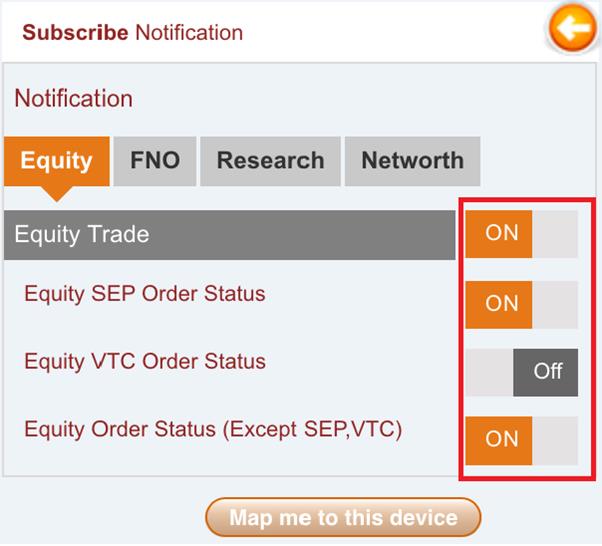
|
|
|
Top
|
|
.
|
Where can I view the notifications received for my Account ?
You can visit My Notification under Trade & Invest menu to get a consolidated view
of all the notifications received for your account.
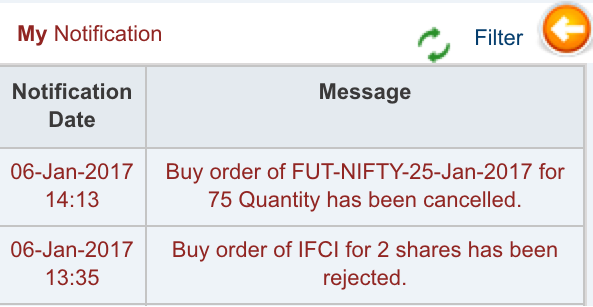
|
|
|
Top
|
|
.
|
Will I receive all notifications once mapped to a device?
No. You will receive only default notifications. To receive additional ones, you must subscribe.
|
|
|
Top
|
|
.
|
Will my Subscribe notification setting change if I un map my account from one device and map it to some other device ?
Yes, your notification setting will become OFF for all the notifications subscribed if you un map your account from one device and map it to some other device.
|
|
|
Top
|
|
.
|
Will my Subscribe notification setting change if I map my account to any mobile device other than the device on which I am currently mapped?
No, your notification setting will not change if you map your account to any mobile device other than the device on which you are currently mapped. Please note you will be automatically un mapped from any other device on which you are currently mapped.
|
|
|
Top
|
|
|
eATM Orders
|
|
|
|
|
.
|
What is an eATM Order?
eATM (Equity-ATM) is a facility where funds from your cash sell transactions are credited to you on the same trading day at frequent intervals, instead of waiting till the standard payout day. Please note, intervals at which payout of funds will be given is at the discretion of ICICI Direct.
|
|
|
Top
|
|
.
|
How do I place an eATM Order?
To place an eATM order:
- Go to eATM page under Equity > Place Order, or
- From Delivery > Sell Order, select “eATM” as the product type.
Note: Once placed as Cash Sell, the order cannot be changed to eATM.
|
|
|
Top
|
|
.
|
What is the brokerage applicable?
The brokerage for eATM is the same as your normal cash sell brokerage plan. ICICI Direct reserves the right to change the eATM brokerage for all clients or at client specific level depending on the brokerage plans available from time to time and as chosen by customer. Usual statutory charges (GST, STT, transaction charges, stamp duty) apply.
|
|
|
Top
|
|
.
|
How many scrips are available for eATM trades?
eATM is available on both NSE and BSE for select scrips. You can check the updated list here:
- ICICI Direct > Login > Equity > Stock List (for scrips)
- ICICI Direct > Login > Stocks > ETF List (for ETFs)
ICICI Direct may add or remove scrips at its discretion.
|
|
|
Top
|
|
.
|
Will I always receive payout during the day for my eATM orders?
Not guaranteed. The eATM payout is provided on a best-effort basis and may be modified, delayed, or stopped at ICICI Direct’s discretion.
|
|
|
Top
|
|
.
|
What is the 'eATM Withheld Amount' in an eATM transaction? Will it be released?
When you place an eATM sell order, a small portion of the trade value is retained as eATM withheld amount. This is kept aside to adjust brokerage and statutory charges.
- The withheld amount is released into your trading limits after brokerage recovery is processed.
- Final payout of the withheld balance happens as per the normal equity payout cycle (generally T+1).
Example 1:
- Trade Value: ₹1,000 | Withheld %: 20% → Withheld = ₹200
- Immediate payout = ₹800
- Brokerage + Taxes = ₹5 → Remaining ₹195 (200-5 = 195) is released post adjustment in limits and paid as per normal payout.
-
Trade Value: ₹1,000 | Withheld %: 1% → Withheld = ₹10
- Immediate payout = ₹990
- Brokerage + Taxes = ₹5 → Remaining ₹5 (10-5 = 5) released later in the same way.
|
|
|
Top
|
|
.
|
Where can I see the 'eATM Withheld Amount'?
You can view the withheld amount:
-
In the Trade Book (under details of the sell transaction), and
- On the Order Verification page while placing an eATM order.
|
|
|
Top
|
|
.
|
If my eATM order is partially executed, will I get payout during the day?
No. For partially executed orders, you will receive payout only after:
- The order is fully executed, or
- The unexecuted quantity is cancelled or expired.
|
|
|
Top
|
|
.
|
What happens if I have other non-eATM trades in the same settlement?
Non-eATM trades will continue to follow the normal payout/pay-in cycle. eATM and non-eATM settlements are handled separately.
Case 1 – eATM Sell + Cash Sell
- eATM Sell = ₹3,000 | Suppose Withheld = ₹600 → Immediate payout = 3000-600 = ₹2,400
- Normal Cash Sell = ₹2,000 → Payout on normal settlement day
Case 2 – eATM Sell + Cash Buy
- eATM Sell = ₹3,000 | Withheld = ₹600 → Immediate payout = 3000-600 = ₹2,400
- Cash Buy = ₹4,000 → Debit on same day (T day)
|
|
|
Top
|
|
.
|
Is there any maximum limit for the amount of eATM trades I can enter into on a daily
basis ?
The maximum limit of eATM trades that you can enter into on a daily basis would
be restricted to Rs. 50,000 per customer. ICICIdirect can however change this limit
at its discretion. This limit is inclusive of eATM trades placed on both NSE and
BSE. Please note, if this limit is breached, then you will not be able to transact
in eATM product on that day.
|
|
|
Top
|
|
.
|
Is there any reason I may not be able to place an eATM order?
Yes. You may be unable to place an eATM order under the following situations:
-
Your Equity Total Current Limit is negative.
Solution: Allocate sufficient funds to Equities so that your Equity Total Current Limit becomes positive
-
You have breached the daily eATM limit (₹50,000 per customer across exchanges).
Solution: You can place fresh eATM orders only on the next trading day with renewed limits.
- You have done an MTF buy in the same stock on the same day (across exchange or across demat).
- You have done a Margin buy and later switched to MTF using the change mode.
- You hold multiple demat accounts and have purchased shares in one demat but are trying to place eATM sell in the same scrip from another demat.
- Your demat account is in “Freeze” or “Suspended” status.
- Any other restrictions may also apply at the discretion of ICICI Securities.
|
|
|
Top
|
|
.
|
If I buy back the same scrip after selling it in eATM on the same day, will it be treated as a square-off trade?
No. If you sell a scrip using eATM and then buy it back on the same day, it will not be treated as a square-off trade.
-
Brokerage will be charged separately on both the buy and the sell transactions.
|
|
|
Top
|
|
.
|
Will the eATM product always be available?
No. The availability of the eATM product is at the discretion of ICICI Direct and it may not be offered at all times.
|
|
|
Top
|
|
|
Top
|
|
|
Trading in SME
|
|
.
|
How can I place orders in Small and Medium Enterprises (SME) Stocks?
Order placement for SME stocks is similar to Equity order placement.
You can place orders through: Equity → Place Order
Depending on your requirement, you can select Cash Buy, or Cash Sell.
|
|
|
Top
|
|
.
|
Can I place an order for any quantity in SME stocks?
No. You can place an order only in:
- the defined lot size, or
- multiples of the lot size
|
|
|
Top
|
|
.
|
Where can I check the Lot size of a given SME Stock?
Please
click here
to check Lot size of a given stock.
|
|
|
Top
|
|
.
|
Can odd lot quantity be created in SME stocks?
Yes. In rare cases, odd lots may be created in SME stock holdings due to reasons such as:
- Change in lot size, or
- Corporate actions
However, exchanges generally try to ensure changes happen in multiples of the lot size to avoid odd lots.
|
|
|
Top
|
|
.
|
How can I sell SME stocks if I hold odd lot quantity?
If you hold odd lot quantity in SME stocks, you can contact the Call Center team and place a request to sell the odd lot quantity.
ICICI Securities will attempt to sell the odd lot on your behalf through the exchange-provided odd lot window mechanism.
Please note:
- Execution cannot be guaranteed, as it depends on liquidity available at the exchange.
|
|
|
Top
|
|
.
|
Can I place orders in NSE and BSE for SME stocks?
Yes. You can place orders on NSE or BSE, depending on where the SME stock is listed. Please note: SME stocks are listed on only one exchange, i.e. either NSE or BSE.
|
|
|
Top
|
|
.
|
Which trading products are available for SME stocks?
Cash Buy and Cash Sell will be available for SME, however Margin Buy, Margin Sell, SPOT and Margin Plus will not be available for trading in SME. BTST (Buy Today Sell Tomorrow) may be allowed by ICICI Securities at its discretion.
|
|
|
Top
|
|
.
|
Can I place VTC and IOC orders in SME stocks?
Yes. You can place VTC (Valid Till Cancelled) orders, and IOC (Immediate or Cancel) orders in SME stocks.
|
|
|
Top
|
|
.
|
Can I place Advance Orders in SME Stocks?
Yes. You can place Advance Orders in SME stocks, such as:
- AMO (After Market Order)
- Pre-open orders
Advance orders will be enabled for a stock based on risk criteria decided by ICICI Securities at its discretion.
|
|
|
Top
|
|
|
Top
|
|
.
|
What are the market timings for SME stocks?
SME market timings for the continuous market are 9:15 AM to 3:30 PM.
|
|
|
Top
|
|
.
|
How do I allocate funds for SME trading?
You can allocate funds for SME trading from: Allocate Funds → Secondary Market Equity → ETF
|
|
|
Top
|
|
.
|
Do I get online confirmation of SME orders and trades?
Yes. You get online confirmation and real-time updates for orders and trades.
- Order status is updated in real time in the Order Book
- Once you place an order, it is validated by the system and sent to the exchange for execution
- The process is fully automatic and has no manual intervention
You will also receive:
- An email confirmation for orders placed at the end of the trading day
- Digitally signed contract notes via email for executed trades
Contract notes are also available on the site under the Customer Service page
|
|
|
Top
|
|
.
|
Can I place SME orders after trading hours? What happens to them?
Yes. You can place limit orders after trading hours.
Such orders are:
- queued in the system, and
- sent to the exchange when the market opens next
In the Order Book, the status will be shown as “Requested”.
|
|
|
Top
|
|
.
|
How will I be informed about trade execution in SME stocks?
Trade executions are confirmed online, and trade history is updated immediately.
You can track execution through:
- Order Book (status updates in real time)
- On execution, status changes to Executed or Part Executed
- Trade Book (shows all completed trades)
You can also click the Order Reference Number to view trade execution details.
In addition:
- You will receive an email confirmation for trades at end of day
- The contract note will be sent via email at end of day
|
|
|
Top
|
|
.
|
Will I receive a contract note for SME trades?
Yes, you will receive the contract note.
Please note:
- SME trades are included in the combined Equity contract note
- You will see SME trade details within the Equity contract note for that day
|
|
|
Top
|
|
.
|
How will settlement of trades happen in SME?
There is no change in trade settlement for SME stocks. The existing settlement process will
continue.
For more details, please refer to: Settlement of Trades
Peak Margin impact on Fresh Cash Sell limits
|
|
|
Top
|
|
|
Withholding of Cash Sell Limits
|
|
.
|
When will the cash sell trade value be released to my limits?
The entire value of the cash sell transaction will be withheld and will be released into your trading limits post market hours on the same day.
- For Resident Individuals: 100% of the cash sell transaction value is withheld and released into your trading limits post market hours on the same day.
- For Non-Resident Individuals: The amount after TDS deduction is withheld and released into your trading limits post market hours on the same day.
Additional Scenarios
1. If a cash sell trade is executed after a buy trade for the same stock and quantity (on either exchange), it is considered intraday. No margin is required at EOD (excluding BTST and CTD sell transactions).
2. If the sell trade occurs before the buy trade, it is classified as a delivery transaction, and 100% of the sell value will be withheld.
3. For BTST (Buy Today Sell Tomorrow) transactions executed on T+1 day, 100% of the sell value will be withheld.
-
No limits will be provided during market hours for further exposure.
- The withheld amount will be released after market hours.
-
Example: If a BTST trade is executed on September 21 against a buy trade on September 20, with a value of Rs. 100, then Rs. 100 will be withheld. No limits will be released during market hours, but Rs. 100 will be made available post market hours on the same day.
You may please visit the online Trade Book under Equity section or "Converted to
Delivery" link under Margin page to view the withheld amount for the respective
transaction.
|
|
|
Top
|
|
|
|
Top
|
|
|
e-DIS (Electronic Delivery Instruction Slip)
|
|
.
|
How do I provide authorization for Delivery Sell/BTST/Spot Sell/MTF T+N orders if I have an NSDL account with eDIS facility?
1. Place a Sell order.
2. Once the order details are entered, click on Proceed.
3. The 'Single eDIS’ page will open, on which the user will get three options:
-
Authorise all: All ISINs across all equity products will be redirected to NSDL Mandate in a single click. Authorization for partial quantity for a particular ISIN is not allowed.
If a Demat account holds more than 99 stocks, only the first 99 stocks (arranged in alphabetical order) will be authorized. If you wish to authorize more than 99 stocks, you can do so in a separate request.
- Manage Authorisation: All ISINs’ total quantity across all equity products will be displayed with a select all/individual stock selection option. You can unselect the stock selection if you do not wish to authorize all stocks. Once you confirm the ISINs, only then will it move forward to Depository for the mandate.
- Authorise this Transaction: Only the stock selected for selling is redirected to the NSDL mandate.
4. Click on confirm.
5. You’ll be redirected to the NSDL eDIS mandate page, where you must complete your two-factor authentication:
- Enter your M-PIN and click Submit.
- Enter the OTP sent to your registered mobile/email with NSDL.
- Click on ’Submit’ on the NSDL page.
|
|
|
Top
|
|
.
|
How do I know if I am an eDIS customer?
You are an eDIS customer if you have not submitted a Power of Attorney (POA) or Demat Debit and Pledge Instruction (DDPI) to ICICI Securities during or after account opening.
|
|
|
Top
|
|
.
|
How do I give eDIS mandate for shares in Demat Allocation in my NSDL Account?
Follow these steps:
1. Go to the Demat Allocation page.
2. Click ‘Mandate All’ for all holdings.
3. For NSDL customers, the eDIS review page will open. Here, all ISINs’ maximum quantity across all products will be displayed, with a select all/ individual stock selection option available.
4. Click on confirm.
5. You’ll be redirected to the NSDL eDIS mandate page, where you must complete your two-factor authentication:
- Enter your M-PIN and click Submit
- Enter the OTP sent to your registered mobile/email with NSDL
- Click on ‘Submit’ on the NSDL page
|
|
|
Top
|
|
.
|
What is the validity of an eDIS mandate?
The eDIS mandate is valid only for the same trading day (T Day). You'll need to resubmit the mandate on the next day for new Sell transactions in the Equity segment.
|
|
|
Top
|
|
.
|
Is an eDIS mandate required for BTST orders?
Yes, a valid eDIS mandate is required for BTST quantity in a stock. If no mandate is available or if it's insufficient, you’ll be prompted to submit one via a pop-up for the full quantity held.
|
|
|
Top
|
|
.
|
Can I execute Convert to Delivery (CTD) Sell against Margin positions?
Yes, you can execute CTD Sell transactions against your Margin positions if you’ve submitted a valid mandate. If not, you’ll need to complete the eDIS mandate process before placing the order.
|
|
|
Top
|
|
.
|
Can I trade intraday without an eDIS mandate?
Yes, intraday trading transactions do not require an eDIS mandate.
|
|
|
Top
|
|
.
|
How do I register my M-PIN as a new eDIS customer?
When redirected to the NSDL eDIS mandate page for the first time, you’ll be asked to set your M-PIN. After that, you’ll proceed with standard NSDL authentication.
|
|
|
Top
|
|
.
|
How do I reset my M-PIN if I’ve forgotten it?
Click on ‘Forgot M-PIN’ on the NSDL mandate page. You’ll be prompted to:
- Enter your new M-PIN twice.
- Enter the OTP received on your registered mobile.
Once verified, your M-PIN will be reset.
|
|
|
Top
|
|
.
|
Why am I unable to place certain orders or actions?
Due to regulatory requirements on trade settlement and netting, certain orders or actions are restricted for compliance. To view the complete list of restrictions, Click Here
|
|
|
Top
|
|
|
Top
|
|
|
Trading Validations in Equity
|
|
|
Top
|
|
.
|
Why am I not able to place certain orders and conduct certain actions under Equity products?
Brokers deliver securities received from clients to the Exchange based on the net settlement obligation of the client in that scrip, which results in netting-off trades on the same day across exchanges.
Further, SEBI and Exchanges mandate collection of 20% upfront margin for every transaction in the Cash market. Accordingly, securities sold are transferred from the client’s demat account to meet this margin requirement.
In certain cases where trades in the same scrip are netted, ICICI Securities may not be able to debit the client’s demat account for delivery, leading to non-collection of upfront margin. To comply with these regulations, ICICI Securities restricts certain opposite-flow (buy/sell) orders in the same scrip across products, demat accounts, and exchanges.
The Change Mode option is also discontinued.
Restrictions apply irrespective of order status in the Order Book (even cancelled orders).
Restrictions for Resident Indian (RI) Customers
|
Buy Leg
|
Sell Leg
|
Same Demat (Same/Other Exchange)
|
Different Demat (Same/Other Exchange)
|
|
MTF Buy
|
Cash Sell, eATM Sell,
Cash BTST, SPOT Sell,
Margin Sell CTD
|
Restricted
|
Restricted
|
|
Cash Buy, Margin Buy CTD
|
MTF BTST, MTF Sell,
eATM Sell, SPOT Sell
|
Restricted
|
Restricted
|
Cash Buy,
Margin Buy CTD
|
Cash Sell, Margin Sell
CTD
|
Not Restricted
|
Restricted
|
|
Note:
- Effective Feb 25, 2025, securities pay-out will be credited directly to the client’s active demat account by NSDL/CDSL.
- If shares cannot be credited due to account issues (inactive, frozen, suspended, or regulatory reasons), they will be transferred to ICICI Direct’s broker pool account and squared off on T+2. If T+2 is a holiday, square-off will take place on the next trading day.
For NRI Customers:
As an NRI client, you will be allowed to place either only Buy or only Sell orders in a particular scrip on a day across all NRE and NRO accounts.
|
|
|
Top
|
|
.
|
|
|
|
Top
|
|
|
Interoperability Limit & Peak Margin Changes
|
|
.
|
Why are limits not displayed separately for each exchange and segment on the ‘Limits’ page?
With interoperability in the Equity segment, limits are now combined across NSE and BSE and across segments (Rolling and Trade for Trade).
-
A single cash limit and securities limit is displayed for each trade date across all equity products.
|
|
|
Top
|
|
.
|
Why are cash projections not displayed exchange-wise on the ‘Cash Projection’ page?
With interoperability in the Equity segment, Cash projections are now combined across NSE and BSE.
A single combined amount is shown under Equity for each trade date, across all equity products.
|
|
|
Top
|
|
.
|
Why are I-Sec Margin amounts not displayed separately in ‘I-Sec Margin History’?
Post interoperability, I-Sec Margin amounts are
combined across NSE and BSE
-
The combined figure is displayed against NSE, as ICICI Securities has chosen CCIL as the clearing corporation for settlement of trades executed on both exchanges.
|
|
|
Top
|
|
.
|
Why is ‘Interest on SAM’ not shown separately for each exchange?
Post interoperability, Interest on Shares as Margin (SAM) is now combined across NSE and BSE.
-
A consolidated interest figure is displayed per trade date, shown against NSE, since I-Sec has chosen NCL as the clearing corporation.
|
|
|
Top
|
|
.
|
Why don’t I see a separate Contract Note for BSE trades?
With the implementation of interoperability in Equity segment, combined contract note will be generated i.e. NSE Rolling (including BSE Rolling) and NSE TT (including BSE TT).
|
|
|
Top
|
|
.
|
Why are NSE and BSE entries combined in the Statement of Funds/Ledger?
Statements are now consolidated.
-
Weekly/quarterly fund statements and ledgers under NSE Capital Markets also include BSE trades.
-
No separate BSE Capital Market section is generated.
|
|
|
Top
|
|
.
|
Why can’t I de-allocate funds from Equity cash allocation and I get a ‘Debit Peak Margin Now’ error?
As per regulatory rules, Peak Margin must be collected during market hours from all the clients.
-
If Peak Margin is blocked from your bank account in equity cash allocation, it cannot be de-allocated until debited.
-
Once debited, any surplus funds can be de-allocated.
-
If you squared off your position intraday (where Peak Margin is not required), the debited amount will be released in the EOD process.
|
|
|
Top
|
|
.
|
Why is my Peak Margin amount higher than my executed order or open position value?
Peak Margin is based on the maximum limit utilized during the trade date, not just final positions.
- Once an order is placed, it counts towards Peak Margin, even if later cancelled, rejected, or squared off.The Peak Margin amount does not reduce for that trade date.
Only executed trades are finally considered for Peak Margin, as per exchange files.
|
|
|
Top
|
|
.
|
Why are there additional entries in my Statement / Ledger / Bank Account?
These additional entries usually relate to Peak Margin requirements. Here’s why they appear:
-
If you debit Peak Margin yourself during market hours: When you use the “Debit Peak Margin Now” option under the “I-Sec & Peak Margin Details” tab in the F&O section, the peak margin amount is instantly debited and credited to your account.
-
If I-Sec debits Peak Margin at the end of the day (EOD): Even if you’ve already debited Peak Margin during market hours, I-Sec will still run its EOD process to debit the peak margin amount.
o The system then compares the actual Peak Margin requirement with the amount debited earlier.
o Any excess margin will be credited back to you; if there’s a shortfall, the balance will be debited.
-
Why you see multiple entries: Because of this debit-credit adjustment process, you may see multiple entries (debit and credit) in your statement or ledger. Your main Pay-In/Pay-Out entries for obligation settlement will still appear separately as usual.
|
|
|
Top
|
|
|
Top
|
|
|
FAQ on FNO Peak Margin Debits
|
|
.
|
Why am I not able to de-allocate from F&O cash allocation and I am getting an error
pop up as 'Debit Peak Margin Now'?
As per the regulatory requirement, Peak Margin amount during the market hours is
required to be collected from all the clients. All Bill to Bill Settlement model
customers having any margin event under F&O segment on a particular trade date will
have the peak margin amount blocked in their F&O cash allocation. In cases where
peak margin amount is blocked from your F&O cash allocation, the same cannot be
de-allocated until the peak margin amount is debited for the day. Once the peak
margin amount is debited only then surplus free limits/funds available as allocation,
if any, can be de-allocated by you. In order to avoid the error of de-allocation,
you can also debit peak margin amount by visiting 'Debit Peak Margin Now' option
on 'I-Sec & Peak Margin Details' page under 'F&O' section or you can get redirected
to this page by clicking 'Debit Peak Margin Now ' option in the pop up message if
displayed while deallocating funds. In case you have not debited the peak margin
amount then the same will be debited at the End of Day (EOD) process by I-Sec on
best effort basis and available free limits in allocation, if any, can be deallocated.
Also, in case you have squared off your position(s) intraday where peak margin is
not required to be carried forward the peak margin amount debited will be credited
in the EOD process by I-Sec after the adjustment required for EOD margins i.e. 'I-Sec
Margin' required to be debited or credited for that trade date.
|
|
|
Top
|
|
.
|
Why is my Peak Margin amount higher than value of Executed Order(s)/Open Position(s)?
Customer's maximum limit utilized for the Trade Date is considered as Peak Margin
amount. Peak Margin Amount once calculated doesn't get reduced for the Trade Date
(including cases of Limits released by order status change). e.g. Once customer
places the order the limit gets utilized and considered in calculation of Peak Margin.
Then even if this order gets cancelled/rejected/position is squared off and limits
are released but Peak Margin Amount won't get reduced for that Trade Date.
|
|
|
Top
|
|
.
|
Why are there additional entries in my statement/Ledger/Bank Account?
In Case Peak Margin is debited by customers during market hours.
In case of Customer debiting the peak margin by using "Debit Peak Margin Now" option
in "I-Sec & Peak Margin Details" tab in F&O section , the peak margin amount will
be instantly debited and credited.
In case Peak Margin is debited by I-Sec at End of Day Processes.
Irrespective whether you have debited Peak Margin during market hours the same will
be debited by the I-Sec at EOD. Peak Margin amount will be debited in I-Sec Peak
Margin Debit process and the subsequent process will credit/debit back the extra
margin amount, if any, in comparison to actual peak margin to be debited for you.
Depending upon the nature of transactions carried out there will be corresponding
entries of peak margin debit and credit. However, original single Pay-in / Pay-Out
entries will continue to appear as per existing practices for obligation settlement.
|
|
|
Top
|
|
.
|
Why is my Peak Margin amount showing a positive value even though I did not place any trades during the day?
If you have carried forward open marginable positions from the previous trade date, the Peak Margin column will continue to display the total margin utilized to maintain those positions, even if you did not trade on the current date.
- The actual Peak Margin applicable for that trade date will only be shown in the “Peak Margin to be Debited” column.
- This column is updated only when a fresh trade is executed on that day.
|
|
|
Top
|
|
|
|
|
|
Upstream Payin
|
|
|
Top
|
|
.
|
What is Upstream Payin and why is it important?
Upstream Payin is a regulatory requirement introduced on September 1, 2023. It mandates brokers to transfer client funds to the Clearing Corporation (CC) daily before the cut-off time. This ensures compliance with exchange guidelines and promotes transparency in fund settlement.
In this process, the higher of your peak margin or settlement obligation is debited from your account. Any excess amount is credited back to you, and the remaining funds are transferred (upstreamed) to the CC.
|
|
|
Top
|
|
.
|
Where can I view the amount debited for Upstream Payin?
You can check the debited amount in your ICICI Direct account by navigating to:
Stocks > Funds > Limits (see “Upstreamed Amount”) and
Stocks > Funds > Upstream Logs to track the transaction.
|
|
|
Top
|
|
.
|
How is the Upstream Debit amount determined?
The debit is based on whichever is higher:
- Your Cash Payable (settlement obligation under Limits), or
- Your Peak Margin, as per the exchange file, adjusted for T-Day SAM balances.
Example:
If your Cash Payable is ₹1,00,000
and your Peak Margin is ₹40,000,
then ₹1,00,000 will be debited.
|
|
|
Top
|
|
.
|
When are the funds deducted from my account?
Funds are debited at the end of each trading day—after all orders are executed and once the exchange shares your peak margin file—before the exchange’s cut-off time.
|
|
|
Top
|
|
.
|
What if the exchange-based debit cannot be processed on a given day?
If the exchange-based debit fails, the amount will be debited using ICICI Direct’s internal order-level limit calculation. This ensures uninterrupted trading.
|
|
|
Top
|
|
.
|
Does this impact all ICICI Direct customers?
No. This applies only to Block Model RI customers whose debits are based on peak margin. If you're not part of this category, your debit process remains unchanged.
|
|
|
Top
|
|
.
|
What if I only carried out a Cash Sell, eATM Sell, Spot Sell, or MTF Sell?
If all your trades for the day are limited to Cash Sell, eATM Sell, Spot Sell, or MTF Sell orders (or a mix of these), you will not be subject to an upstream debit for that day.
|
|
|
Top
|
|
.
|
What if I carried out a MTF Buy along with a Cash Sell trade?
If you have traded in MTF Buy with trade value of ₹1,000 and did a Cash Sell worth ₹1.00,000, the peak margin calculated by the exchange’s end could be ₹20,200, then ₹20,200 would be debited and the excess debited funds will be credited back to your account the same day.
|
|
|
Top
|
|
.
|
What is the T-Day Upstream Credit?
If excess funds are debited, the difference is credited back to your account the same day with the narration “TDay Upstream Credit.”
Note: This credit is provisional. Any balance amount, if applicable, will be credited on the next trading day.
|
|
|
Top
|
|
.
|
What is the Upstream Payout?
After the trade is settled and the final obligation is confirmed, the respective amount—if any—is credited to your account the next morning (T+1 Day) with the narration “Upstream Payout.”
|
|
|
Top
|
|
.
|
Will this impact my trading limits or available margin?
No. This change affects only the debit calculation for upstreaming. Your trading limits and available margin will continue as per existing processes.
|
|
|
Top
|
|
.
|
Do I need to take any action?
No action is required from your end. This is an internal system update. Your trading experience remains unchanged.
|
|
|
Top
|
|
.
|
What if my account doesn't have sufficient funds?
If there are insufficient funds to meet the peak margin requirement, the exchange may levy a margin shortfall penalty. It is advisable to maintain adequate balance to avoid such penalties.
|
|
|
Top
|
|
.
|
Can I opt out of the Upstream Payin process?
No. Upstreaming is a regulatory mandate for eligible customers. All Block Model RI customers are required to comply.
|
|
|
|
|
|
Top
|
|
|
FAQs for Withholding Margin Release for MTF Trades
|
|
|
Top
|
|
.
|
How does a buy/sell order execution using margins affect my margin limits?
The impact on your limits depends on the nature of the executed order.
Creation of a New Position:
If an executed order results in the creation of a new position, the margin blocked for that order will be adjusted based on the difference, if any, between the order price (at which the margin was blocked) and the execution price. Consequently, your limits will be adjusted for the differential margin.
Cover Orders (Squaring Off Existing Open Positions):
If an executed order is a cover order that squares off an existing open position (either partially or fully), the margin blocked (to the extent square off) on the open position will be as follows:
- Intraday, Bracket & Pay Later (MTF T Day): The margin blocked will be released.
- MTF T+N Trades: The margin blocked will be withheld.
Beyond margin release or withholding, the square-off of a position also affects your limits based on the profit or loss incurred.
-
Impact of Profit & Loss Adjustments on Limits:
- Losses from the square-off will be deducted from your limits.
- Profits from the square-off will be withheld and will only be released after market hours.
To view the details of your limits, please click on the 'Limit' link on the Equity trading page of your www.icicidirect.com account.
|
|
|
Top
|
|
.
|
Why is my margin released from selling existing Margin Trading Facility positions not available in current limits?
In compliance with regulatory guidelines, the margin amount released from selling existing Pay Later (MTF) T+N positions will be available for use in your current limits only after market hours.
You can utilize the limits for:
- Trading on the next trading day (T+1 day).
- Placing overnight orders.
|
|
|
Top
|
|
.
|
Will margin released during the day be withheld for all products in Equity (Stocks)?
No, margin will not be withheld for the following products:
- Cash Products: Includes Equity Investments and Cash BTST (Buy Today, Sell Tomorrow) orders.
- Margin Products: Includes Intraday, Bracket Orders, and Pay Later (MTF T Day) orders.
Please Note: Margin will be withheld for MTF T+N positions (existing MTF positions).
|
|
|
Top
|
|
.
|
Where can I see the ‘Withheld Margin’ amount from selling MTF positions?
You can view the Withheld Margin amount on the website at:
Navigate to: 'Limits' page under the Funds section in the 'Stocks' segment.
Here, you will find two fields related to withheld margins:
- Withheld Margin (Cash)
- Withheld Margin (SAM)
These fields provide details regarding the withheld margin amounts from your MTF positions.
|
|
|
Top
|
|
.
|
Can I use the withheld margin from an MTF sell position to place another order?
No, if the margin for a position is withheld, you cannot use that margin to place another order. However, you can place another order after adding sufficient funds under 'Stocks'.
You can also use the withheld margin to add funds to your existing MTF positions via the “Add Margin” option.
Example:
If you created an MTF position worth ₹10,000 with an initial margin of ₹3,000 on 3rd March 2025, and you sell this position on 4th March 2025 at the same price, the margin release process will be as follows:
On 4th March 2025:
- ₹3,000 (initial margin) moves to Withheld Margin, which can only be used for the "Add Margin" option.
End of Day (EOD) on 4th March 2025:
- The ₹3,000 is fully released and can either be withdrawn or used to create new positions starting from the next trading day (5th March 2025).
If sold on 3rd March 2025:
- The released margin would be available for immediate use on 3rd March 2025..
|
|
|
Top
|
|
.
|
When will the withheld margin amount be released in my limits?
The withheld margin amount will be available for use in your current limits only after market hours.
The withheld limits can be utilized for:
- Trading on the next trading day (T+1 day).
- Placing overnight orders.
|
| |
|
|
|
Closing Auction Session
|
| |
Top
|
| . |
1. What is the Closing Auction Session?
The Closing Auction Session (CAS), is a new market session introduced
to determine the closing price of certain eligible stocks by
matching buy and sell orders at a single equilibrium price,
replacing the current method of VWAP of the last 30 minutes as per
SEBI circular HO/47/11/11(3)2025-MRD-POD2/I/2765/2026 dated January
16, 2026.
|
| |
|
| . |
2. Why is this change being introduced?
SEBI is introducing CAS to make closing price discovery more
transparent, fair, and efficient by matching buy and sell orders at
a single equilibrium price, instead of deriving the closing price
from trades in a limited time window, especially because the closing
price is used for derivatives settlement, index calculation, and
mutual fund NAV calculation.
|
| |
|
| . |
3. How will the closing price be decided?
The closing price will be the equilibrium price, meaning the price at
which the maximum volume of orders can be matched during the Closing
Auction Session.
|
| |
|
| . |
4. What if more than one price matches the maximum
volume?
If more than one price qualifies, the system will choose the one with
the minimum unmatched order quantity. If there is still a tie, the
price closest to the reference price will be selected.
|
| |
|
| . |
5. What if no equilibrium price is found?
If no equilibrium price is discovered, the reference price itself
becomes the closing price.
|
| |
|
| . |
6. What is the reference price in CAS?
The reference price is the VWAP of trades done between 3:00 PM and
3:15 PM.
The reference price shall be available between 3:15 PM and 3:20 PM.
i.e. during the transition period from CTS to CAS in the equity
segment. Since there is no transition period in the Equity
derivative segment, reference prices of stock future contracts shall
be available from 3:15 PM as and when computed and price bands will
be revised.
|
| |
|
| . |
7. Is the Closing Auction Session (CAS) applicable
to all securities in the equity segment?
Initially, CAS will apply only to securities in the equity segment
that have derivative contracts. Accordingly, the closing price of
these securities will be determined based on CAS. The framework will
be implemented in a phased manner, with its applicability to
additional scrips being expanded over time, as guided by SEBI.
|
| |
|
| . |
8. How long will the CAS session be?
CAS will run for 20 minutes, from 3:15 PM to 3:35 PM on all trading
days.
|
Session
|
Time
|
|
Reference price calculation / Transition from CTS to
CAS
|
3:15 PM to 3:20 PM
|
|
Order entry period - for both limit and market orders
|
3:20 PM to 3:25 PM
|
|
Order entry period only for limit orders,
No modification/ cancellation for market
orders,
Random Close in the last 2
minutes
|
3:25 PM to 3:28 / 3:30 PM
|
|
Order matching
|
3:30 PM 3:35 PM
|
Payout for eATM orders placed during CAS session and executed after
3:30, shall be processed after-market hours.
|
| |
|
| . |
9. What is the implementation timeline for both
the CAS framework and the revised pre-open market
session?
CAS framework shall be implemented on August 03, 2026, and alignment
of the pre-open session framework shall be implemented on September
07, 2026.
|
| |
|
| . |
10. What is the applicability of CAS in the Equity
Derivatives segment?
CAS applies only to the equity segment. To keep the applicable price
band aligned between the Equity and Equity Derivative segments, the
price band for stock futures will be reset before CAS. The
applicable price band will be +/-3%, but the reference price will be
calculated separately for each segment and may be different.
|
| |
|
| . |
11. What types of products features are allowed and not allowed during CAS at ICICI Securities Limited?
|
Allowed
|
Not- Allowed
|
|
Cash Buy
Cash Sell
MTF Buy
MTF Sell
eATM
SPOT Sell
GTT
Request
BTST
One Click
|
Intraday Buy
Intraday Sell
Bracket Order
Stop Loss
IOC Orders
Disclosed quantity orders
|
|
| |
|
| . |
12. Is there any change in the trading hours for
the Equity Derivatives segment? Will this change apply to all
equity derivative instruments, including index futures and
options, as well as stock futures and options?
Yes, the equity derivatives segment timings will be extended until
3:40 PM, and it is applicable to both index and stock derivatives
contracts.
|
| |
|
| . |
13. If a security becomes CAS-eligible for an
Exchange, will it be simultaneously eligible on all the
Exchanges?
Yes, it will be simultaneously eligible for all the Exchanges.
|
| |
|
| . |
14. How is the Index value computed during
CAS?
As per regulatory guidelines the Dissemination of the indicative
index during CAS shall be as follows:
-
Since the CAS mechanism shall be implemented in a phased manner,
it is possible that certain constituents of any index are
trading in CAS, whereas the remaining constituents of the same
index are trading in the Continuous Trading Session (CTS)
simultaneously. Thus, Exchange shall disseminate both the actual
index value and the indicative index close value during the CAS.
-
The actual index value when CAS is in progress shall be computed
considering its constituent prices as below:
2.1. Stocks for which CAS is not
applicable: Real-time LTP of CTS as per current logic
2.2. Stocks for which CAS is applicable:
LTP of CTS
3. Indicative index close value when CAS
is in progress shall be computed considering its constituent prices
as below:
3.1. Stocks for which CAS is not
applicable: VWAP of all the trades from 3.00 PM onwards
3.2. Stocks for which CAS is applicable:
Indicative equilibrium price of the stock during
CAS :
|
| |
|
| . |
15. If derivatives on a security are suspended or
discontinued, will CAS continue or revert to VWAP-based closing
in the equity segment?
Yes, if a security is excluded from the equity derivatives segment on
both exchanges, it will no longer be eligible for the Closing
Auction Session (CAS). Its closing price will then be calculated
using the existing method, i.e., VWAP of the last 30 minutes. Till
the time the security remains part of the Equity derivatives segment
on any of the Exchanges, the underlying of such security will remain
eligible for CAS.
|
| |
|
| . |
16. What is the applicable price band for stock
futures during CAS?
The price band for all stock futures contracts will be set at ±3% of
the reference price computed after 3:15 PM during normal market
hours.
The reference price shall be computed as follows:
The reference price of a stock future contract shall be
determined based on the VWAP of the trades executed in the stock
future during the period from 3:00 PM to 3:15 PM
In case no
trade is executed in a stock future during the period 3:00 p.m. to
3:15 p.m., the Last Traded Price (LTP) of the stock future during
the day shall be taken as the reference price.
In case
there is no trade during the day, the closing price of the stock of
the previous trading day shall be taken as the reference price for
CAS. In case of corporate action, the previous day’s closing price
shall be the adjustable closing price or the base price.
In
case the underlying security in the cash market is not traded, i.e.
LTP is not available, the base price of the respective future
contract shall be taken as the reference price for arriving at the
price band at 3:15 PM
The existing framework for dynamic flexing
of price bands for stock futures shall not be applicable during the
period from 3:15 PM to 3:40 PM.
|
| |
|
| . |
17. Is the price band change applicable to options
as well during CAS?
No, the price band change does not apply to Options. There shall be
no change in the methodology for Options price band ranges during
regular trading hours from 9:00 a.m. to 3:40 p.m., including during
the CAS.
|
| |
|
| . |
18. Will the upper/lower price band limit be
static during CAS? Or will the price band be flexed during
CAS?
Yes, it will be static during the closing auction session
|
| |
|
| . |
19. What happens to the unexecuted orders from CTS
which are ineligible for CAS in the equity segment? Will it be
cancelled by the Exchange?
All unexecuted special orders, i.e. Stop loss & Disclosed
quantity orders, including eligible unexecuted orders outside the
revised price band, shall be cancelled by the Exchange.
|
| |
|
| . |
20. During CAS, if a buy order’s quantity is
changed to a lower quantity without modifying the price, will
the priority be changed?
The priority will not change when the order quantity is lowered.
|
| |
|
| . |
21. Will the exchange include market orders in
Indicative Equilibrium Price (IEP) calculations?
Yes, Market orders shall be reckoned for the computation of IEP.
|
| |
|
| . |
22. Will market orders get priority?
Yes. Market orders will be given priority over limit orders during
CAS
|
| |
|
| . |
23. What is the time priority of unexecuted limit
orders transitioning from CTS to CAS?
All unexecuted limit orders of the CTS shall be carried forward to
CAS, except Stop Loss orders, Iceberg orders and orders having
prices beyond the price bands applicable in CAS. The limit orders
carried over from the CTS to CAS shall have a higher time priority
than limit orders placed during CAS. The limit orders carried over
from the CTS to CAS can be modified; however, time priority on the
price modification shall be changed.
|
| |
|
| . |
24. Will the orders placed outside the applicable
CAS price band range be automatically rejected by the
Exchange?
Yes, orders placed outside the applicable CAS price band range will
be automatically rejected.
|
| |
|
| . |
25. Will the trading for Non-F&O securities
continue till 3:30 PM in the equity segment?
Yes, Continuous Trading Session (CTS) for NON-CAS securities will
continue till 3:30 PM in the equity segment.
|
| |
|
| . |
26. Can IOC orders be placed in CAS?
No, IOC (Immediate or Cancel) orders are not allowed in CAS.
|
| |
|
| . |
27. How are the margins or Limits blocked for
market orders during Closing Auction orders?
Margin requirement for orders placed during CAS is the same as for
the Continuous Trading session.
|
| |
|
| . |
28. Will there be margin checks for eligible
carried forward orders from CTS to CAS, OR when orders that have
been carried forward from CTS to CAS are modified?
No, order-level margin check shall not be applied to such orders.
Yes, there will be a margin check for the order modification of
carried-forward orders from CTS to CAS. Also, for new orders entered
in CAS, the margin check shall be applicable.
|
| |
|
| . |
29. Will there be any impact on the existing
guidelines for the collection of options premiums?
No changes in the Options trading mechanism.
|
| |
|
| . |
30. Is the margin check mechanism applicable to
Institutional (INST) order types during the Closing Auction
Session? Specifically, will the broker's margin be blocked for
INST orders placed during CAS, and if so, what will be the
applicable margin percentage or methodology?
As per SEBI circular points 4.10 & 4.11, the current risk
management system for the cash market shall be applicable during
CAS. Orders in CAS shall be subject to the applicable margin
requirement at the order level, except for the limit orders carried
over from CTS to CAS. However, if such limit orders are modified
during CAS, then such limit orders shall also be subject to the
applicable margin requirement at the order level.
For
applicable margin percentage or methodology, details can be taken
from the NCL team.
|
| |
|
| . |
31. How will the closing price be calculated in
the equity derivatives segment?
Closing price shall continue to be determined as per the existing
mechanism as mentioned in point 1.5 of the Exchange circular ref no
NSE/FAOP/73928 (VWAP price of the last half an hour, i.e. 3:10 PM to
3:40 PM)
|
| |
|
| . |
32. Is brokerage different for trades in CAS vs.
Continuous Trading session?
No. Brokerage and applicable charges & taxes are the same for
both CAS and Normal sessions.
|
| |
|
| . |
33. Where can I see my CAS orders and
trades?
CAS as well as Normal session trades appear in the standard Equity
order book and trade book on ICICI Direct.
|
| |
|
| . |
34. Where can I place orders for the CAS?
You can use the order placement page on the ICICI Direct platforms.
|
| |
|
| . |
35. Are there any restrictions on order placement
in CAS?
Yes. During CAS:
-
Only Day validity is allowed.
Order types allowed: Limit and
Market (With applicable restrictions)
- Orders must be within the CAS price band.
Not allowed: SLTP (Stop Loss), Disclosed
Quantity, and IOC orders. These are available only in the normal
session.
|
| |
|
| . |
36. Post 3:15 PM, when are orders sent to the
exchange?
For CAS enabled scrips → Orders are forwarded to the exchange at 3:20
PM on a best-efforts basis
For other scrips → As per existing CTS framework.
|
| |
|
| . |
37. How can I know which stocks are available for
order placement in the CAS?
You can check the list of eligible stocks by following the path below
on the ICICI Direct website:
Stocks →
Service
→ Stock List page
|
| |
|
| . |
38. Can I place orders in all scrips during the
CAS?
No. Only selected scrips are enabled by exchanges for CAS trading.
Currently, all scrips in which derivative contracts are available
are included. Any additions or deletions in this automatically
reflect in the list of CAS enabled scrips in the stock list.
|
| |
|
| . |
39. Can I participate in the CAS?
Yes. All ICICI Direct customers with 2-in-1 or 3-in-1 accounts who
are eligible can place orders in CAS-enabled scrips.
|
| |
|
| . |
40. Who determines the reference price?
The exchange determines the equilibrium/reference price using
SEBI-prescribed methodology.
|
| |
|
| . |
41. What will be the handling of Intraday &
Bracket products with respect to CAS?
Trading is available until the EOS process for the
day is initiated. For CAS-enabled stocks, the EOS process shall be
initiated before the beginning of the Closing Auction Session. For
other stocks, EOS shall be initiated as existing. The EOS process
timing is at I-Sec’s discretion. It is the
client’s responsibility to monitor positions and
take necessary steps.
|
| |
|
| . |
42. When the stock futures contract price band is
set at ±3% of the reference price computed after 3:15 PM, what
will happen to the unexecuted orders on stock futures
contracts?
All unexecuted orders in the regular order book, which are outside
the revised price band, shall be cancelled by the Exchange with an
appropriate cancellation message. However, outstanding stop loss
orders having a limit price outside the revised price band shall be
cancelled when the order gets triggered due to a breach of the
trigger price.
|
| |
|
| . |
43. What order placements are allowed during the
CAS Session for CAS stocks?
|
Session
|
Order Type
|
Placement
|
|
Reference price calculation /
Transition from CTS to CAS
|
Limit & Market
|
Yes
|
|
Order entry period - for both limit
and market orders
|
Limit & Market
|
Yes
|
|
Order entry period only for limit
orders,
No modification/
cancellation for market orders,
(Random Close in the last 2 minutes )
|
Limit
|
Yes
|
|
Market
|
No
|
|
Order matching
|
Limit & Market
|
No
|
For non-CAS stocks, order placement shall work as existing
|
| |
|
| . |
44. What order modification/cancellation are
allowed during the CAS Session for CAS stocks?
|
Particulars
|
Start Time
|
Order Type
|
Modification
|
Cancellation
|
|
|
|
|
Old Orders
|
New Orders
|
Old Orders
|
New Orders
|
|
Reference price calculation /
Transition from CTS to CAS
|
3:15 p.m. to 3:20 pm
|
Limit
|
No
|
Yes
|
No
|
Yes
|
|
Market
|
No
|
Yes
|
No
|
Yes
|
|
Order entry period - for both limit
and market orders
|
3:20 p.m. to 3:25 pm
|
Limit
|
Yes
|
Yes
|
Yes
|
Yes
|
|
Market
|
Yes
|
Yes
|
Yes
|
Yes
|
|
Order entry period only for limit
orders,
|
3:25 p.m. to 3:28 / 3:30 pm
|
Limit
|
Yes
|
Yes
|
Yes
|
Yes
|
|
No modification/ cancellation
for market orders,
|
|
(Random Close in the last 2 minutes)
|
Market
|
No
|
NA
|
No
|
NA
|
|
Order matching
|
3:30 p.m. 3:35 pm
|
Limit
|
No
|
No
|
No
|
No
|
|
Market
|
No
|
No
|
No
|
No
|
For Non-CAS stocks, order modification & cancellation shall work
as existing
|
| |
|
| |
What are the different prices / quantities displayed during Closing Auction Session ?
|
| . |
Below are the prices / quantities data which is being displayed as disseminated by the exchange
Reference Price
The Volume Weighted Average Price (VWAP) of trades executed between 3:00 PM and 3:15 PM. This serves as the reference price for the auction based on which price range of +-3% is determined
Indicative Price
The estimated price of the security based on current buy and sell orders placed during the Closing Auction Session (CAS)
Indicative Quantity
The number of shares that can potentially be matched and traded at the estimated closing price
Imbalance Qty.
The difference between buy and sell quantities at the indicative equilibrium price
Imbalance Qty. (Market Orders)
The difference between market buy and market sell order quantities at the estimated closing price.
LTP (During Closing Auction Session)
During the Closing Auction Session (3:20 PM–3:30 PM), the LTP displayed is the estimated closing price based on current orders and may differ from the final closing price.
Indicative Index
Indicative index close value when CAS is in progress shall be computed considering its constituents prices as below:
1. Stocks for which CAS is not applicable: VWAP of all the trades from 3.00PM onwards
2. Stocks for which CAS is applicable: Indicative equilibrium price of the stock during CAS
CAS Volume
The total number of shares traded during the Closing Auction Session.
|
| |
|

